40 Free Excel Business Templates & Management Tools for Small Businesses
A complete library of 40 interactive Excel business applications for small businesses, freelancers, consultants, agencies, shops, and service providers – built to feel like real software, not blank spreadsheets.
What This Collection Is
Running a small business means juggling sales, customers, money, stock, staff, and projects – usually without the budget for a stack of paid software subscriptions. Office Templates Online’s business collection is a set of ready-to-use Excel workbooks built to handle those everyday jobs: tracking invoices and payments, managing leads, watching cash flow, scheduling staff, costing jobs, and more. Each one is designed as a small, self-contained business application inside a single Excel file – with guided data entry, automatic calculations, a visual dashboard, and clear instructions – rather than a plain table you have to build reports around yourself.
These templates are for anyone who wants the structure and visibility of dedicated business software without leaving the spreadsheet tool most businesses already have installed. That includes solo freelancers who need a simple invoice tracker, shop owners who need to know what’s low on stock, agencies juggling several client projects at once, and office administrators keeping HR records straight.
Every workbook in the collection follows the same design system – the same input/calculation conventions, the same color-coded status alerts (OVERDUE, DUE SOON, LOW STOCK, and so on), and the same navigation style – so once you’re comfortable with one template, every other one in the collection feels familiar.
Why Small Businesses Still Use Excel
Dedicated business software is powerful, but it usually comes with a monthly subscription, a learning curve, and more features than a small operation actually needs. Excel, by contrast, is something almost every business already has, works fully offline, doesn’t require an account or internet connection, and can be adapted freely – renamed, reorganized, or extended – without asking a vendor for permission. For a huge range of day-to-day business tracking, a well-built Excel workbook is simply the fastest, cheapest, and most flexible tool available.
The templates in this collection are built to get the most out of that flexibility: real Excel Tables that expand safely as you add rows, formulas that recalculate automatically, dropdown lists that cut down on typing errors, and conditional formatting that surfaces problems (an overdue invoice, a stalled deal, a low-stock item) before they become bigger ones.
Browse All 40 Excel Templates by Category
The collection is organized into six categories that map to the areas every small business has to manage. Every template below is ready to download now, and each one is a standalone workbook, so you can pick only the ones you need.
Excel Sales & Customer Templates
Track leads, deals, quotes, invoices, and orders, and see where revenue is actually coming from.
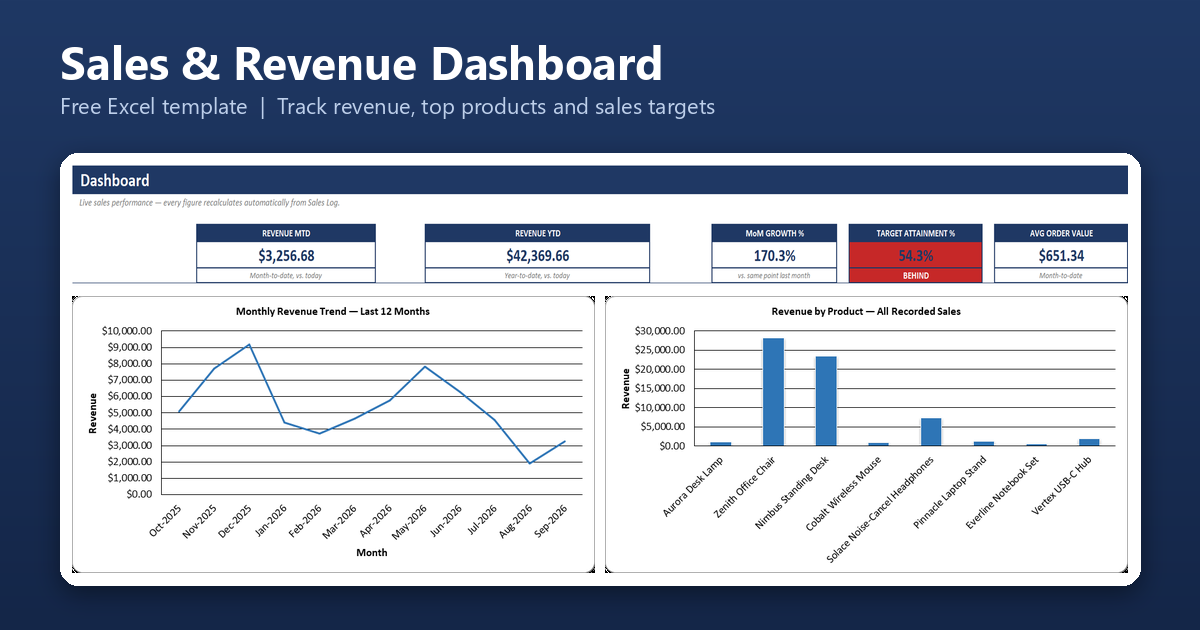
Sales & Revenue Dashboard
Turn a simple sales log into a live dashboard showing monthly revenue trends, top products and customers, and progress against your sales target – no manual report-building required.
Primary benefit: See exactly how sales are trending and which products/customers matter most, without exporting anything to a separate report.

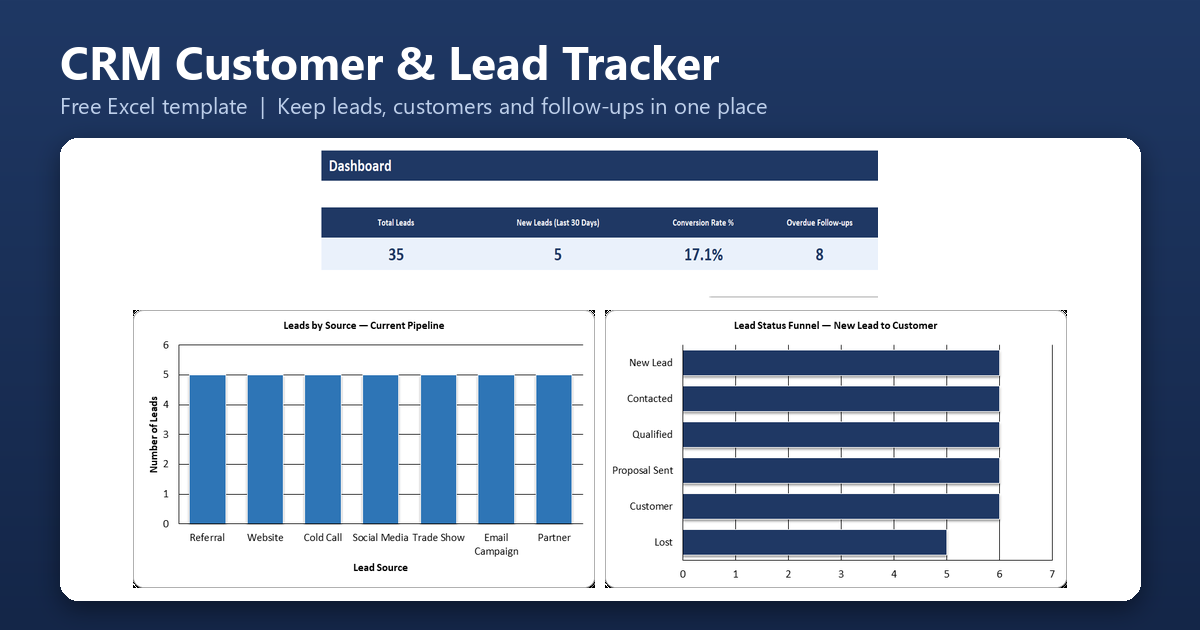
CRM/Customer & Lead Tracker
Keep every lead and customer, their source, their status, and their follow-up history in one place – with automatic OVERDUE and DUE SOON alerts so no one falls through the cracks.
Primary benefit: Stop losing deals to forgotten follow-ups, with a built-in reminder system instead of sticky notes.
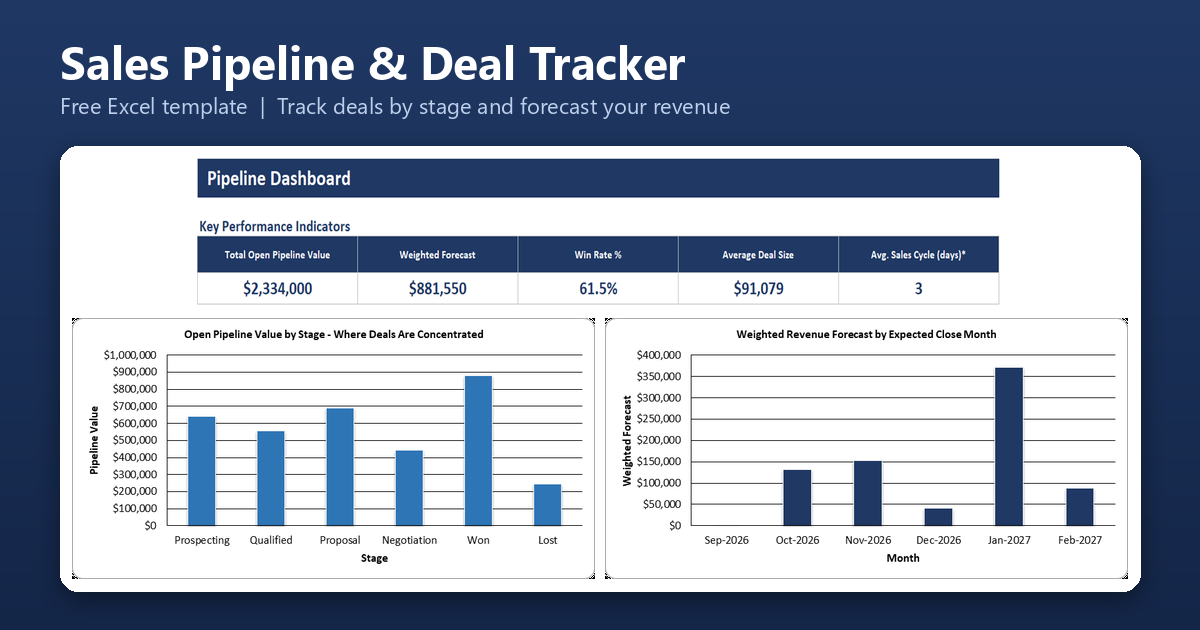
Sales Pipeline & Deal Tracker
Track every open deal by stage, see a weighted revenue forecast update automatically, and spot deals that have been sitting too long before they go cold.
Primary benefit: Get a realistic, weighted forecast of upcoming revenue instead of guessing from a gut feeling.
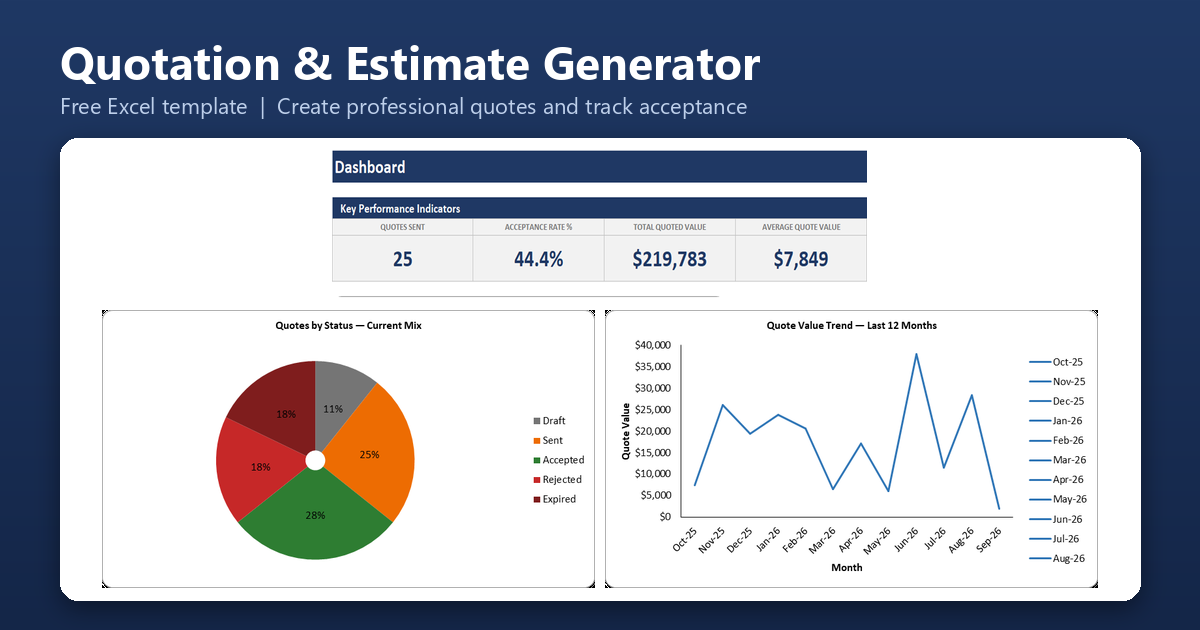
Customer Quotation/Estimate Generator
Create clean, professional quotes in minutes with automatic totals and tax, then track every quote’s status – sent, accepted, rejected, or expired – to see your real conversion rate.
Primary benefit: Send more professional-looking quotes faster, and know your win rate instead of guessing at it.
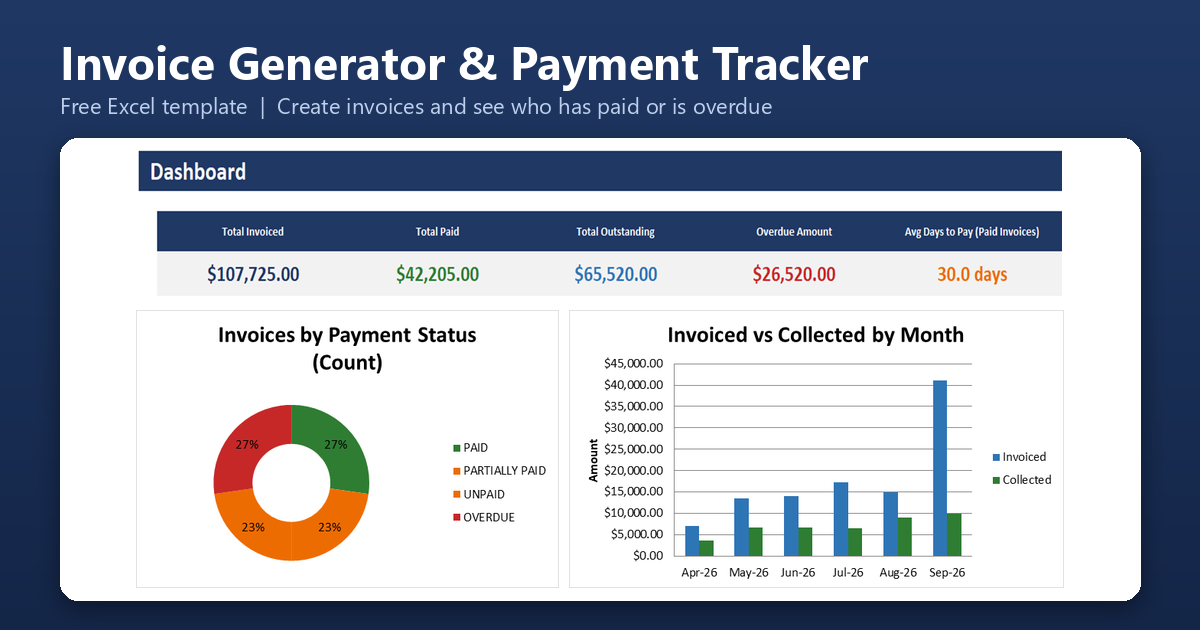
Invoice Generator & Payment Tracker
Generate professional invoices, then track exactly which ones are paid, unpaid, partially paid, or overdue – with an automatic aging report showing who owes what and for how long.
Primary benefit: Always know your real outstanding balance and who’s overdue, without cross-checking a separate ledger.
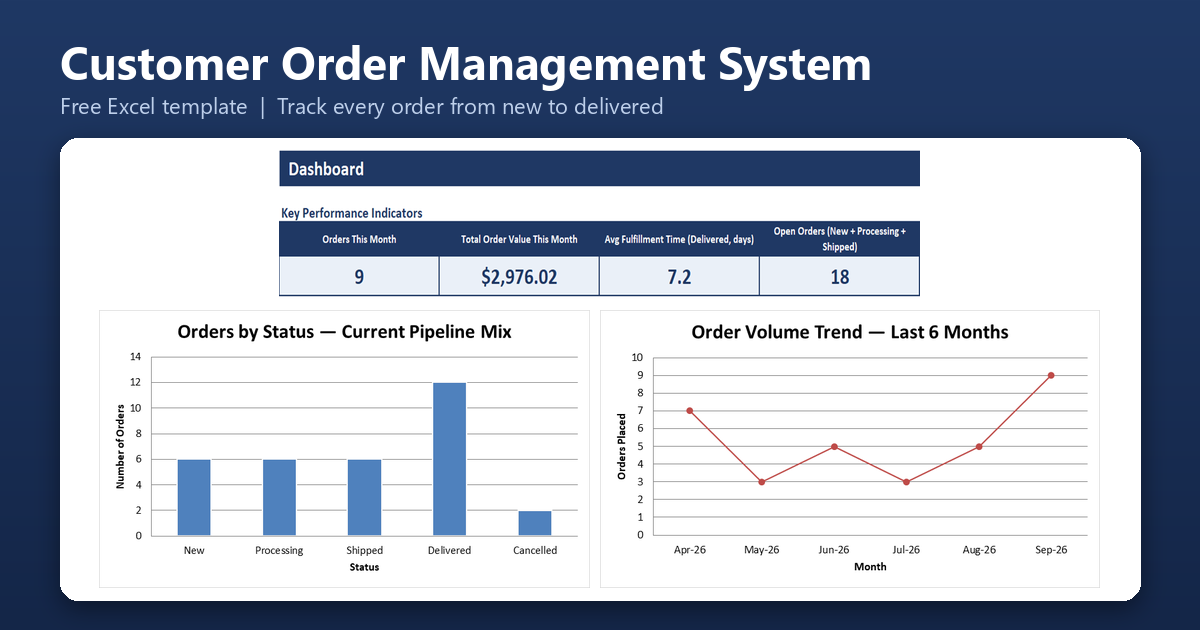
Customer Order Management System
Log every customer order and its line items, then track each one from New through Processing, Shipped, and Delivered – with order totals and fulfillment time calculated automatically.
Primary benefit: Always know what’s been ordered, what’s still open, and how long orders actually take to fulfill.
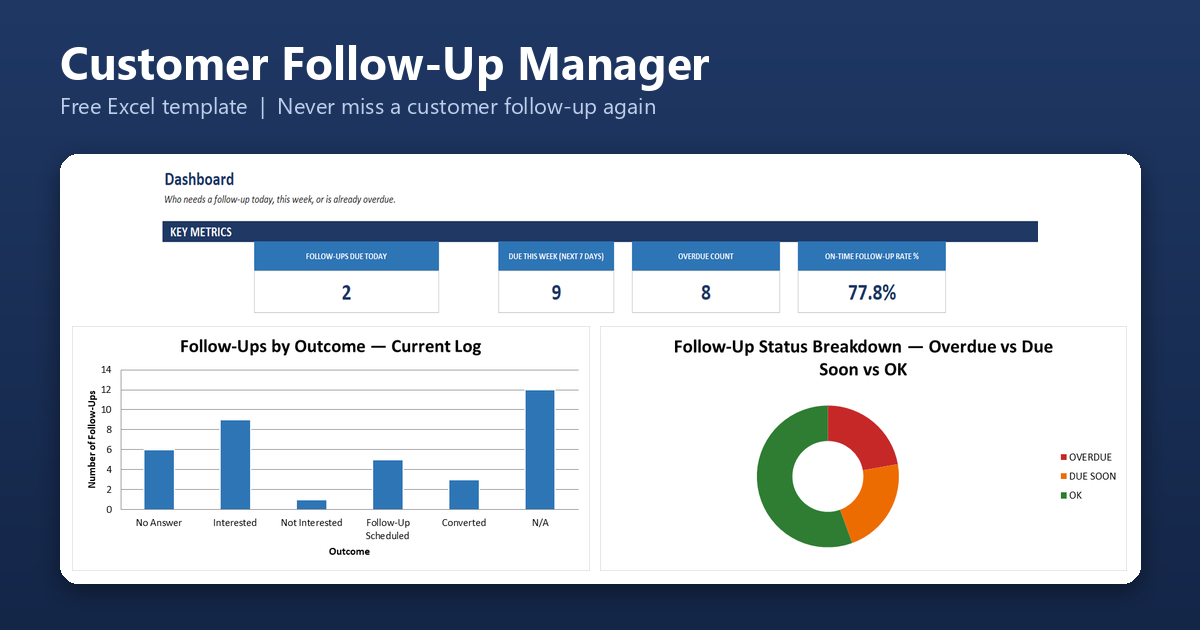
Customer Follow-Up Manager
A lightweight reminder system that flags exactly who needs a follow-up call, email, or check-in today – and who’s already overdue – based on a cadence you set per contact type.
Primary benefit: Never let a lead or customer go quiet by accident, without needing a full CRM.
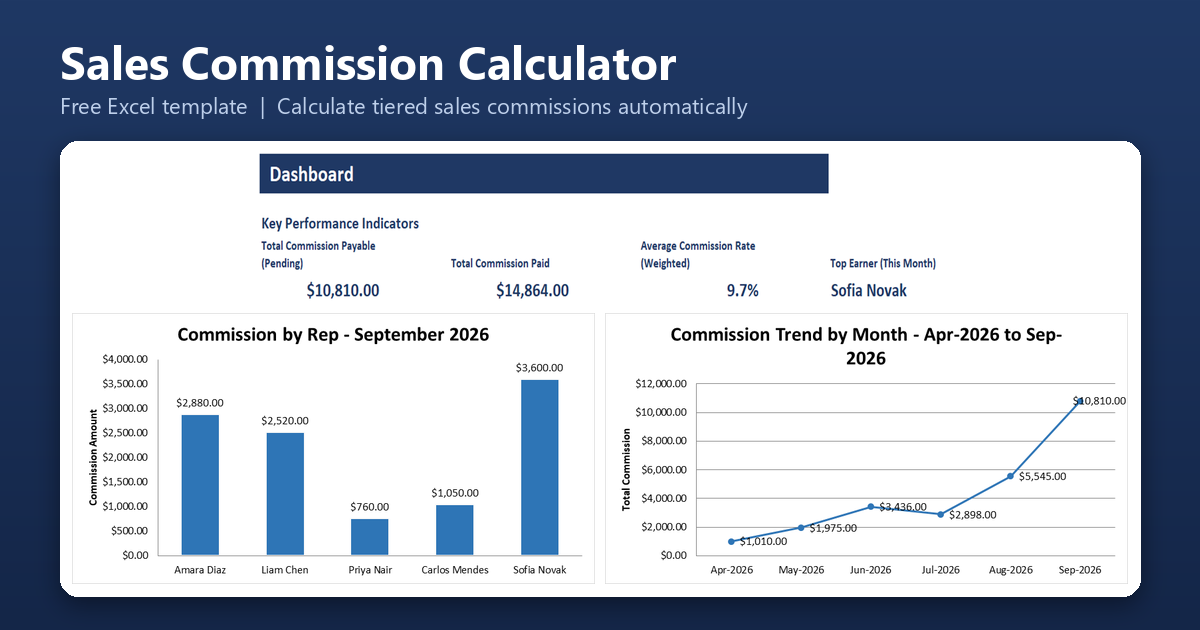
Sales Commission Calculator & Tracker
Log sales by rep and let tiered commission rates calculate payouts automatically – including refund clawbacks – so commission is consistent and easy to justify every month.
Primary benefit: End commission disputes with a transparent, automatic calculation everyone can check.
Excel Finance & Cash Flow Templates
Income and expense tracking, cash flow forecasting, receivables and payables, budgeting, and profitability reporting.
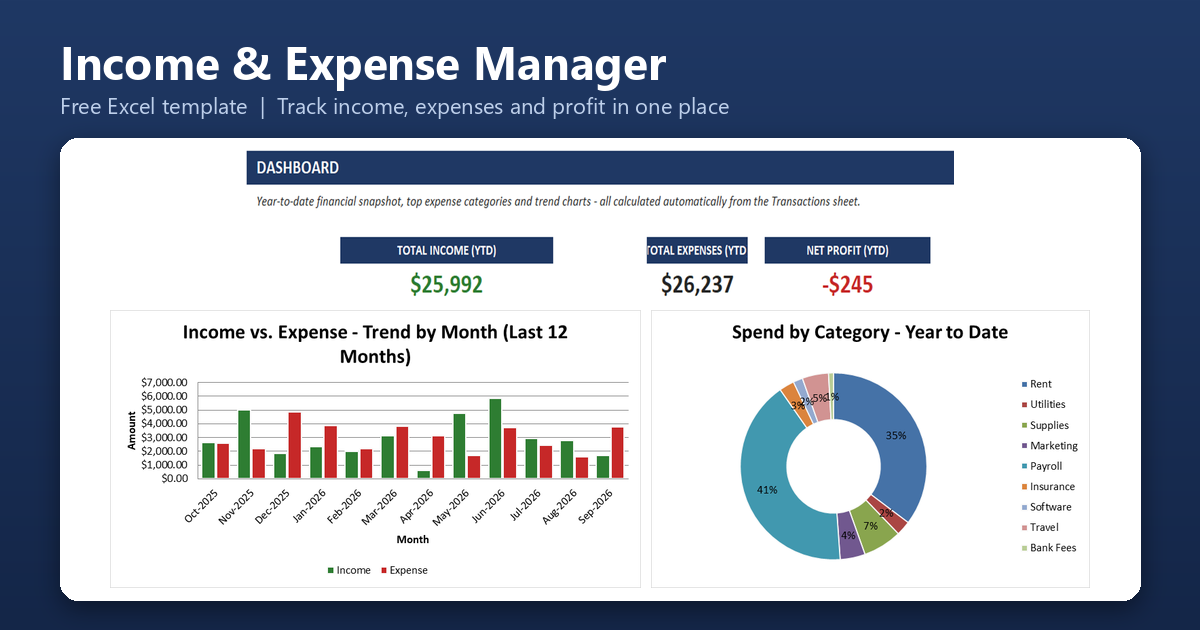
Small Business Income & Expense Manager
Log every dollar in and out in one simple ledger, and see income, expenses, net profit, and where your money is actually going by category – without accounting software.
Primary benefit: Get a clear, always-up-to-date picture of profitability from a single running ledger.
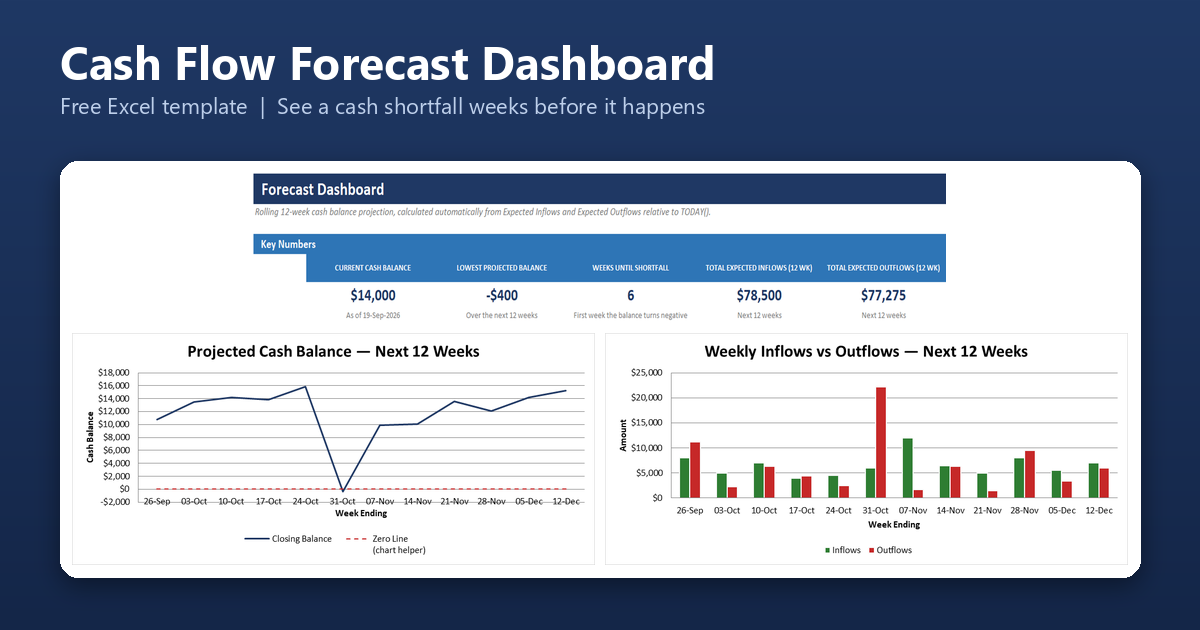
Cash Flow Forecast & Dashboard
List your expected upcoming payments in and bills going out, and watch a rolling 12-week cash balance projection flag exactly which week you’d run short – before it happens.
Primary benefit: Spot a cash shortfall weeks in advance instead of being surprised by it.
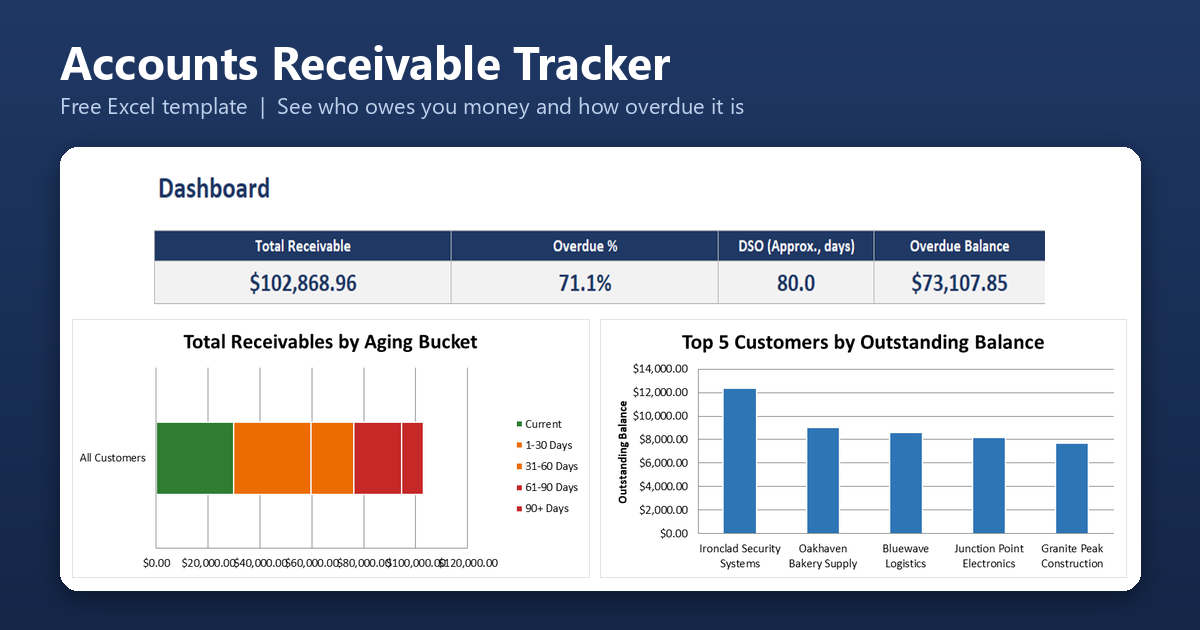
Accounts Receivable/Customer Payment Tracker
See who owes you money and how late it is, with every open balance sorted into Current, 1-30, 31-60, 61-90, and 90+ day aging buckets and a per-customer aging report.
Primary benefit: Know exactly which customers to chase first and how much of your receivables are overdue.
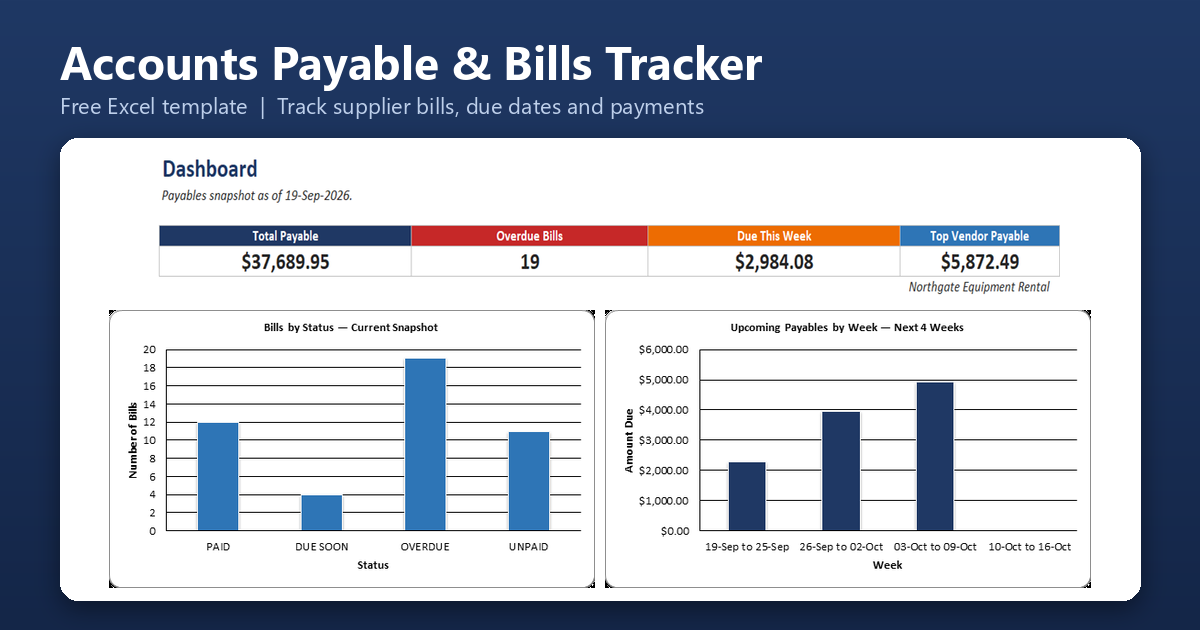
Accounts Payable/Bills Tracker
Log supplier bills and payments, and see at a glance which bills are paid, unpaid, due within a week, or overdue, along with what you owe each vendor.
Primary benefit: Pay bills on time and see upcoming obligations before they become late fees.
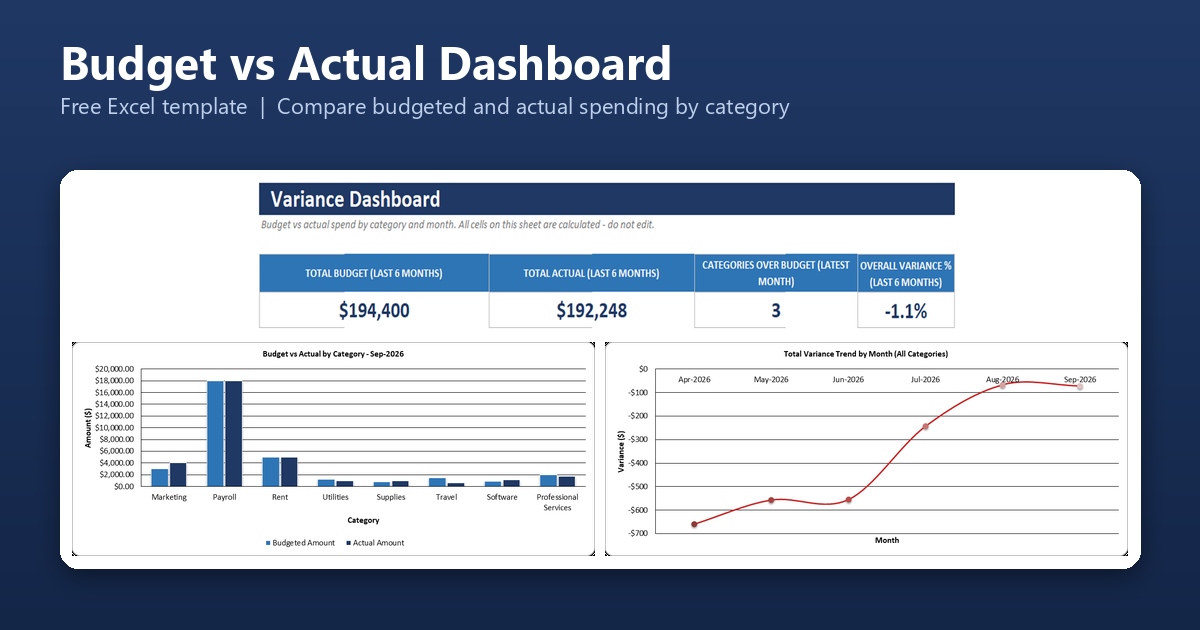
Business Budget vs Actual Dashboard
Set a monthly budget for each spending category, log actual expenses, and see variance by category and month with automatic OVER BUDGET flags.
Primary benefit: Spot overspending in the month it happens instead of at the end of the year.
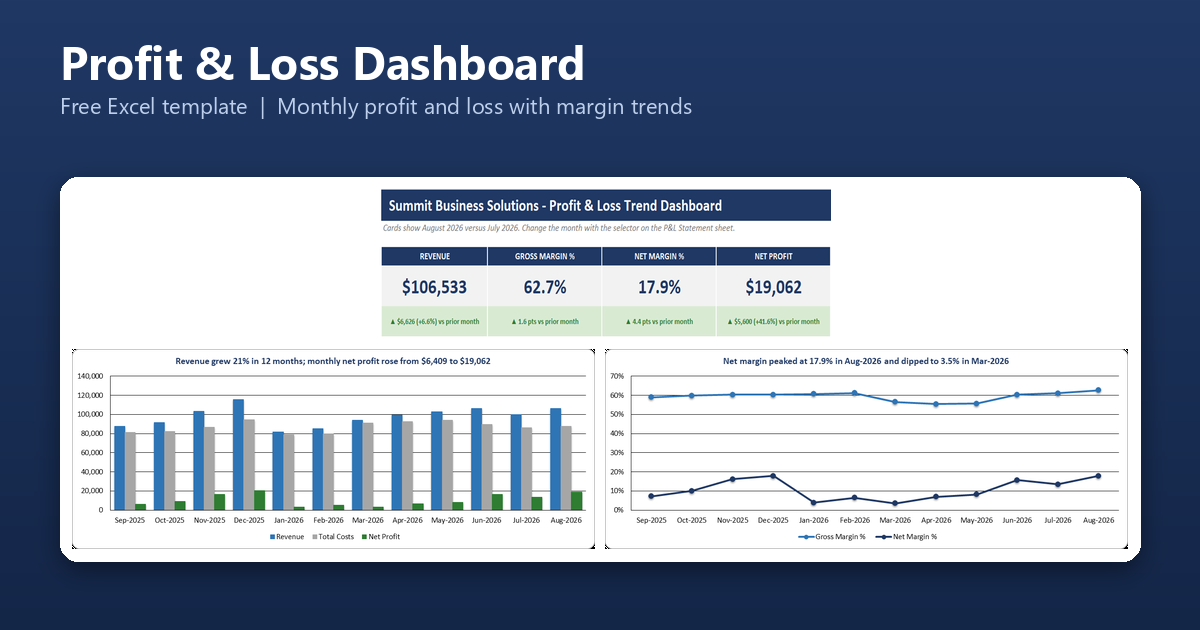
Profit & Loss Dashboard
Enter monthly revenue, cost of goods sold, and operating expenses, then pick any month to see a formatted profit and loss statement with margins and the change from the prior month.
Primary benefit: See whether the business is actually getting more profitable, month by month.
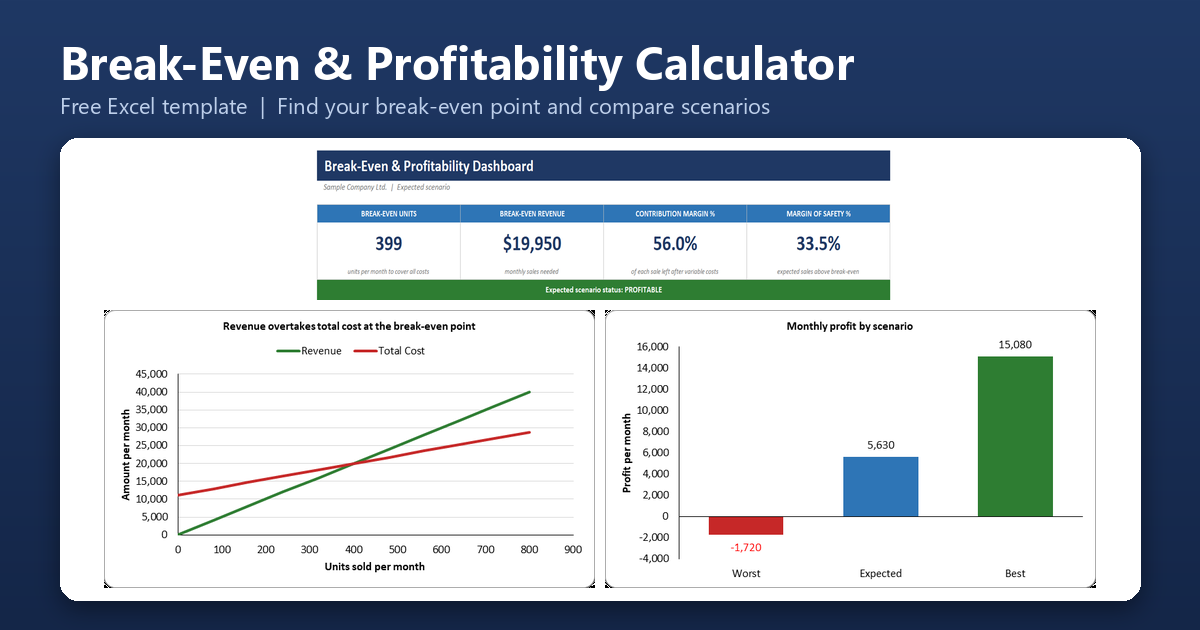
Break-Even & Profitability Calculator
Enter your fixed costs, price, and variable cost to see how many units you must sell to break even, with worst, expected, and best scenarios and a product-by-product comparison.
Primary benefit: Know the sales you need to cover costs before you set a price or commit to an expense.
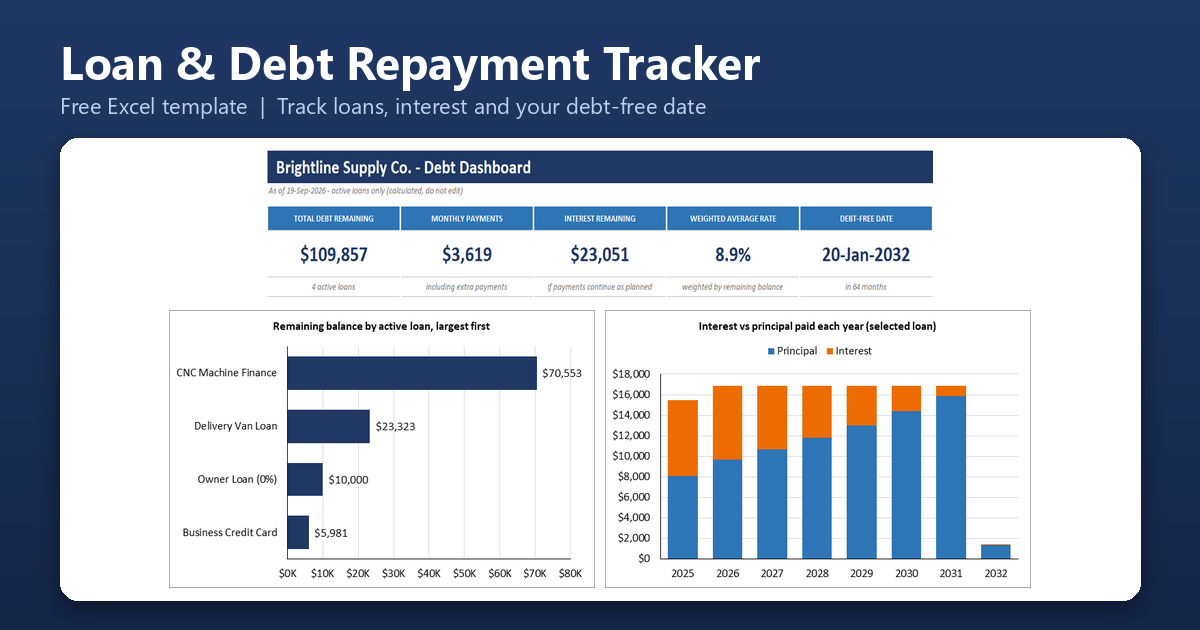
Business Loan & Debt Repayment Tracker
List your loans, credit lines, and equipment finance to see what you owe in total, how much of each payment is interest, when each one ends, and what extra payments would save.
Primary benefit: Know your total debt, your monthly obligations, and your debt-free date in one place.
Excel Inventory, Purchasing & Supplier Templates
Stock levels, reorder alerts, purchase orders, supplier performance, and product pricing.
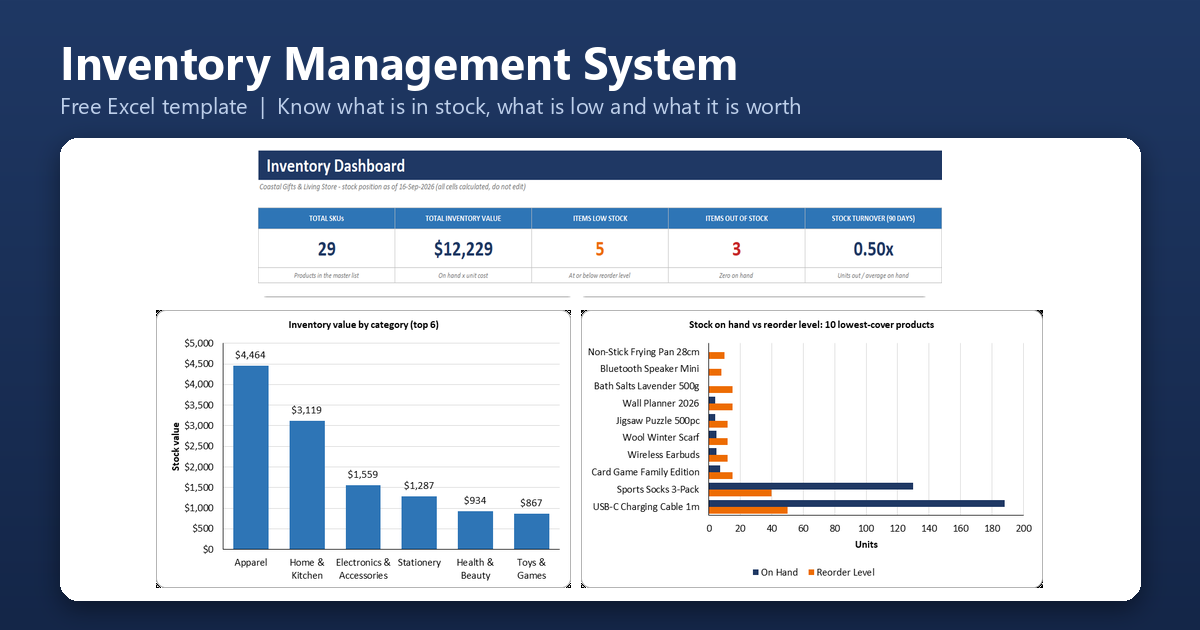
Inventory Management System
Record stock received and stock issued, and see current quantities, stock value, low and out-of-stock items, and monthly movement from one workbook.
Primary benefit: Know what is in stock, what is running low, and what your stock is worth.
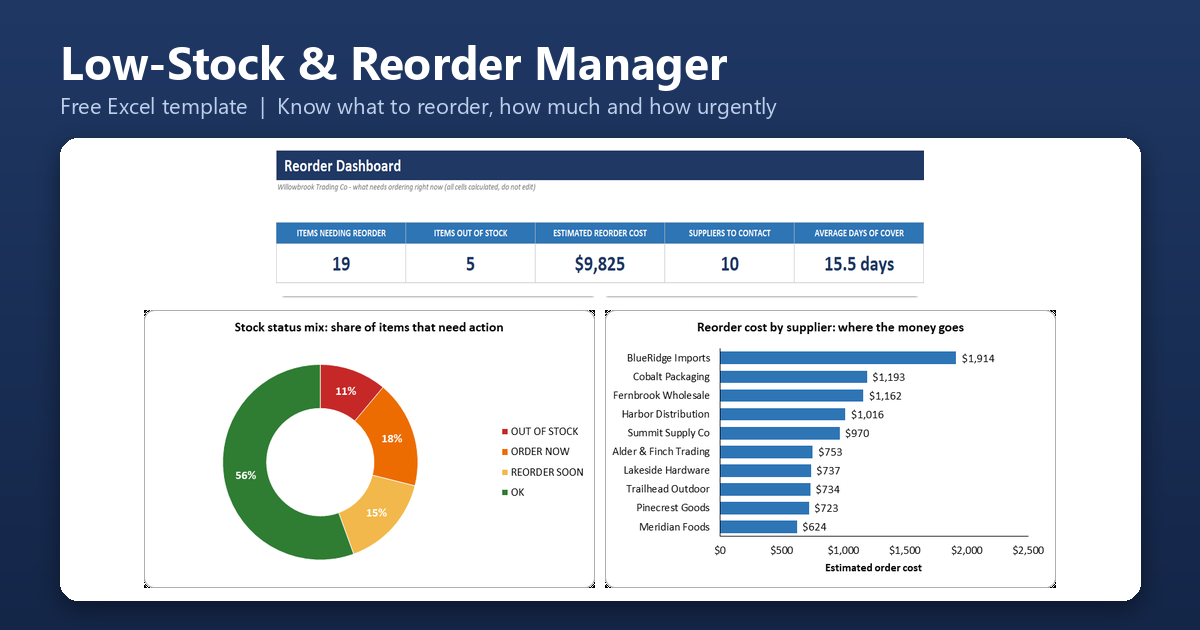
Low-Stock & Reorder Management System
Enter current quantities and daily usage to get an automatic list of what to order, how much, from which supplier, and how urgently, with the cost per supplier.
Primary benefit: Reorder before you run out, without checking every product by hand.
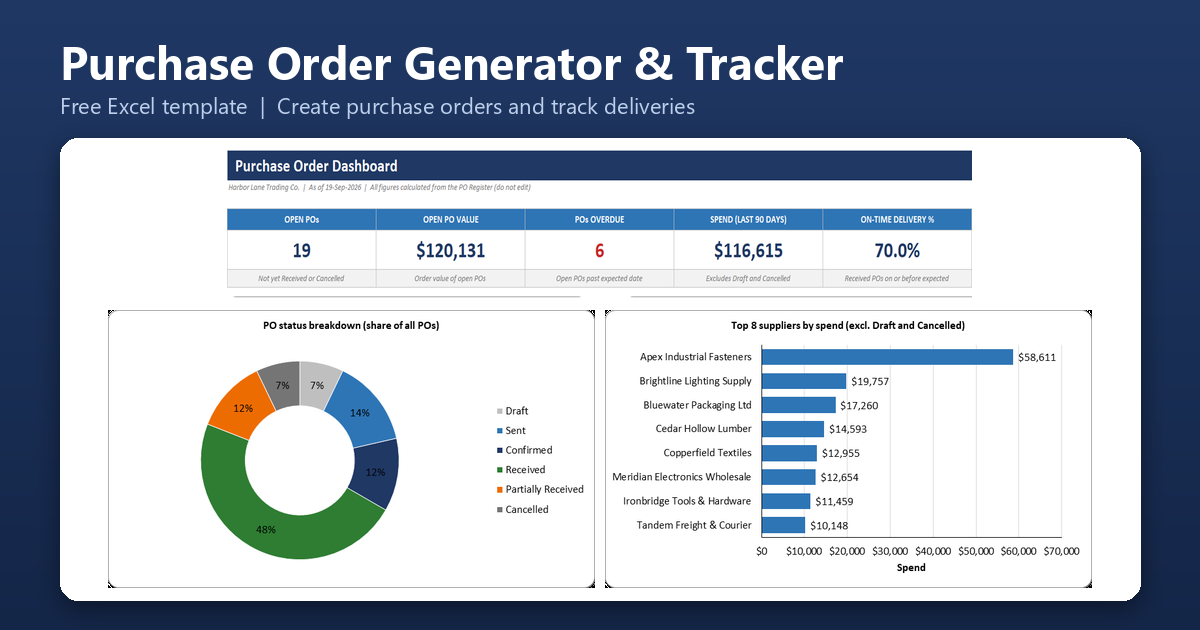
Purchase Order Generator & Tracker
Create a printable purchase order for any supplier, then track every order from draft to received, with overdue delivery flags and quantity shortfalls.
Primary benefit: Keep a clear paper trail of what you ordered and what has not arrived.
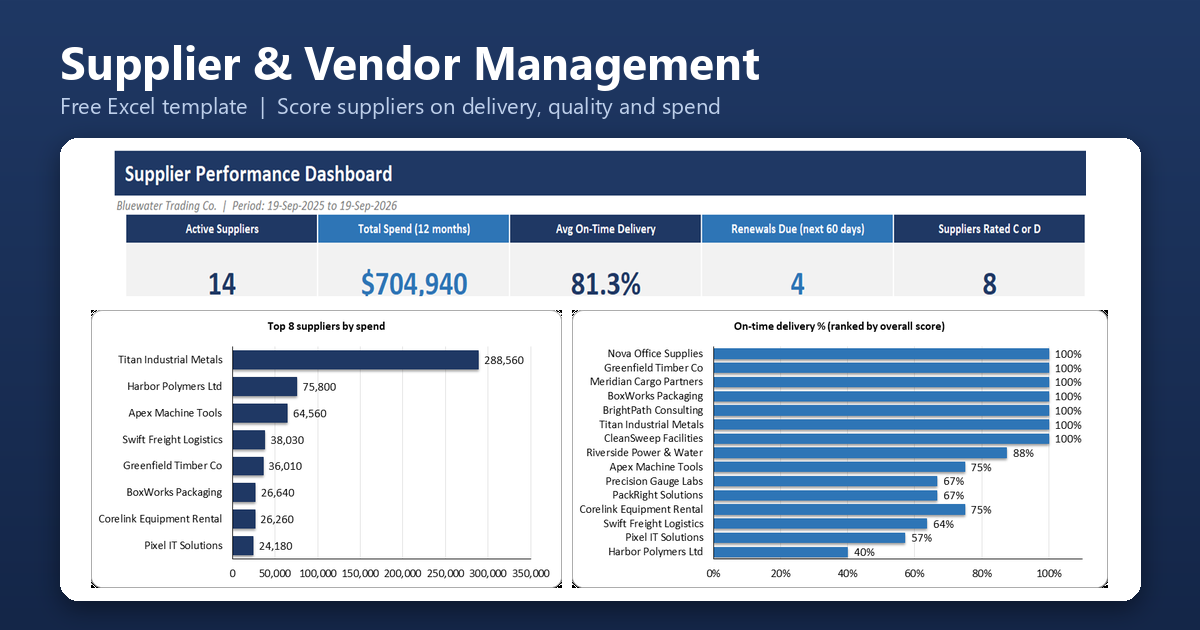
Supplier/Vendor Management System
Keep supplier details, contract renewal dates, and order history together, and score each supplier on delivery, quality, price, and communication.
Primary benefit: See which suppliers you can rely on and which ones cost you time or money.

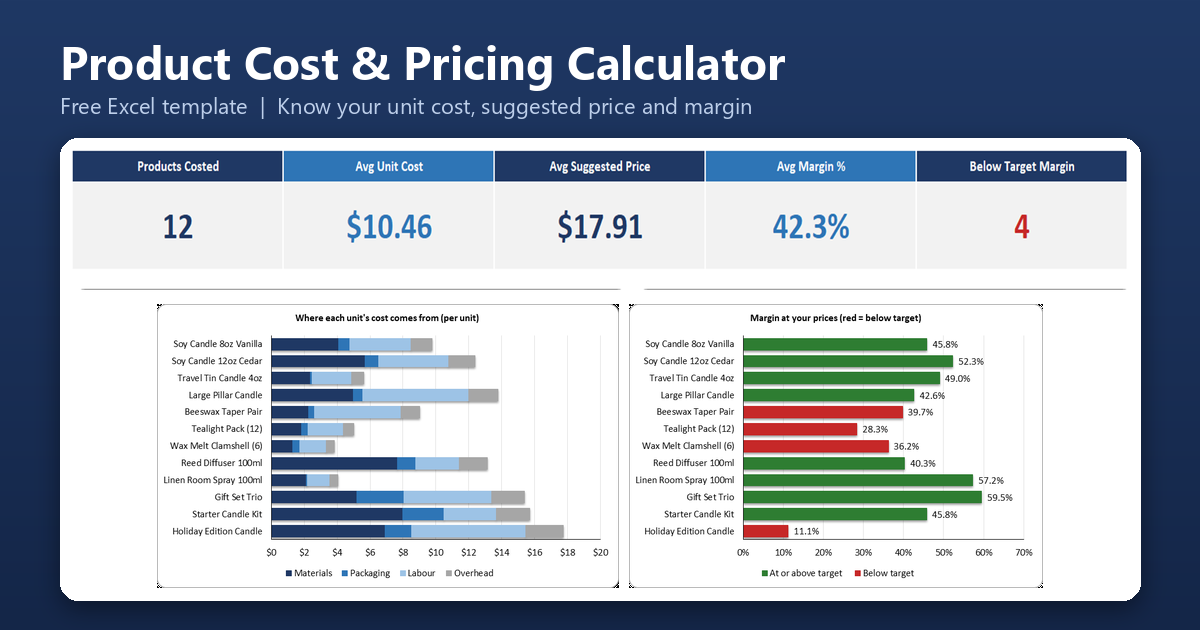
Product Cost & Pricing Calculator
Add up materials, packaging, labour, and overhead for each product to see its true unit cost, the price needed to hit your target margin, and the margin you actually earn at your current price.
Primary benefit: Price for profit instead of guessing, and spot the products that sell below your target margin.
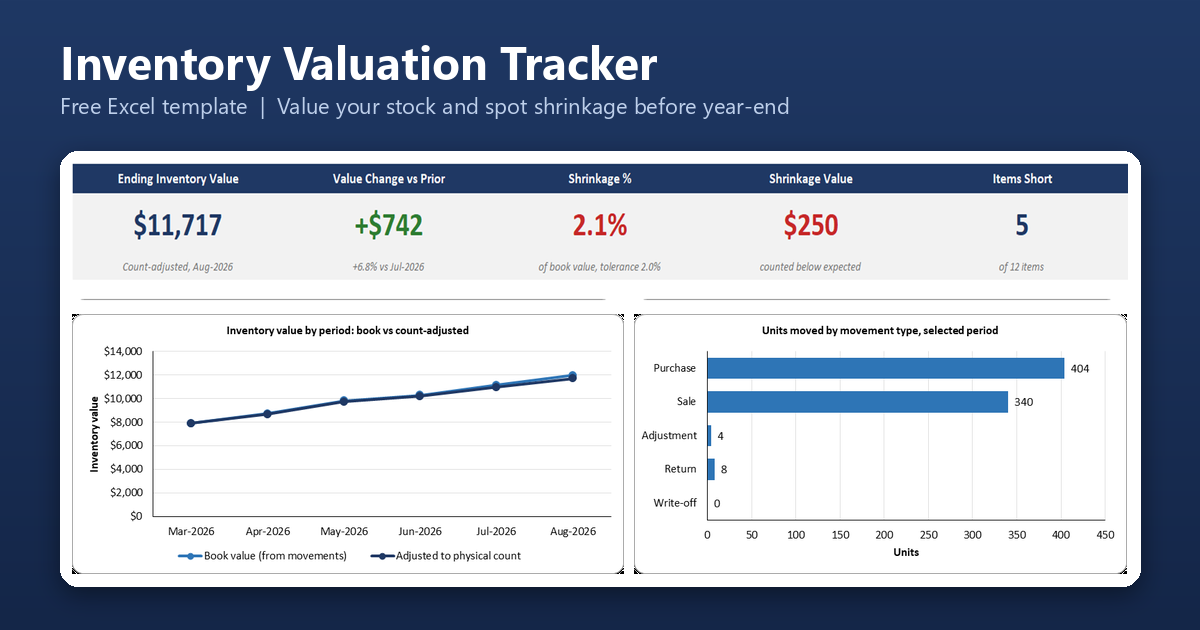
Stock Movement & Inventory Valuation Tracker
Log every purchase, sale, return, and write-off, then value your stock by period with FIFO or weighted average and compare expected quantities with physical counts to find shrinkage.
Primary benefit: Produce a period-end stock valuation you can explain to your accountant.
Excel HR, Attendance & Payroll Templates
Attendance, timesheets, leave, shift scheduling, payroll, and performance reviews.
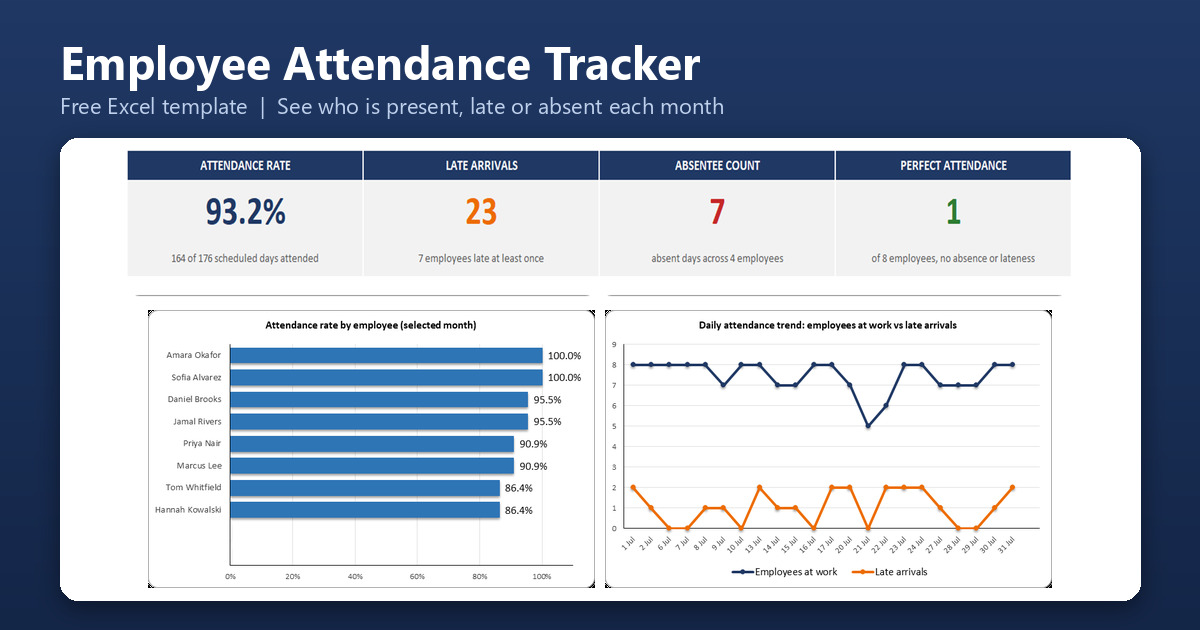
Employee Attendance Tracker
Record daily clock-in times and see who was present, late, absent, or on leave, with monthly attendance percentages for every employee.
Primary benefit: Replace paper sign-in sheets and see attendance patterns at a glance.
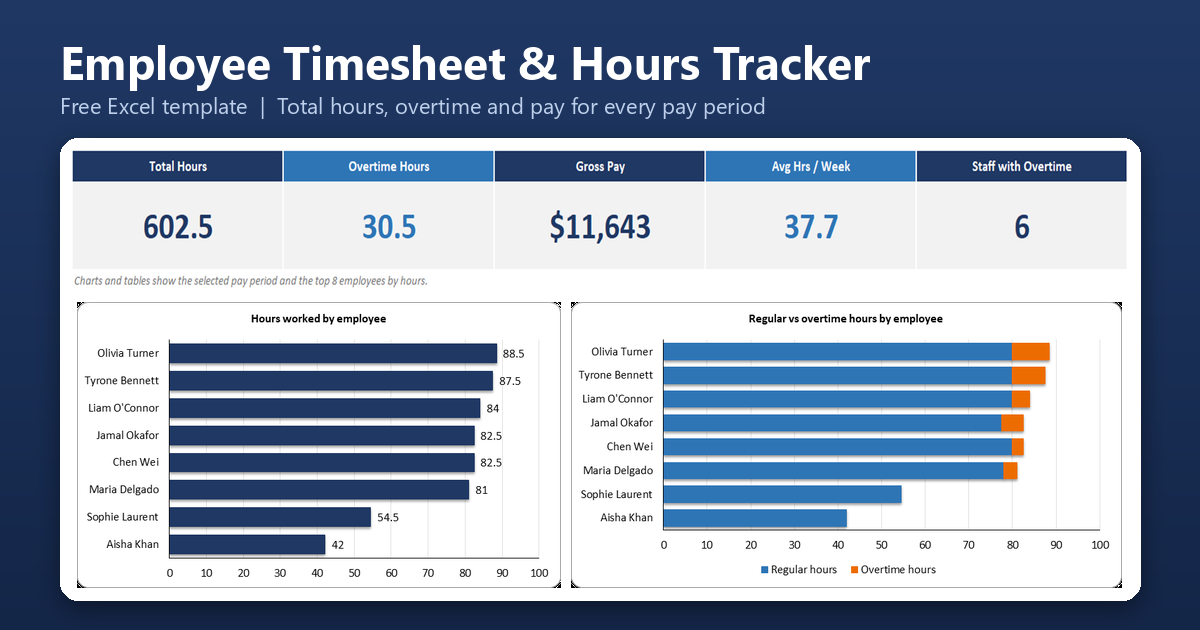
Employee Timesheet & Hours Tracker
Enter start and finish times to total regular and overtime hours for each pay period, with gross pay and a payroll export block for every employee.
Create Your Perfect Templates in Seconds
Choose from ready-made templates related to this topic, edit them online, and download instantly in PDF, PNG, or JPG format - fast, free, and no login needed.
Primary benefit: Stop adding up hours by hand at the end of each pay period.
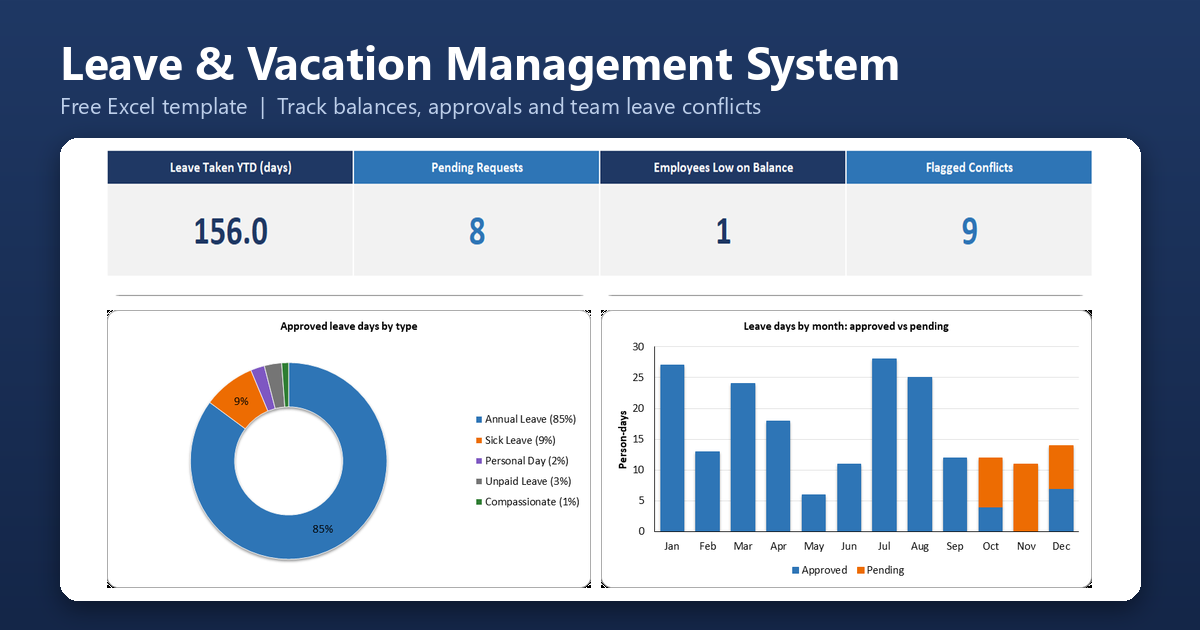
Leave/Vacation Management System
Record leave requests and approvals, see each employee’s remaining balance by leave type, and view a team calendar that flags clashes before you approve time off.
Primary benefit: Know who is off when, and avoid double-booking your team.
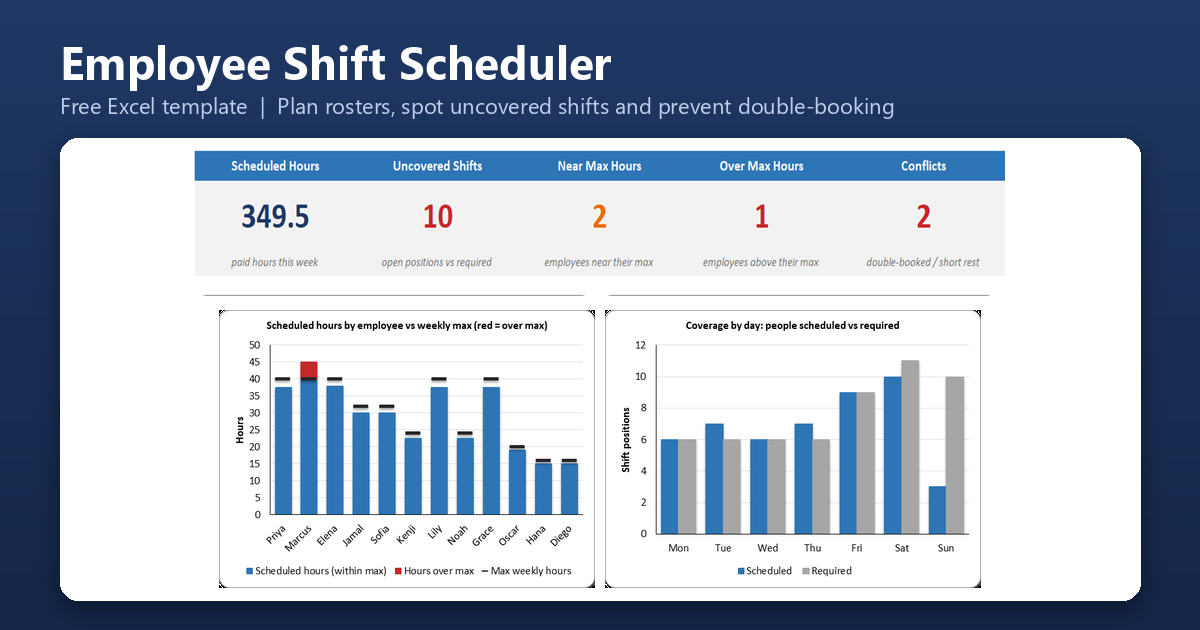
Employee Shift Scheduler
Plan up to four weeks of rosters with a shift-code grid, and see uncovered shifts, hours against each person’s maximum, double-bookings, and short rest between shifts.
Primary benefit: Build a fair, fully covered roster without double-booking anyone.
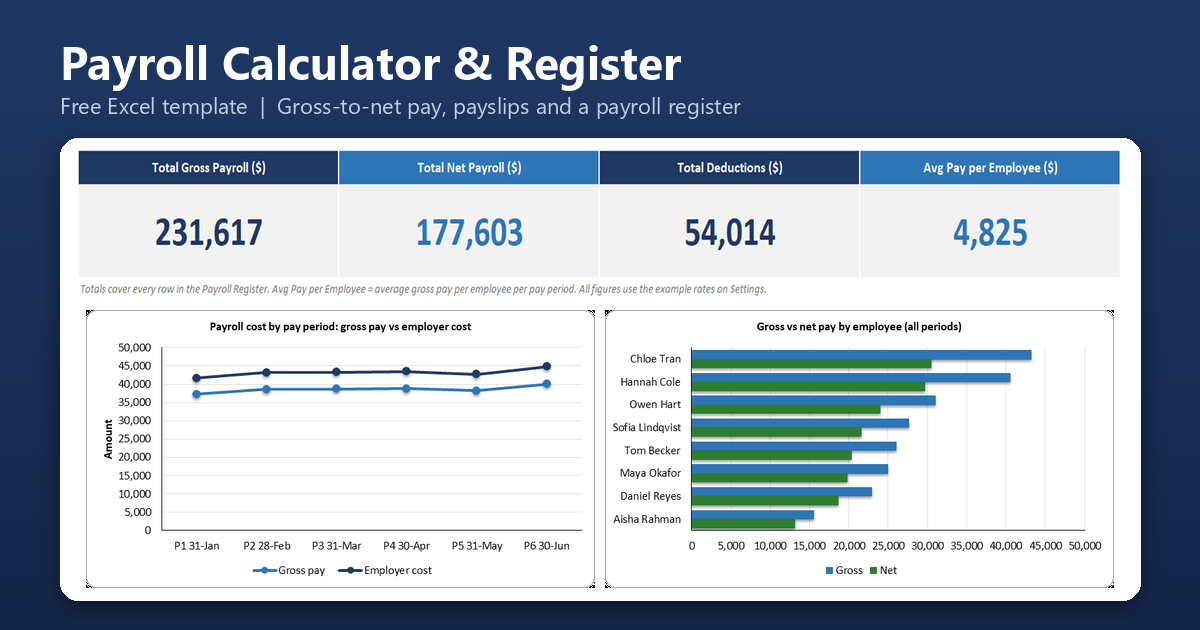
Payroll Calculator & Payroll Register
Turn hours, rates and bonuses into gross pay, deductions and net pay using editable tax bands, then keep a register with year-to-date totals and print a payslip.
Primary benefit: Run payroll from one workbook and give every employee a clear payslip.
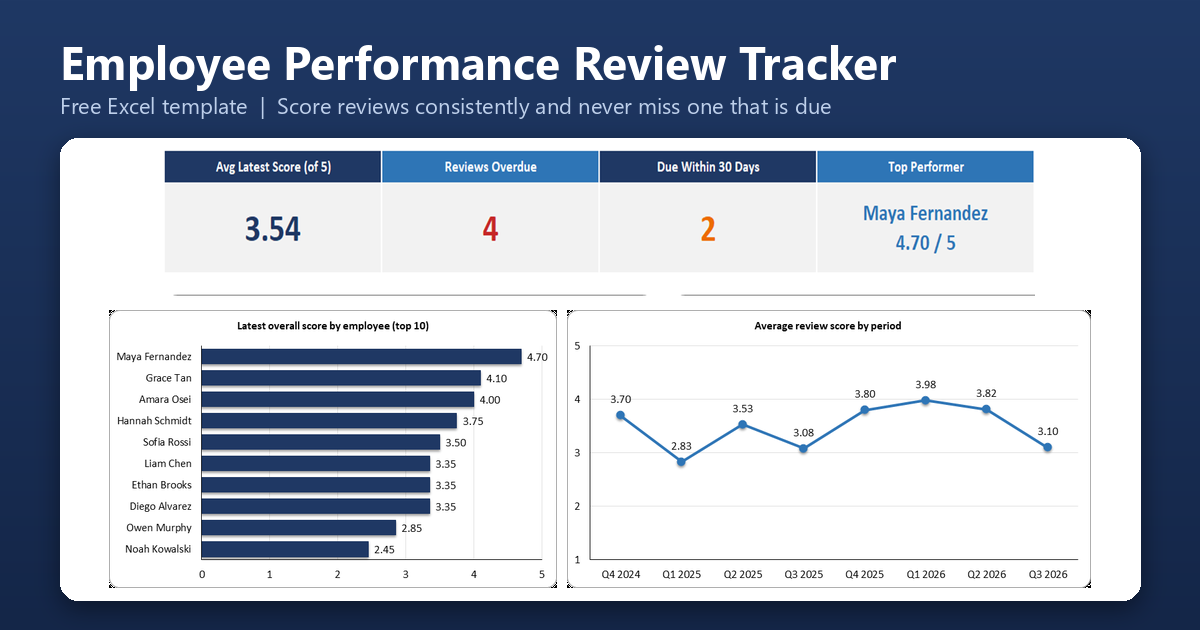
Employee Performance Review Tracker
Score reviews against weighted criteria, keep each employee’s review history, and see who is due or overdue for their next review.
Primary benefit: Keep reviews consistent, documented, and easy to compare over time.
Excel Project & Service Business Templates
Project and task tracking, budgets, client profitability, and job costing for service businesses.
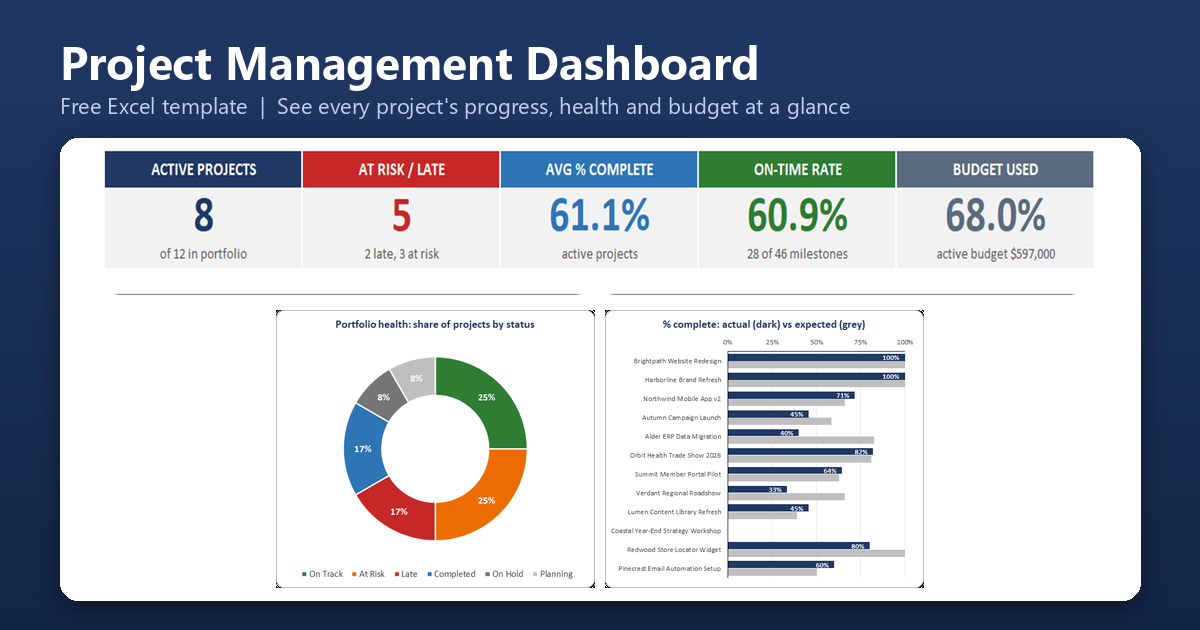
Project Management Dashboard
List your projects and milestones to see percent complete, on-track, at-risk, and late status, budget health, and a portfolio timeline.
Primary benefit: See the health of every project in one view.
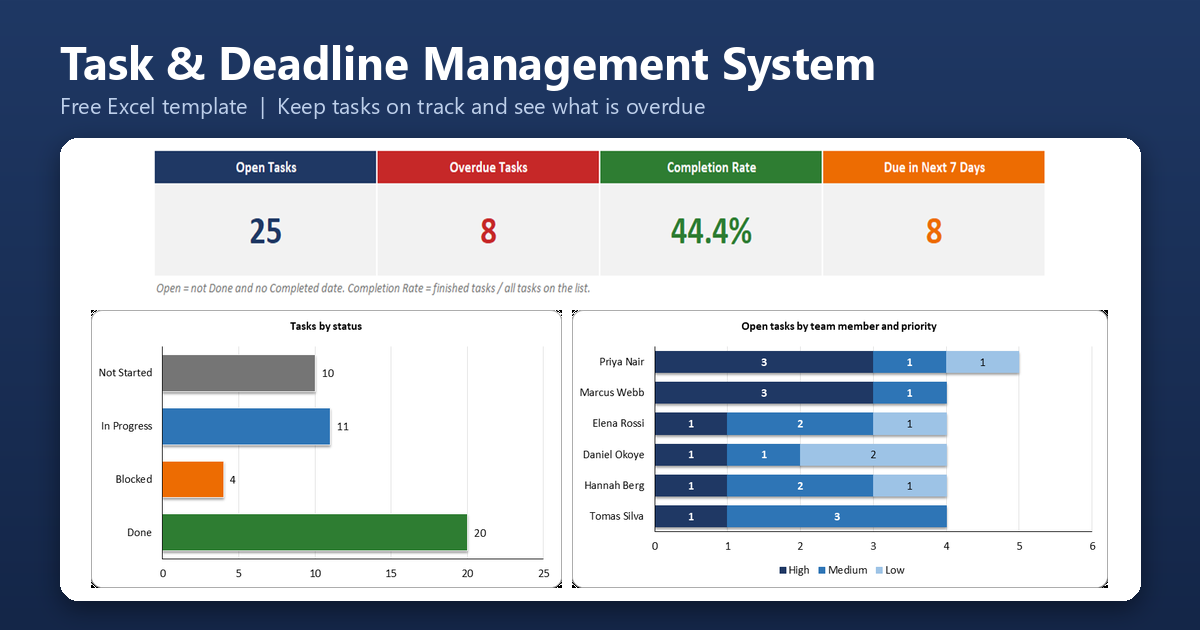
Task & Deadline Management System
Keep one shared task list with owners, priorities,s and due dates, and see what is overdue, due soon, or blocked, with a focus list of the most urgent tasks.
Primary benefit: Stop missing deadlines that live in chat and email.
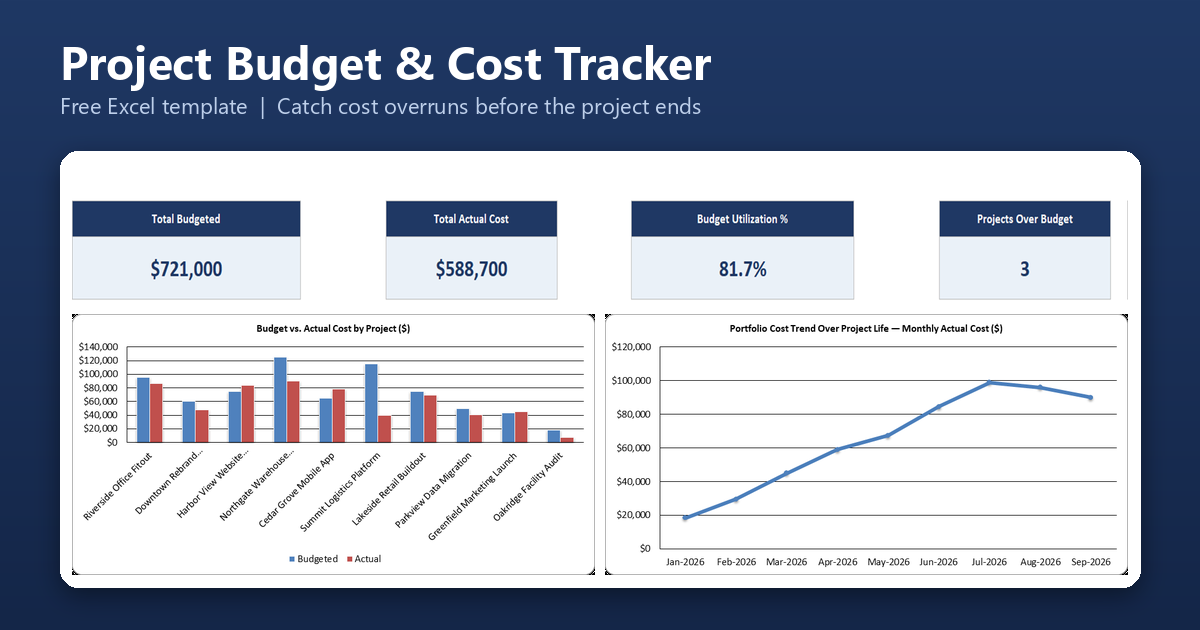
Project Budget & Cost Tracker
Track budgeted amounts against actual costs for every project and category, with an early warning when a project is trending over budget before it finishes.
Primary benefit: Catch cost overruns while there is still time to act on them.
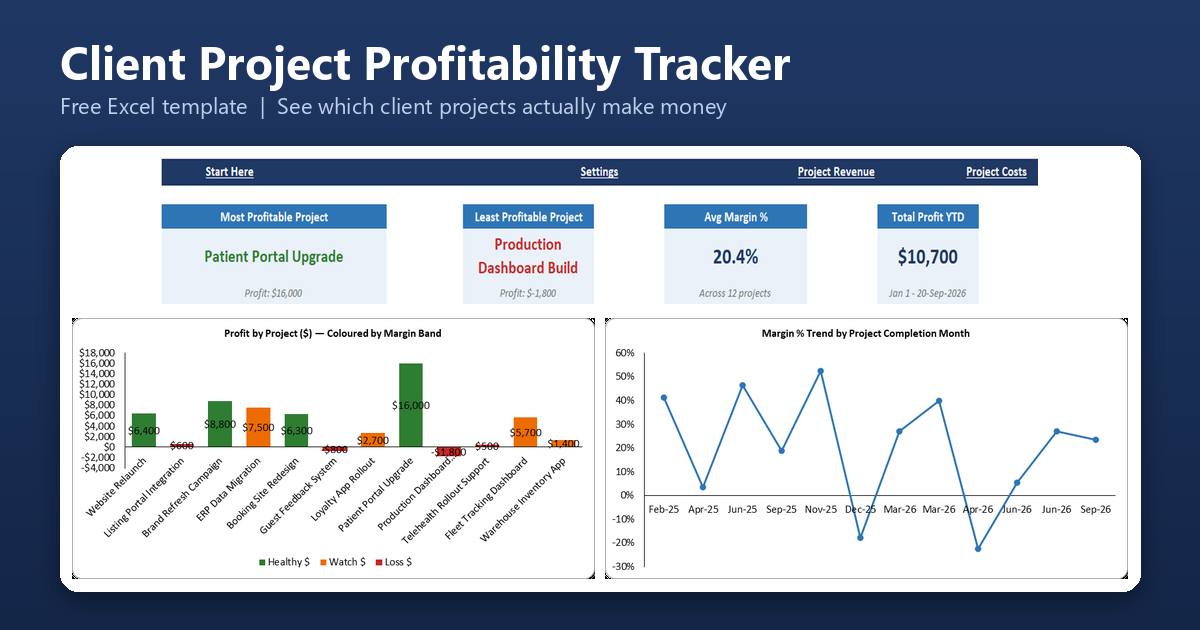
Client Project Profitability Tracker
Log revenue and costs separately for each client project and see profit, margin, and a profitability ranking, so you know which projects are actually worth doing again.
Primary benefit: See which client projects make money and which ones quietly lose it.
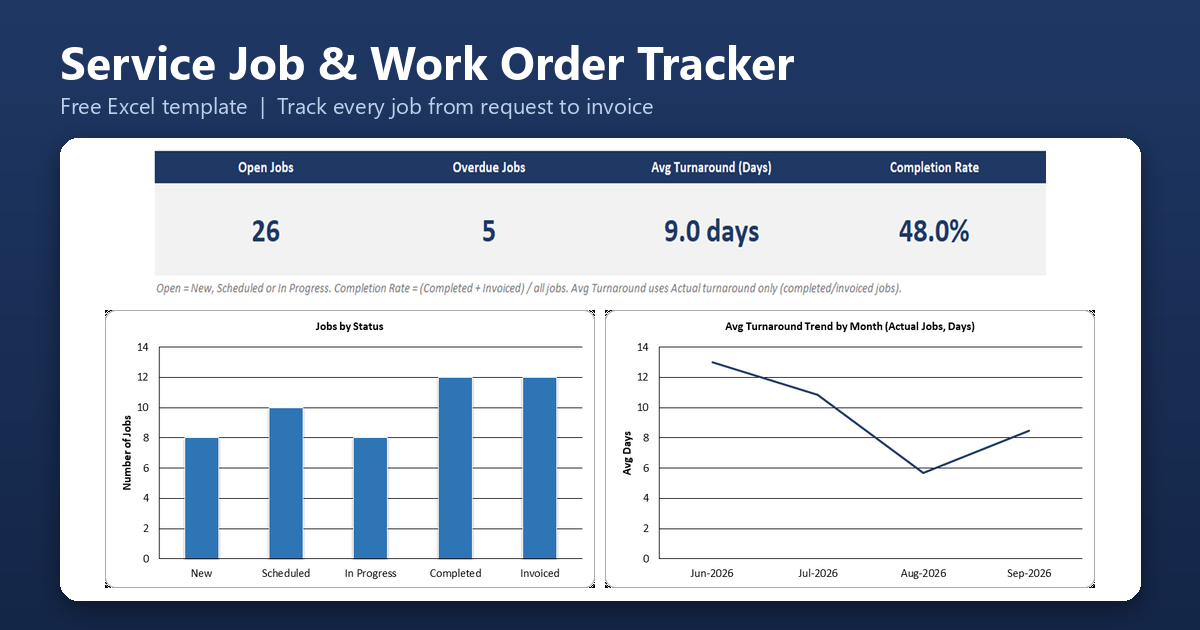
Service Job/Work Order Tracker
Log every job from request through scheduling to invoicing, with turnaround time and a workload view by technician.
Primary benefit: Keep every job visible, from the first call to the final invoice.
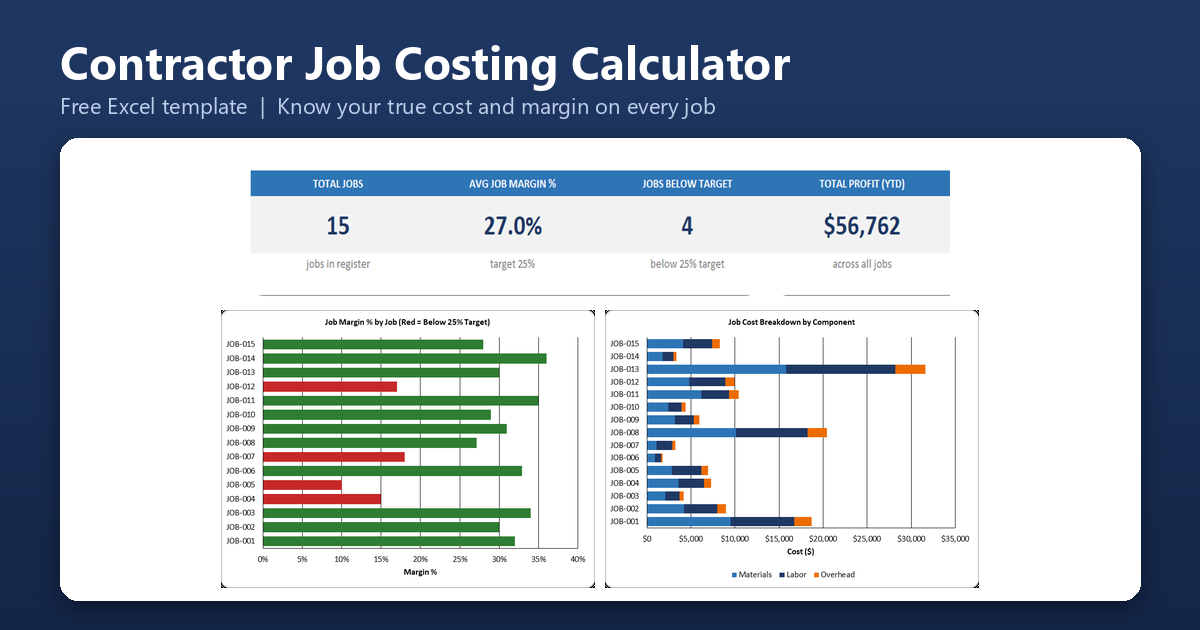
Contractor Job Costing Calculator
Build up a job’s true cost from materials, labor, and overhead, compare it with what you charged, and see the margin on every job in your register.
Primary benefit: Price jobs on your real costs, not a guess.
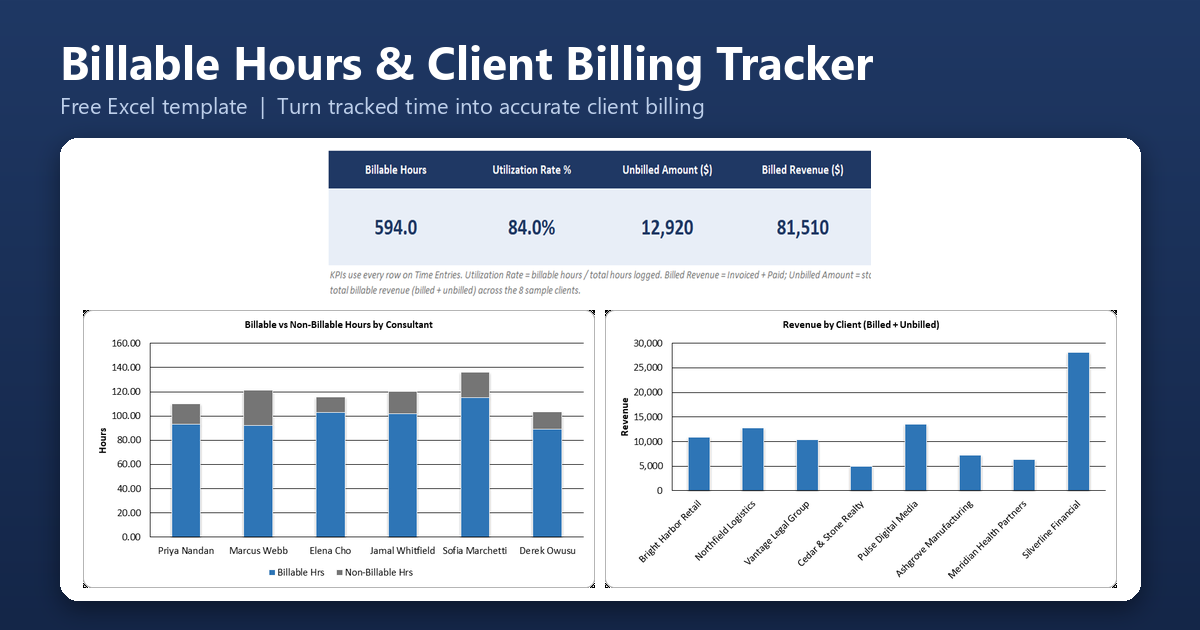
Billable Hours & Client Billing Tracker
Log time by client and project, and see billable versus non-billable hours, unbilled amounts, and utilization, so tracked time turns into an accurate invoice.
Primary benefit: Stop losing billable time between the timesheet and the invoice.
Excel Business Operations Templates
Appointment scheduling, daily operations, expense reimbursement, asset maintenance, and monthly KPI reporting.
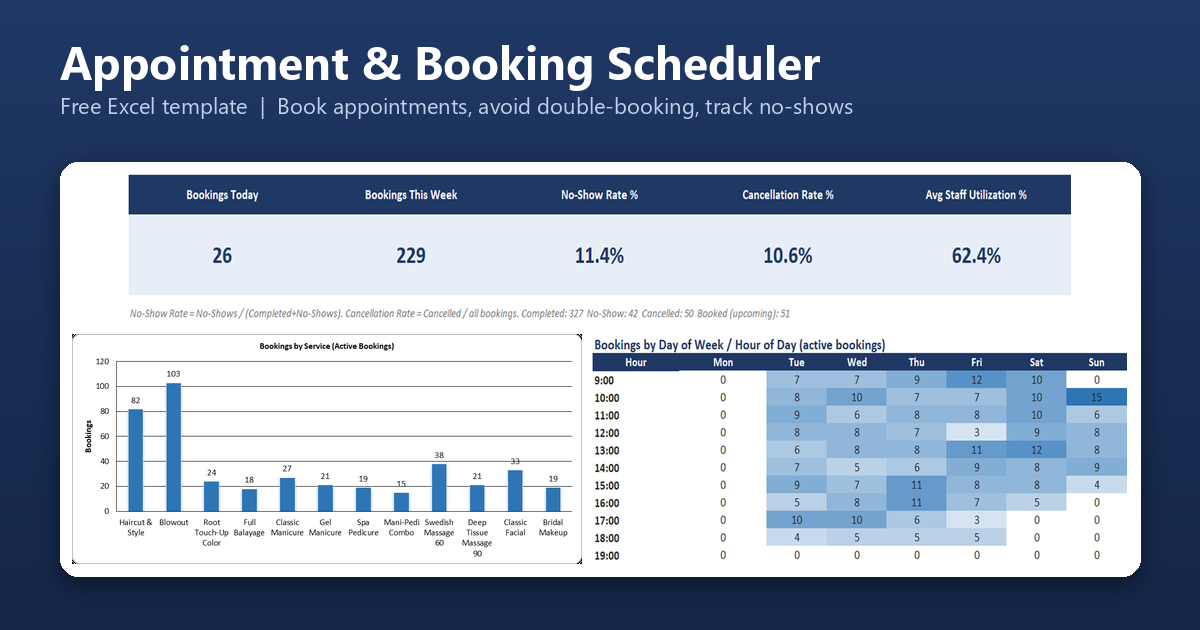
Appointment & Booking Scheduler
Take bookings by service and staff member, flag double-bookings automatically, track no-shows and cancellations, and see a weekly schedule grid with upcoming appointment reminders.
Primary benefit: Fill your calendar without double-booking anyone.
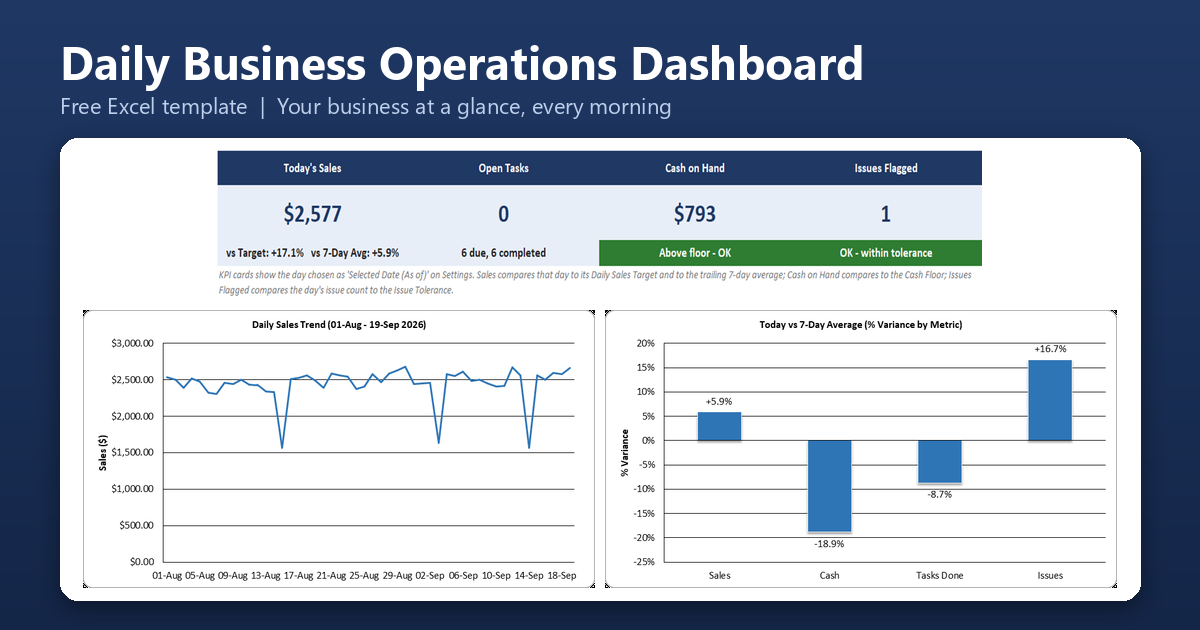
Daily Business Operations Dashboard
Log a few numbers each day – sales, cash on hand, tasks, and issues – and see today compared with yesterday, the 7-day average, and your targets on one page.
Primary benefit: Start each morning with one page instead of five spreadsheets.
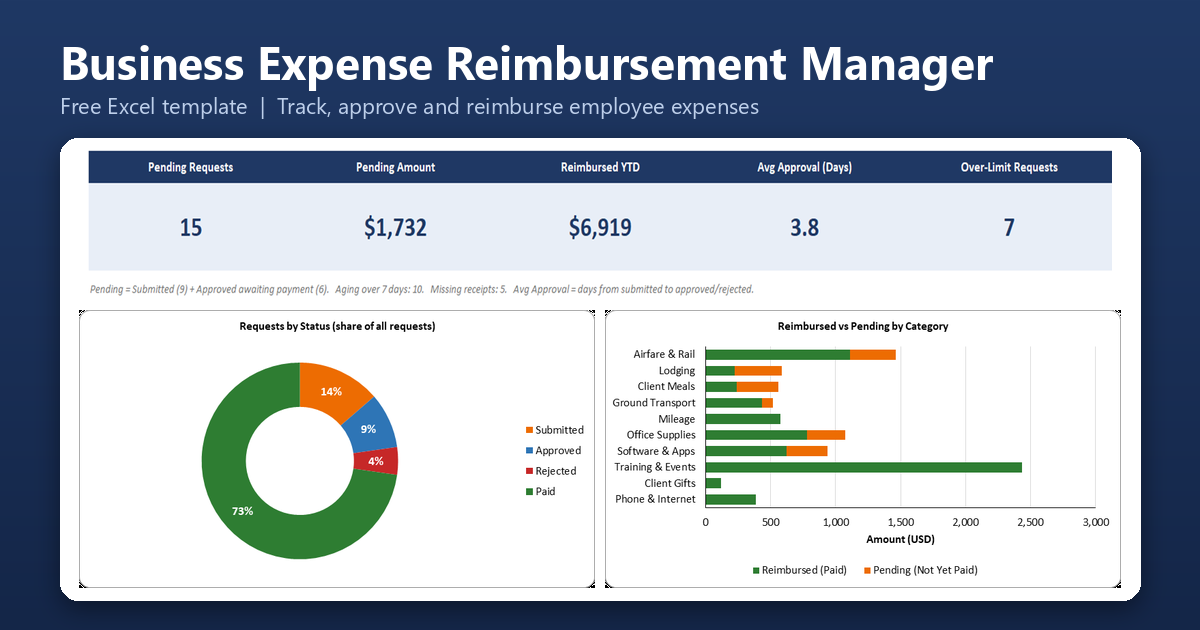
Business Expense Reimbursement Manager
Record employee out-of-pocket expense requests, move them through submitted, approved, and paid, and flag over-limit requests, missing receipts, and requests that have been waiting too long.
Primary benefit: Reimburse your team quickly and keep a clear record of every approval.
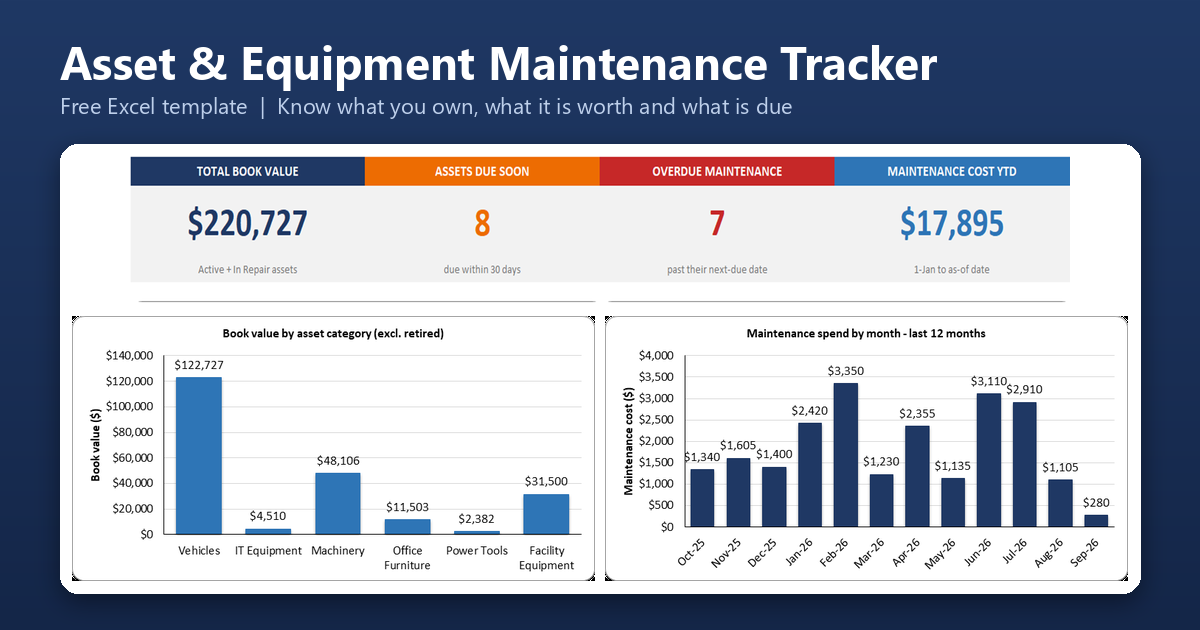
Asset & Equipment Register/Maintenance Tracker
Keep a register of your equipment with straight-line depreciation and book value, log every service and repair, and see which assets are due or overdue for maintenance.
Primary benefit: Know what you own, what it is worth, and what needs servicing before it breaks.
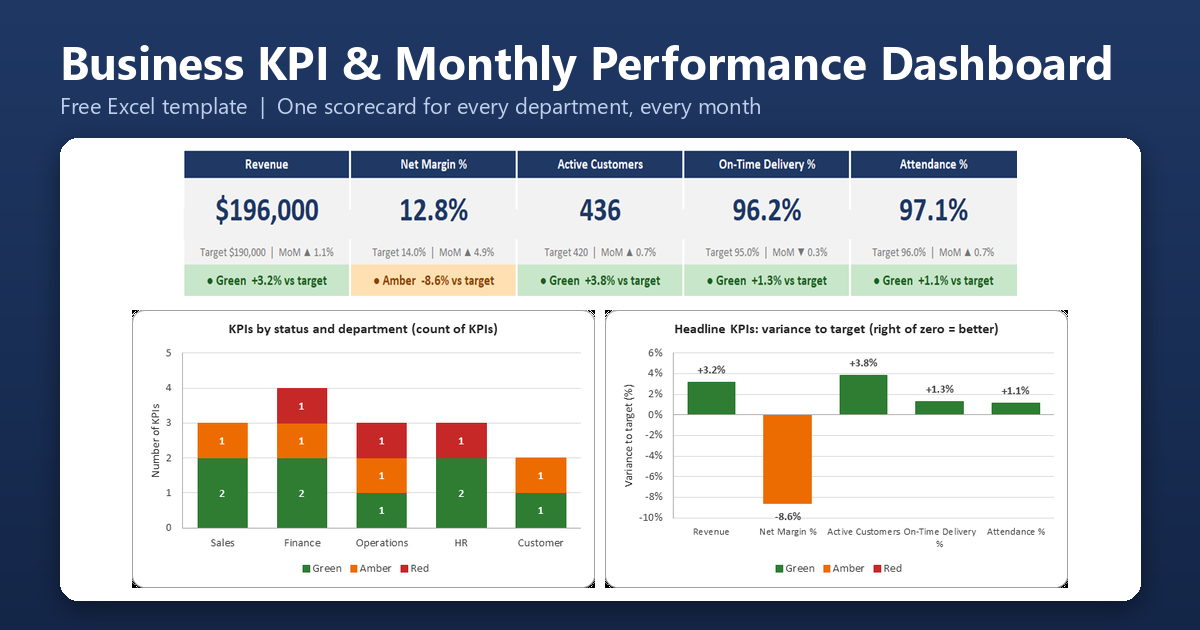
Business KPI & Monthly Performance Dashboard
Track about 15 KPIs across sales, finance, operations, HR, and customers against targets, with green, amber, and red status, month-over-month change, and 12-month trend charts.
Primary benefit: One monthly scorecard for the whole business.
Find the Right Excel Template for Your Business
Not sure where to start? Here are the templates most people in each situation reach for first.
Freelancers and consultants: Invoice Generator & Payment Tracker, Customer Quotation/Estimate Generator, Billable Hours & Client Billing Tracker, Small Business Income & Expense Manager, and Client Project Profitability Tracker.
Shops and product sellers: Inventory Management System, Low-Stock & Reorder Management System, Product Cost & Pricing Calculator, Customer Order Management System, and Sales & Revenue Dashboard.
Service and trades businesses: Service Job/Work Order Tracker, Contractor Job Costing Calculator, Appointment & Booking Scheduler, Customer Quotation/Estimate Generator, and Purchase Order Generator & Tracker.
Agencies and project teams: Project Management Dashboard, Task & Deadline Management System, Project Budget & Cost Tracker, Client Project Profitability Tracker, and Billable Hours & Client Billing Tracker.
Businesses with staff: Employee Attendance Tracker, Employee Timesheet & Hours Tracker, Leave/Vacation Management System, Employee Shift Scheduler, and Payroll Calculator & Payroll Register.
Owners who want the big picture: Cash Flow Forecast & Dashboard, Profit & Loss Dashboard, Business Budget vs Actual Dashboard, Daily Business Operations Dashboard, and Business KPI & Monthly Performance Dashboard.
What Are Excel Business Templates?
An Excel business template is a pre-built workbook designed around a specific business task – invoicing, inventory, scheduling, and so on – rather than a blank spreadsheet you have to design from scratch. A good one includes the structure (tables, formulas, dashboards) already in place, along with sample data so you can see how it works before you commit any of your own records to it. The templates in this collection go further than a basic table: each one is built as a small application, with guided input, automatic status alerts, and a dashboard that updates itself as you enter data.
What Is Included in Every Template
- A Start Here sheet with a quick-start guide and a color legend showing which cells to type in
- A Settings sheet for your company details, categories, rates, targets, and dropdown lists
- Realistic sample data so you can see every alert and chart working, with README steps to clear it
- A dashboard with KPI cards and charts that update automatically as you enter data
- Dropdown lists and data validation on the key input columns
- Color-coded status alerts such as OVERDUE, DUE SOON, and LOW STOCK
- Clickable navigation between the sheets of each workbook
- No macros and no add-ins
Choosing the Right Excel Template
Start with the problem you actually have this week, not the one you might have someday. If invoices are the pain point, start with the Invoice Generator & Payment Tracker rather than a full accounting suite. If you’re losing track of leads, the CRM template solves that specific problem without asking you to also manage inventory or payroll in the same file. Each template in this collection is a standalone workbook – you can download only the ones you need and add more as your business grows.
Frequently Asked Questions
Are these Excel templates free to download?
Yes. All 40 templates are free to download. Each template’s page has its own details and licensing terms.
Do I need to know Excel formulas to use these templates?
No. Every input area is clearly marked, and all calculations happen automatically. You only need to type in your own data – dates, amounts, names – into the marked cells.
Do these templates require macros or special Excel add-ins?
No. Every template in this collection is built with standard Excel Tables, formulas, and formatting – no macros (VBA) and no add-ins required. They open safely with macros disabled.
Which version of Excel do I need?
We build and test every template in desktop Excel for Windows. They use standard functions such as SUMIFS, INDEX/MATCH, and IFERROR rather than newer Microsoft 365-only functions, so they do not depend on a Microsoft 365 subscription.
Do the templates work in Google Sheets or Excel for Mac?
The templates are designed for desktop Excel. Other spreadsheet apps may open them, but features such as dropdown lists, Excel Tables, conditional formatting, and charts may not all behave the same way, so we recommend desktop Excel for the best experience.
Can I remove the sample data and use my own?
Yes. Each template’s README explains exactly which rows are sample data and how to clear them, so you can start entering your own records right away.
Can I customize the templates?
Yes. Categories, rates, targets, thresholds, and dropdown lists live on each template’s Settings sheet, and you can add rows to the data tables as your business grows. Avoid deleting the calculated columns, since the dashboards depend on them.
Where is my data stored?
In the Excel file on your own computer. The templates need no account and no internet connection, and they contain no macros or external connections.
Can I use more than one template together?
Each template is a separate workbook, and they do not link to each other automatically. Some are designed to work well side by side. For example, the Employee Timesheet & Hours Tracker includes a payroll export block laid out to be copied into the Payroll Calculator & Payroll Register.
Will more templates be added to this collection?
The collection currently includes 40 templates, and this page lists all of them. New templates may be added over time.