Free Excel Product Cost and Pricing Calculator: Price for Profit, Not Guesswork
If you make or sell products, you have probably asked yourself whether your prices are actually profitable. Materials, packaging, your own time, and a share of rent and utilities all add up, and it is easy to underprice a product without noticing until the money is gone.
This pricing calculator for Excel builds each product's true unit cost from its materials, packaging, labour, and overhead. It then tells you the price you need to hit your target margin, the margin you earn at your current price, and which products fall short. It suits makers, bakers, craft sellers and small manufacturers.
It is a pricing-decision tool, not a stock tracker. A built-in what-if panel lets you try a price on any product and instantly see margin, markup, profit per unit, and break-even units. Everything uses plain formulas in desktop Excel, with no macros.
Key Features
- Materials sheet (an Excel Table) for every material and packaging line per unit, with quantity, unit of measure, and cost.
- Cost Inputs table with labour minutes, optional per-product labour rate, selling price, and monthly units.
- Automatic unit cost: materials + packaging + labour + overhead, where overhead is a percentage you set.
- Suggested price = unit cost/(1 - target margin), with optional rounding up to a price ending in .99.
- Margin, markup, profit per unit, and status (ON TARGET or BELOW TARGET) at your own selling price.
- What-if price tester with break-even units for a fixed cost you enter.
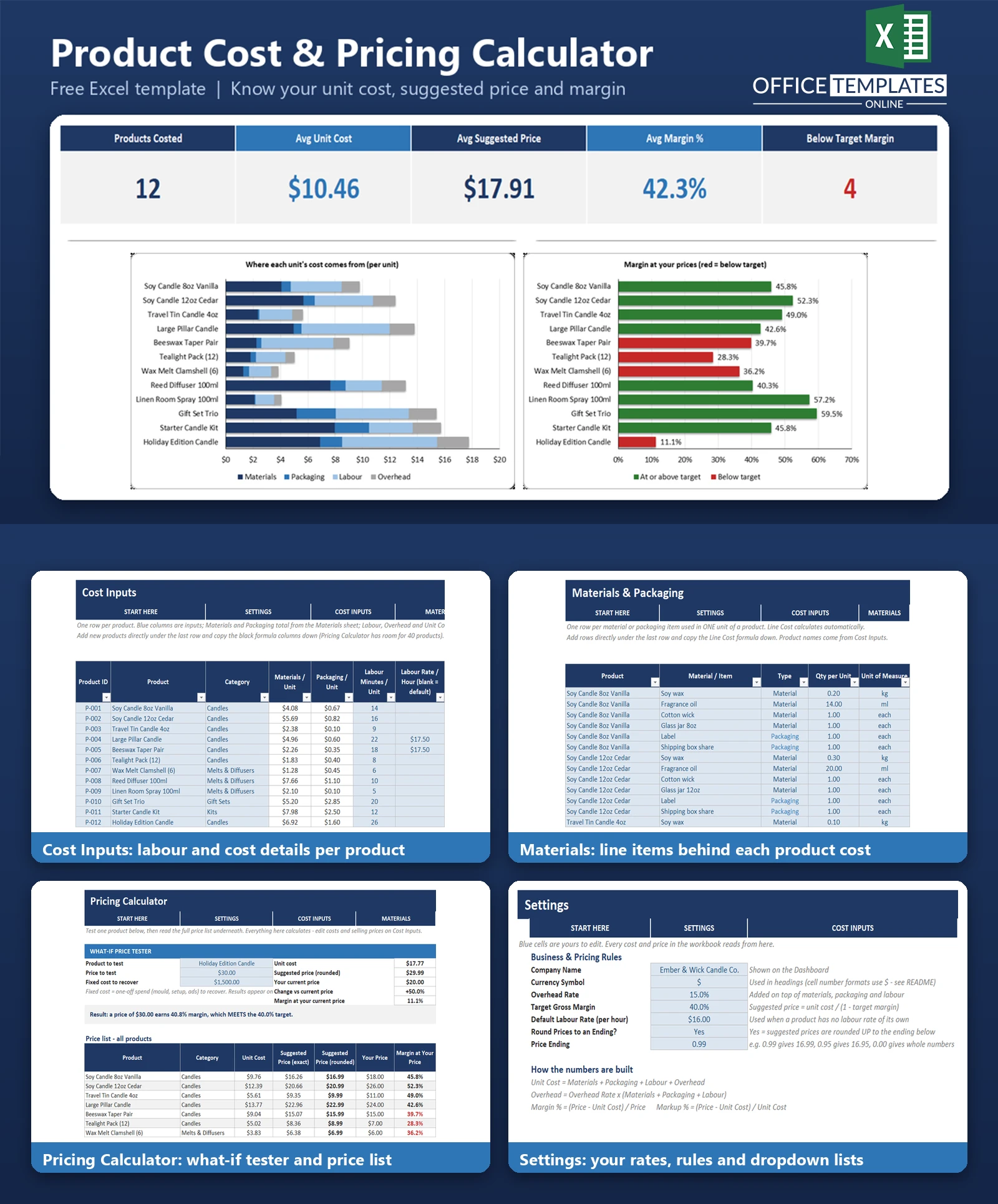
- Dashboard with four KPIs plus product count, two charts, and a lowest-margin list.
What You Can Track
- Material and packaging costs per unit, by product.
- Labour minutes and hourly rate per product, with a default rate.
- Overhead rate, target margin, and price ending on a single Settings sheet.
- Your current selling price and monthly units, giving margin and monthly profit per product.
Dashboard & Reports
The Dashboard shows Products Costed, Avg Unit Cost, Avg Suggested Price, Avg Margin %, and Below Target Margin. A stacked bar chart splits each product's unit cost into materials, packaging, labour and overhead, and a second bar chart shows margin at your prices, with products below target shown in red. A list underneath names the six lowest-margin products with their cost, price, margin and suggested price. The Pricing Calculator sheet is the full price list for up to 40 products.
Who Is This Template For
- Makers and craft sellers pricing handmade products.
- Small bakeries, food producers, and cottage businesses.
- Small manufacturers who need a quick, transparent costing model.
- Anyone reviewing prices before a cost increase or a new product launch.
How to Use the Template
- Open Settings and enter your overhead rate, target margin, default labour rate, and price ending.
- Replace the sample products on Cost Inputs with your own, including selling price and monthly units.
- List each product's materials and packaging on the Materials sheet.
- Read the Pricing Calculator for unit cost, suggested price, margin, and status.
- Use the what-if tester to try a new price and see break-even units.
- Check the Dashboard, then adjust prices for products flagged below target.
Benefits
- See the full cost of a product, not just the materials.
- A clear target price for the margin you want.
- Quick identification of underpriced products.
- Fewer guesses when changing prices, since you can test them first.
Excel Requirements
The workbook contains no macros and works in modern desktop Excel for Windows or Mac. It uses standard functions such as SUMIFS, INDEX, MATCH, ROUNDUP, and COUNTIF.
Frequently Asked Questions
Is this an inventory or stock tracker?
No. It helps you decide prices. It does not track stock levels.
How is overhead calculated?
Overhead is a percentage of materials, packaging, and labour combined. You set the percentage in Settings.
What does the price ending do?
Suggested prices are rounded up to the next price with your chosen ending, for example, 16.26 becomes 16.99. You can switch rounding off.
Is margin the same as markup?
No. Margin is profit divided by the selling price; markup is profit divided by cost. The workbook shows both.
How many products can it hold?
The Pricing Calculator has room for 40 products. The dashboard charts show the first 12.
Do I need macros?
No. Everything runs on standard formulas.
Can I remove the sample data?
Yes. Clear the blue input cells on Cost Inputs and Materials, keeping the headers and formula columns.












