A Developer Portfolio Cover Built From Orbiting Circles
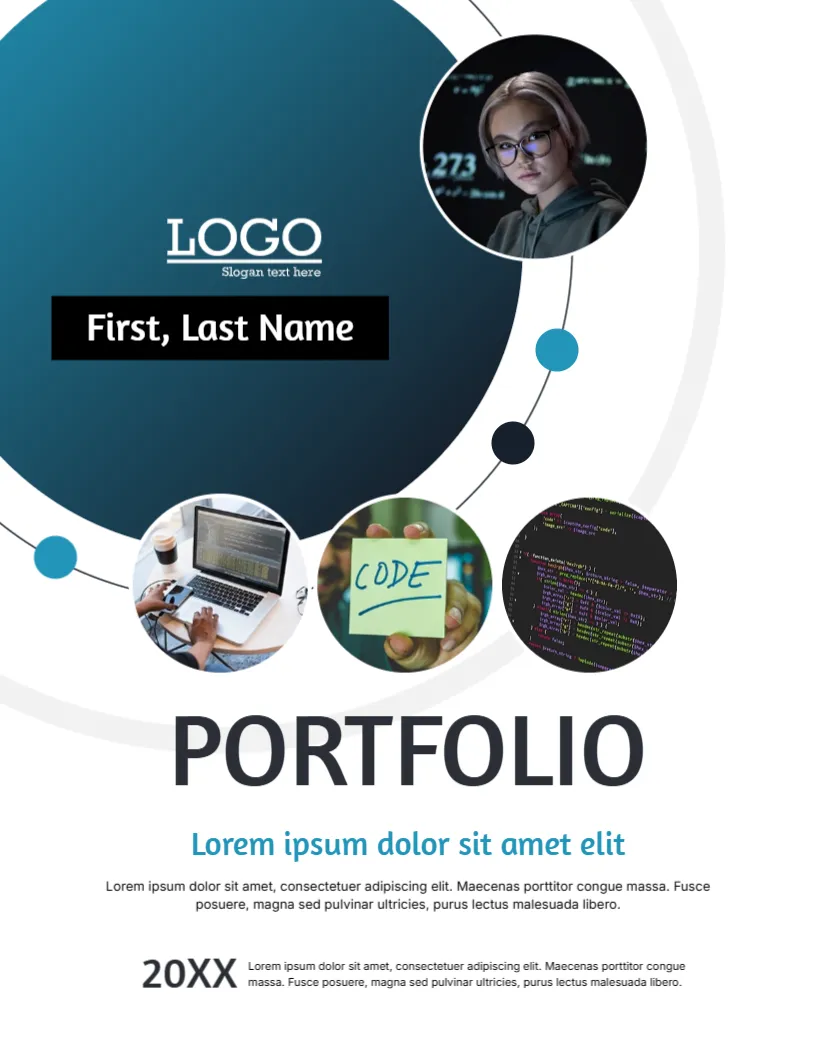
Code is abstract, so this cover shows the developer through circles: a big dark teal one that holds your logo and name, and smaller ones with photos of a laptop, a sticky note that says CODE and a screen full of syntax. A thin orbit line with coloured dots links them. It suits programmers, web developers, software engineers and computer science students.
Teal Disc, Photo Circles and Orbit Dots
The page is 8.5 x 11 inches, portrait, one page. The big disc fills the upper left with a navy gradient. A round photo of a person reading code sits at its upper right, and three more round photos stand in a row below it. An orbit line holds blue and navy dots. The shapes in the developer portfolio cover are graphics, and each photo is replaceable.
Name Tag, Title and Intro
On the disc, a LOGO with Slogan text here sits above a black name tag that reads First, Last Name. At the bottom, PORTFOLIO appears in large dark type, followed by Lorem ipsum dolor sit amet elit in blue, a short paragraph and a line with 20XX. Use the blue line for your stack or focus, for example Full stack web developer, and the paragraph for two sentences about what you build.
Information a Developer Portfolio Should Offer
- Three to six projects with links and short descriptions.
- The languages and tools you used in each.
- Your role if the project was a team effort.
- A link to your code repository.
- Contact details and availability.
Using the Circle Photos Wisely
Choose pictures that show your work rather than stock coding scenes. A screenshot of a project in a circle looks good. Avoid showing passwords, private data or the code of a client under a confidentiality agreement.
Linking the Cover to an Online Portfolio
Many developers also keep a website. Add the address under your name and make the PDF links clickable if your tool supports it. Hiring managers often look at the live projects first, so keep them online and working.
Editing and Printing the Developer Portfolio Cover
The fonts are Amaranth and Inter. Text edits freely. This cover is mostly viewed on screen, so export a PDF. If you print, use 120 gsm in colour and check the dark disc for banding.
Explaining a Project to a Non Programmer
Recruiters and clients may not read code. For each project, write a short plain description of the problem, what the software does and who uses it. Add a screenshot and a link. Technical detail can follow for those who want it.
Step by Step Editing of the Developer Portfolio Cover
- On the developer portfolio cover, click the main title and type your own words, keeping the same style of capitals.
- Retype every name and contact line on the developer portfolio cover, checking each spelling against an official source.
- Change the year or date on the developer portfolio cover, then search the page for XX and for the word Lorem so that no placeholder remains.
- Click the logo or the photo on the developer portfolio cover, choose Replace Image and resize the new picture until it fills its space.
- Zoom the developer portfolio cover to full screen and read each line aloud, because spoken reading catches slips that silent reading misses.
- Keep a clean master of the developer portfolio cover without your private details, so that later versions begin from a tidy copy.
Consider the web design portfolio cover. Similar designs include the career portfolio cover. Set it beside the website development project cover. Every developer portfolio style alternative sits in business and report cover pages.