Free Excel Loan Amortization Schedule and Business Debt Repayment Tracker
Most small business owners carry more than one debt: a term loan, equipment finance, a credit line, a company vehicle, a business credit card, or money lent by the owner. Each has its own rate, term, and payment date, so it is hard to answer basic questions. What do we owe in total? How much of each payment is interest? When will each loan end? Would an extra payment be worth it?
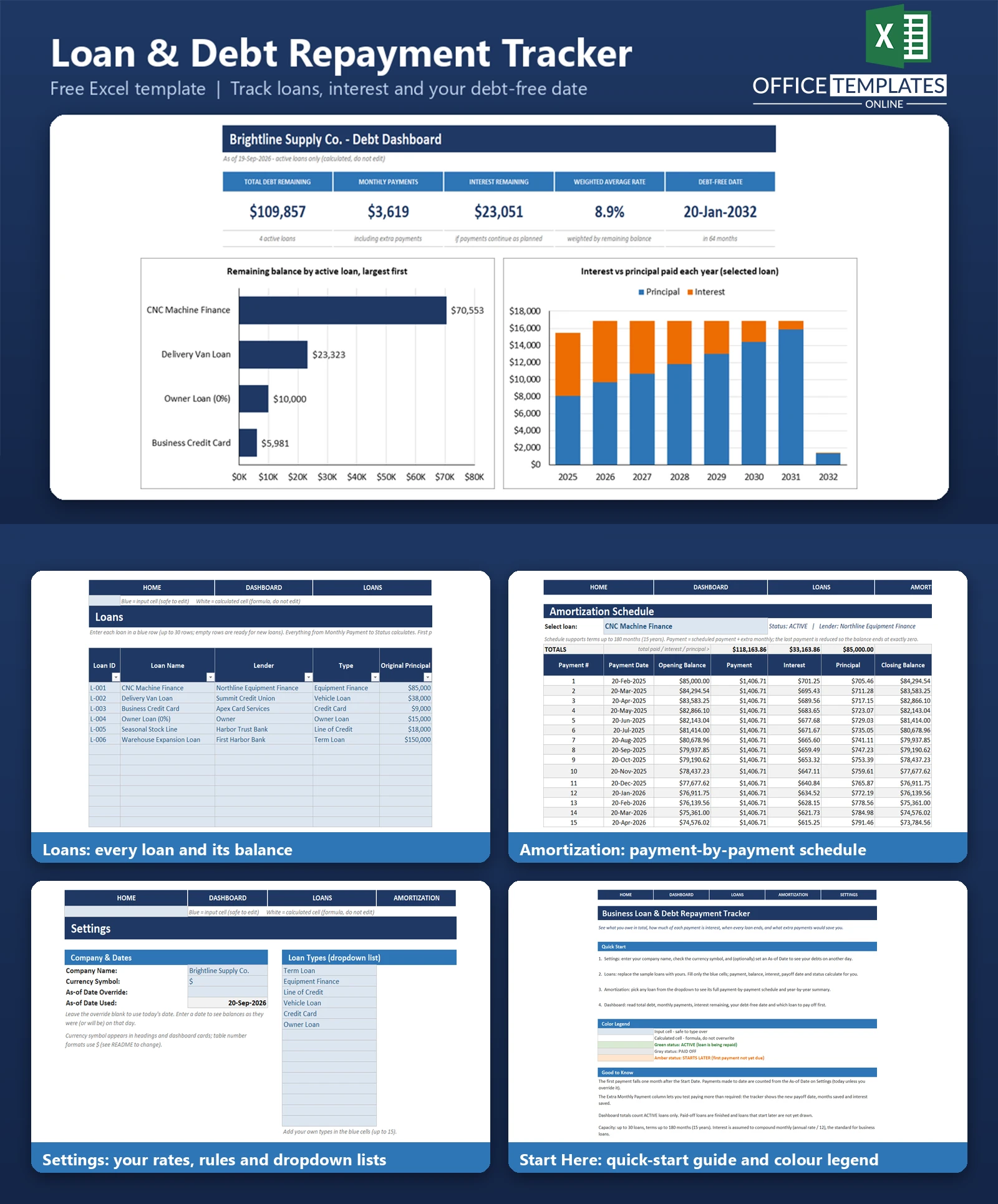
This Business Loan & Debt Repayment Tracker answers those questions in one Excel workbook. List each loan once, and the template calculates the monthly payment, payments made so far, remaining balance, interest remaining, payoff date, and status. Type an extra monthly amount, and it shows the months and interest you would save.
An Amortization sheet builds the full payment-by-payment schedule for any loan you pick, and a Dashboard shows total debt, monthly payments, average rate, your debt-free date, and which loan to pay off first. No macros and no add-ins are needed.
Key Features
- Loans table for up to 30 loans with type dropdown, principal, rate, term, start date, and optional extra monthly payment
- Monthly payment, payments made to date, remaining balance, and total interest calculated automatically, including 0% loans
- Payoff date, months saved, and interest saved when you add an extra monthly payment
- Status for each loan: ACTIVE, PAID OFF, or STARTS LATER
- Amortization schedule for any selected loan, up to 180 payments, with totals and a year-by-year summary
- Dashboard with five KPI cards, three charts, and a highest-rate "pay this first" list
- As-of date that defaults to today and can be overridden to look at any other day
- Sample data included and easy to clear
What You Can Track
- Lender, loan type, original principal, annual interest rate, term in months, and start date
- Extra monthly payments on any loan
- Remaining balance and interest still to be paid on each loan
- Payoff date and status of every loan
- Interest and principal paid per year for the loan you select
Dashboard & Reports
The Dashboard covers active loans and shows five KPI cards: Total Debt Remaining, Monthly Payments (including extra payments), Interest Remaining, Weighted Average Rate, and Debt-Free Date.
- Bar chart of remaining balance by active loan, largest first
- Stacked column chart of interest versus principal paid each year for the selected loan
- Line chart of the selected loan's balance falling to zero
- Top three loans ranked by interest rate, with a "pay this first" message, plus a count of active, paid-off, and not-yet-started loans
Who Is This Template For
- Small business owners with one or more loans, credit lines, or equipment finance
- Owners who want a simple way to see total debt and the debt-free date
- Bookkeepers and accountants who need a quick schedule for a client loan
- Anyone comparing what extra payments would save
How to Use the Template
- Open the Settings sheet and enter your company name and currency symbol. Leave the as-of date override blank to use today.
- Go to the Loans sheet and replace the sample loans with your own, filling only the blue cells.
- Add an extra monthly payment to any loan to see the payoff date, months saved, and interest saved.
- Open the Amortization sheet and choose a loan from the dropdown to view its full schedule.
- Read the Dashboard for totals, charts, and which loan to pay off first.
Benefits
- See every debt in one place instead of across lender statements
- Understand how much of your payments goes to interest
- Know when each loan ends and when you will be debt-free
- Test extra payments before committing cash
- Works offline in Excel, with your data staying in your own file
Excel Requirements
Works in modern desktop Excel for Windows or Mac. There are no macros and no add-ins. Only standard functions are used, such as PMT, NPER, EDATE, SUMIFS, and INDEX/MATCH.
Frequently Asked Questions
Does it handle interest-free loans?
Yes. A 0% loan is treated as equal payments of principal divided by term, and the sample data includes one.
How is the payment date worked out?
The first payment is due one month after the start date, then monthly. Payments made are counted up to the as-of date.
What happens when I add an extra payment?
The schedule uses the scheduled payment plus the extra; the loan ends earlier, and the Loans sheet shows months saved and interest saved. The final payment is reduced so the balance ends at exactly zero.
How many loans and how long a term are supported?
Up to 30 loans, with terms up to 180 months (15 years).
Can I see my debts on a different date?
Yes. Enter a date in the as-of override on the Settings sheet, or leave it blank to use today.
Does it include loans that have not started yet?
They are listed with the status STARTS LATER but are left out of the dashboard totals until they begin.
Is interest compounded monthly?
Yes. The annual rate is divided by 12, the usual method for business term loans. Your lender's statement may differ slightly for daily-interest products.

← Previous Article
Free Excel Break-Even Calculator for Small BusinessesYou may also like