A Hiring Post for One Technical Role
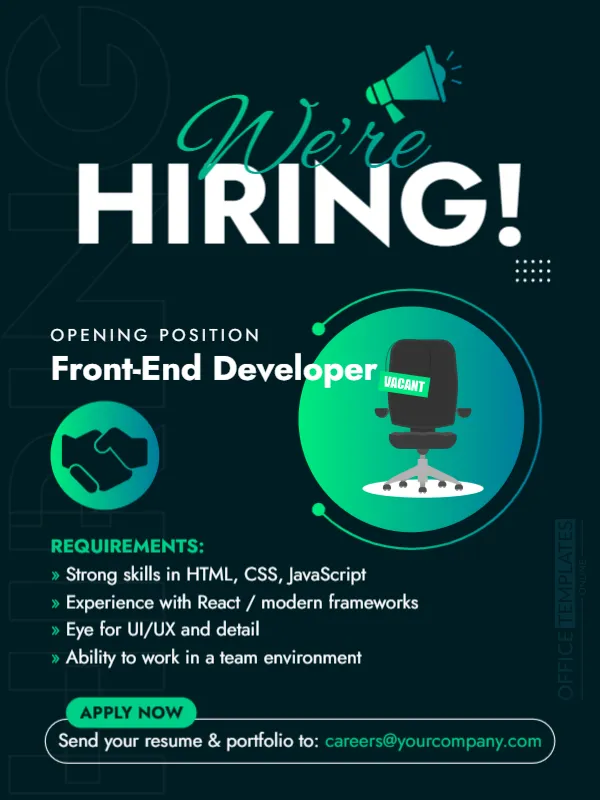
When you hire for a single, specific job, a focused post works best. This one shows an empty chair labelled VACANT in a glowing green circle, with a handshake icon, the title Front-End Developer and a list of four requirements. It suits technology companies, agencies and startups looking for developers, designers or analysts.
Dark Green Page, Glowing Circle and Vacant Chair
The design is 600 x 800 pixels, portrait, one page. The background is near black green with faint large letters. We’re is in green script over HIRING! in huge white capitals, with a megaphone at the top right. A round gradient disc holds the chair, and a small round icon shows two hands shaking.
Role, Requirements and Apply Line
OPENING POSITION introduces Front-End Developer. REQUIREMENTS lists Strong skills in HTML, CSS, JavaScript, Experience with React / modern frameworks, Eye for UI/UX and detail and Ability to work in a team environment. A green tag says APPLY NOW, and the line Send your resume & portfolio to: [email protected] closes the card. Replace the role and the requirements with your own, and name the seniority level and the location.
Writing Requirements Candidates Can Check
- Skills in a short list of tools.
- Years of experience, if essential.
- Soft skills tied to the job.
- Remote or office location.
- Salary range or benefits.
Separating Must Have From Nice to Have
Long lists put off good candidates, especially from groups who apply only when they meet every point. Keep the card to must haves and put the rest in the full description.
Reusing the Design for Other Roles
Duplicate the post, change the job title and the requirements and keep the chair and layout. A series of posts, one for each role, looks organised and can be scheduled over several weeks.
Saving the Corporate Job Post
White text on dark green is easy to read on phones. Check the requirement lines for size, and save the image for your feed and for your careers page.
Step by Step Editing of the Dark Corporate Job Opening Design
- On the dark corporate job opening design, click the main headline and type your own words, keeping a similar length.
- Retype every name, date and contact line on the dark corporate job opening design, checking each against a trusted source.
- Search the dark corporate job opening design for the words Lorem and Company so that no placeholder remains.
- Click any logo or photo on the dark corporate job opening design, choose Replace Image and resize the new picture to fit.
- Zoom the dark corporate job opening design to full size and read each line aloud before you save it.
- Keep a clean master of the dark corporate job opening design without private details, so later versions start tidy.
Consider the LinkedIn style hiring announcement. Similar designs include the graphic designer vacancy announcement. Compare it with the job vacancy announcement. Find more designs next to the dark corporate job opening design in announcements.