Explaining a New Look Without Losing Old Friends
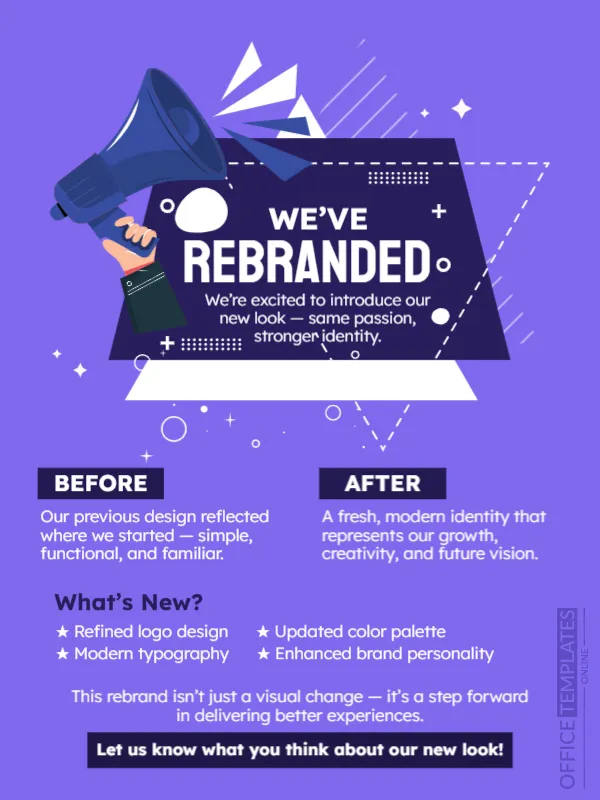
A new logo can surprise customers, so it helps to explain it. This announcement does that in the clearest way: a bright violet page, a megaphone and a banner that says WE’VE REBRANDED, then two columns called BEFORE and AFTER, a list of what is new and a request for feedback. It suits businesses, associations and creators who change their name, logo or visual identity.
Banner, Triangle and Two Columns
The design is 600 x 800 pixels, portrait, one page. A dark navy banner with a megaphone and white arrows sits in the upper half, with dashed lines and sparkles. A white triangle suggests a screen. Below, BEFORE and AFTER labels sit in dark navy boxes above short paragraphs. The text is white on violet.
What Changed and Why
The banner says We’re excited to introduce our new look, same passion, stronger identity. BEFORE explains that the previous design reflected where we started, simple, functional, and familiar. AFTER describes a fresh, modern identity that represents growth, creativity and future vision. What’s New? lists Refined logo design, Updated color palette, Modern typography and Enhanced brand personality. The final bar says Let us know what you think about our new look! Add your new logo images next to the paragraphs to make the change visible.
Elements of a Rebrand Announcement
- A before and after picture of the logo.
- The reason for the change.
- What stays the same: name, quality, people.
- When the new look appears everywhere.
- A way for customers to comment.
Reassuring Loyal Customers
Customers worry that a new look means new prices or lower quality. Say clearly what stays the same, such as your team, your products and your promise. A calm explanation prevents rumours.
Rolling Out in Stages
Update your logo on the website, social profiles and signage on the same day if possible. Keep the old logo in a small corner of the announcement for a short time so people recognise the link.
Saving the Rebrand Post
Add both logos as images before you save. Check the small star items on a phone. Pin the post at the top of your page for two weeks.
Step by Step Editing of the Rebranded Before After Design
- On the rebranded before after design, click the main headline and type your own words, keeping a similar length.
- Retype every name, date and contact line on the rebranded before after design, checking each against a trusted source.
- Search the rebranded before after design for the words Lorem and Company so that no placeholder remains.
- Click any logo or photo on the rebranded before after design, choose Replace Image and resize the new picture to fit.
- Zoom the rebranded before after design to full size and read each line aloud before you save it.
- Keep a clean master of the rebranded before after design without private details, so later versions start tidy.
A related layout is the company milestone announcement. Also worth a look: partnership announcement. Try too the feature update announcement. The rest of the series around the rebranded before after design is in announcements.