A Tidy Card for Telling Users What Has Improved
Software and service companies release updates often, and users rarely notice unless they are told. This announcement is a simple blue card on a mint green page, with two megaphones, short lines and a clear invitation to update. It suits apps, online tools, subscription services and any business that wants to share a new feature with customers.
Blue Card on a Mint Page
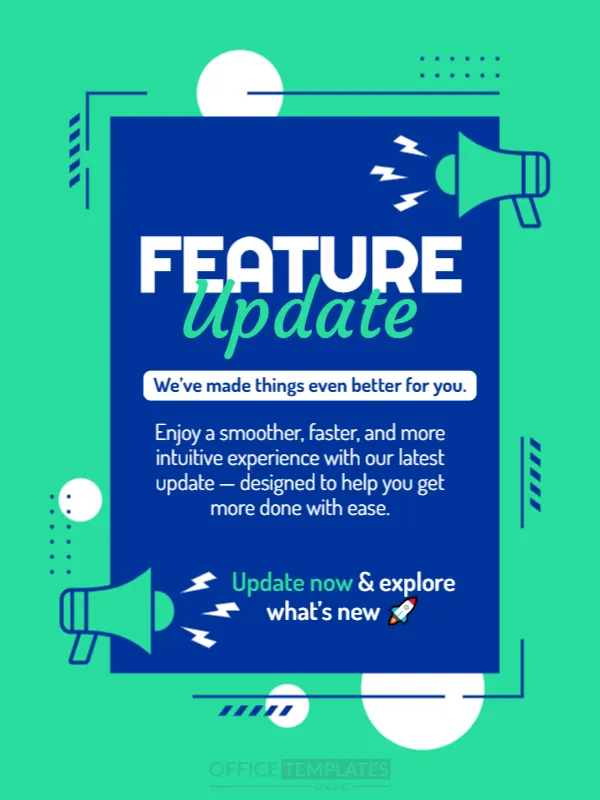
The design is 600 x 800 pixels, portrait, one page. A big royal blue rectangle sits in the middle of a bright mint background with white circles, dotted lines and a thin blue frame. Teal megaphones with lightning marks sit at the top right and the lower left. FEATURE is in heavy white capitals and Update in teal script. The fonts are Righteous, Courgette and Dosis.
Message and Call to Action
A white tag reads We’ve made things even better for you. Below, a short paragraph says Enjoy a smoother, faster, and more intuitive experience with our latest update, designed to help you get more done with ease. The last line, Update now & explore what’s new, ends with a rocket emoji. Replace it with the real feature, for example Dark mode is here, and a sentence that names the benefit.
Elements of a Good Update Announcement
- The feature name in a few words.
- The benefit to the user in one sentence.
- How to get it: update, open a link, switch on a setting.
- A version number or date.
- A support link for questions.
Writing for Users, Not Engineers
Describe what changes for the person using the product. Faster search, simpler checkout or easier sharing are benefits. Internal names and technical terms can go in the release notes. A short, friendly message gets more attention than a long list.
Using the Card in Email and Stories
The portrait shape fits a story or a push notification image. For email, place the card at the top and add a button below it. Keep the same colours across your product to build recognition.
Saving the Feature Update Card
Check that the paragraph reads well at phone size. If the text feels small, shorten it rather than shrinking the font. Save in the format your channel needs and reuse the layout for each release.
Step by Step Editing of the Minimal Feature Update Design
- On the minimal feature update design, click the main headline and type your own words, keeping a similar length.
- Retype every name, date and contact line on the minimal feature update design, checking each against a trusted source.
- Search the minimal feature update design for the words Lorem and Company so that no placeholder remains.
- Click any logo or photo on the minimal feature update design, choose Replace Image and resize the new picture to fit.
- Zoom the minimal feature update design to full size and read each line aloud before you save it.
- Keep a clean master of the minimal feature update design without private details, so later versions start tidy.
For comparison, open the coming soon teaser in dark theme. Consider the new service announcement post. Similar designs include the discount offer announcement. Looking beyond the minimal feature update design? See all announcements.