A Friendly Post for Telling Customers You Offer Something New
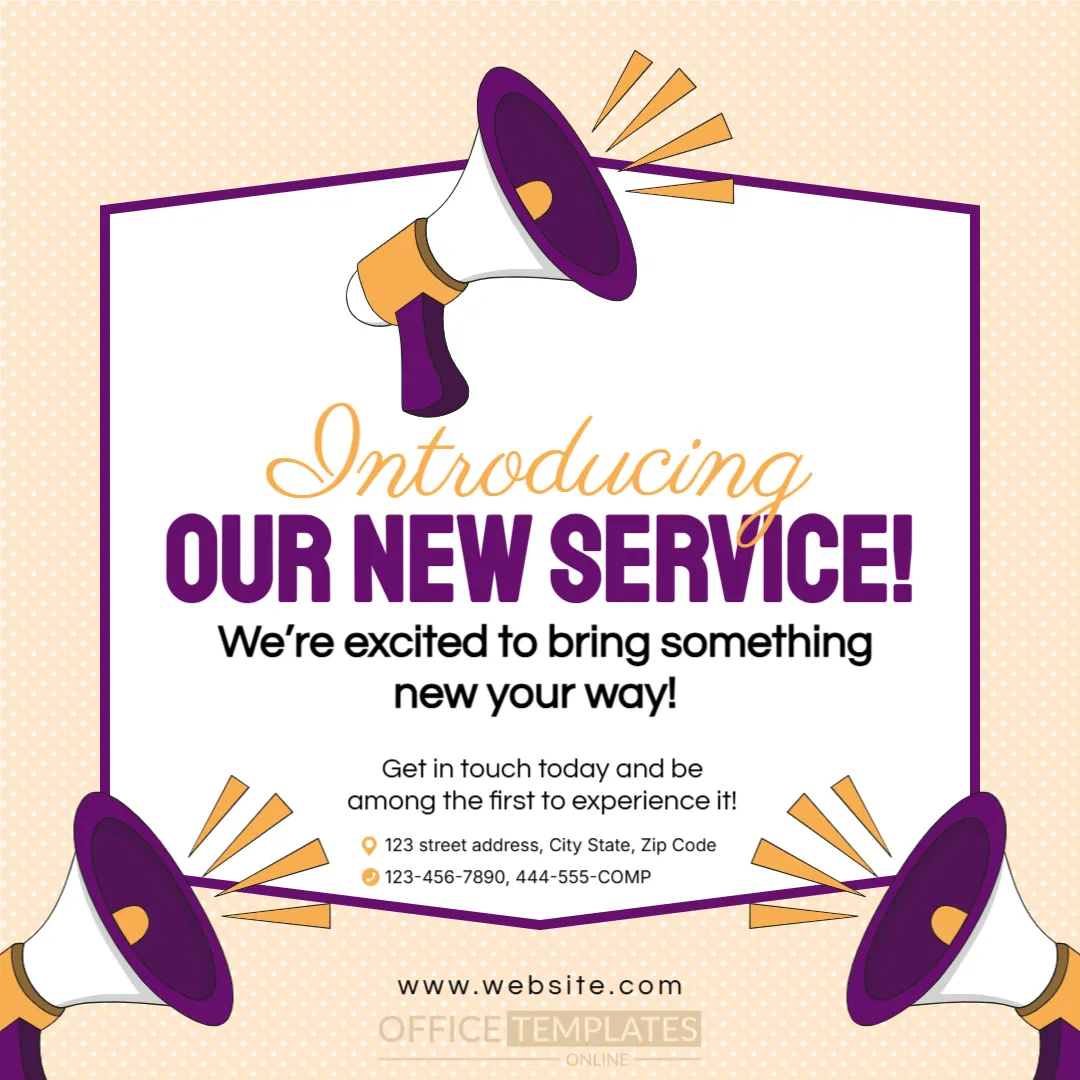
Small businesses often add services quietly, and customers never hear about it. This square post gives the news a loud voice: three purple megaphones shout from the corners, a cream dotted background keeps it warm, and the headline says OUR NEW SERVICE! in heavy purple capitals under the script word Introducing. It suits salons, repair shops, studios, clinics and consultants.
Megaphones Around a White Banner
The post is 1080 x 1080 pixels, a square, one page. A white banner with a purple outline and angled edges sits in the centre. One megaphone with orange sound lines leans over the top, and two more come in from the lower corners. The background is a pale peach with a soft dot pattern. The shapes are graphics and stay fixed. The fonts are Staatliches, Parisienne, Questrial and Inter.
Headline, Invitation and Contact Details
Introducing is written in orange script, followed by OUR NEW SERVICE! in purple. Under it, We’re excited to bring something new your way! and Get in touch today and be among the first to experience it! invite action. Two small lines with orange icons give a street address and a phone number, and www.website.com sits at the foot. Replace the headline with the real service name, for example Introducing Mobile Car Detailing.
Facts to Add to the Announcement
- The name of the new service in a few words.
- Who it is for and where it is available.
- A launch offer, such as a first booking discount.
- How to book: phone, website or direct message.
- A start date.
Keeping the Headline Short
The banner suits two lines of capitals. If the service name is long, move the detail into the supporting sentence, and keep the headline simple. People scanning a feed read only a few words, so make those words count.
Following Up With a Story Series
After the post, share a short story or video that shows the service in action, such as a before and after photo. Customers trust what they can see. Pin the announcement to the top of your page for a week.
Saving the Purple Announcement Post
Check the post on a phone to make sure the contact lines are legible. Small text at the foot may need a larger size. Save the design as an image for social media and keep a copy for printing as a counter sign.
Step by Step Editing of the Purple Megaphone Service Post Design
- On the purple megaphone service post design, click the main headline and type your own words, keeping a similar length.
- Retype every name, date and contact line on the purple megaphone service post design, checking each against a trusted source.
- Search the purple megaphone service post design for the words Lorem and Company so that no placeholder remains.
- Click any logo or photo on the purple megaphone service post design, choose Replace Image and resize the new picture to fit.
- Zoom the purple megaphone service post design to full size and read each line aloud before you save it.
- Keep a clean master of the purple megaphone service post design without private details, so later versions start tidy.
A related layout is the new product announcement template. Also worth a look: product launch announcement post. Next to try is the feature update announcement. The rest of the series around the purple megaphone service post design is in announcements.