A Birth Announcement With Bunting and Balloons
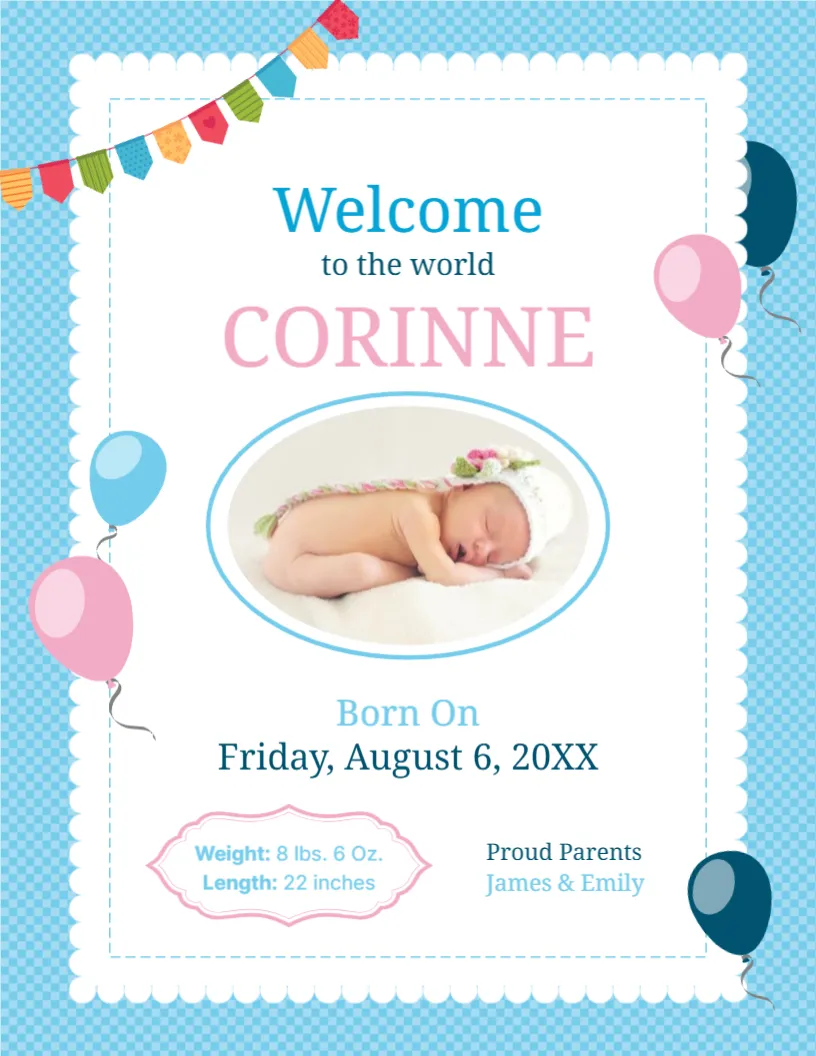
A new baby deserves a card that shares the news with warmth. This announcement frames a sleeping newborn in an oval photo on a scalloped white card, with colourful bunting across the corner and pink and blue balloons floating at the edges. It suits parents who want to send an email, print a card or share a picture with family and friends.
Check Border, Scalloped Card and Photo Oval
The page is 8.5 x 11 inches, portrait, one page. The background is a light blue check pattern. A white card with a scalloped edge and a dashed inner line holds the content. Bunting in several colours hangs from the top left, and five balloons in pink, blue and navy sit around the edges. The fonts are Noto Serif and Inter.
Name, Date, Measurements and Parents
Welcome to the world introduces the baby’s name, CORINNE in pink, and the line Born On with Friday, August 6, 20XX. A pink scalloped label lists Weight: 8 lbs. 6 Oz. and Length: 22 inches, and Proud Parents names James & Emily at the right. Replace every line, and check the weekday against the date. If you prefer metric units, write kilograms and centimetres.
What to Include on a Birth Announcement
- Your baby’s full name.
- Date and, if you like, time of birth.
- Weight and length.
- The names of the parents and siblings.
- A short sentence of thanks or joy.
Choosing the Baby Photo
Use a clear, well lit photo of the baby asleep or awake. A close crop works best inside an oval. Check that the baby’s face is centred. Many parents prefer not to share a photo publicly, so you could use a footprint or a toy instead.
Colours Without Assumptions
The blue background and pink name are a cheerful sample, but you can choose any colours. Replace the name colour with the same blue or a neutral grey if you prefer. The design suits any baby.
Printing the Birth Announcement
For paper copies, print on 200 gsm card and cut to size or fold. For email or a message, save as an image and add a short personal note. Order extra copies for grandparents.
Step by Step Editing of the Baby Birth Announcement Design
- On the baby birth announcement design, click the main headline and type your own words, keeping a similar length.
- Retype every name, date and contact line on the baby birth announcement design, checking each against a trusted source.
- Search the baby birth announcement design for the words Lorem and Company so that no placeholder remains.
- Click any logo or photo on the baby birth announcement design, choose Replace Image and resize the new picture to fit.
- Zoom the baby birth announcement design to full size and read each line aloud before you save it.
- Keep a clean master of the baby birth announcement design without private details, so later versions start tidy.
For comparison, open the wedding announcement template. Consider the graduation party announcement. Similar designs include the funeral announcement card. Looking beyond the baby birth announcement design? See all announcements.