Telling Customers That Your Business Is Changing Address
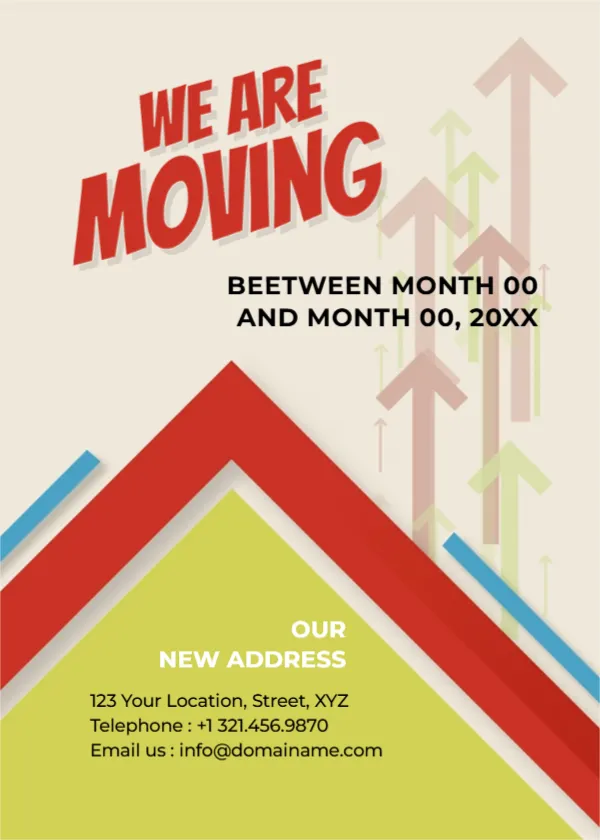
When a business moves, customers need to know where to go and when. This flyer says it in three words and an arrow: WE ARE MOVING in red letters, a roof shaped chevron pointing up, and a green panel that reads OUR NEW ADDRESS with the location, phone and email. It suits shops, clinics, offices, studios and workshops moving to new premises.
Roof Shaped Chevron and Rising Arrows
The page is 5 x 7 inches, portrait, one page. A cream background carries faint arrows pointing up, and a big red chevron shaped like a roof sits at the bottom, with a lime green triangle inside it. Two blue strokes add energy. The headline sits at the top left in tilted red capitals.
A Typo to Correct and the Address Block
The date line reads BEETWEEN MONTH 00 AND MONTH 00, 20XX. Beetween is a misspelling of between, so retype the whole line, for example Between 1 and 5 May 2027. The green block says OUR NEW ADDRESS, 123 Your Location, Street, XYZ, Telephone : +1 321.456.9870 and Email us : [email protected]. Replace all of it, and tell customers whether the old number will keep working.
Information Customers Need About a Move
- The date of the move and last day at the old address.
- The new full address with a landmark.
- New phone and email, if they changed.
- Opening hours at the new place.
- Whether services pause during the move.
Giving Notice Early
Announce a move at least a month ahead, remind customers a week before and post a sign at the old address after you leave. A short map with the new location helps visitors who do not know the area.
Updating Your Listings
After the move, update your address on maps, directories, your website and social profiles. Customers searching online often find old details first, so check each one and ask partners to update their records too.
Printing the Moving Flyer
Print on 150 gsm paper and hand copies to customers or enclose one with each order. Save an image for social media and your website banner.
Step by Step Editing of the Moving Business Address Design
- On the moving business address design, click the main headline and type your own words, keeping a similar length.
- Retype every name, date and contact line on the moving business address design, checking each against a trusted source.
- Search the moving business address design for the words Lorem and Company so that no placeholder remains.
- Click any logo or photo on the moving business address design, choose Replace Image and resize the new picture to fit.
- Zoom the moving business address design to full size and read each line aloud before you save it.
- Keep a clean master of the moving business address design without private details, so later versions start tidy.
Have a look at the general announcement flyer. Another option is the new product announcement template. Related reading is the grand opening poster. The rest of the series around the moving business address design is in announcements.