A Campaign Flyer That Puts a Face to the Name
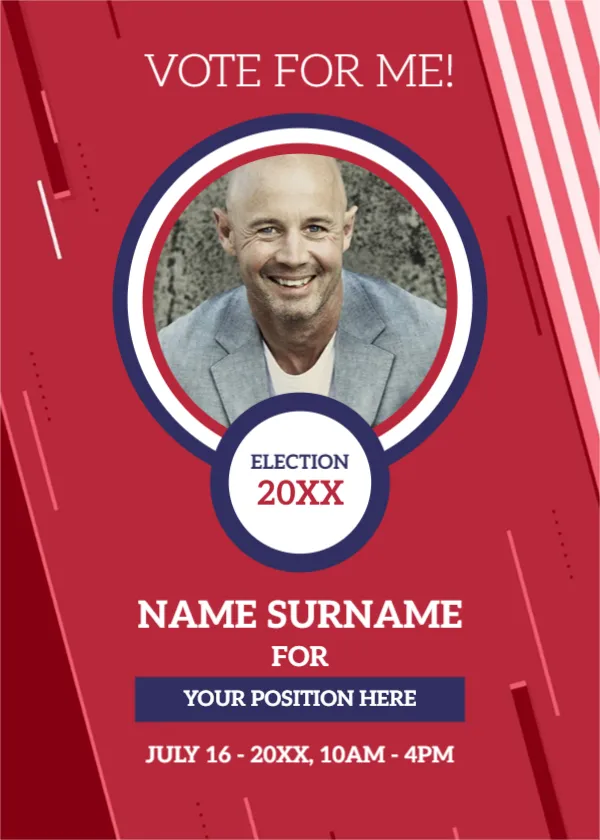
Candidates in school councils, clubs, unions, residents’ associations and local elections need to be known before voting day. This flyer does it with a bright red page, a bold VOTE FOR ME! call, a large round portrait with a navy and white ring and a badge that says ELECTION 20XX. It suits any contest in which people vote for a person.
Red Stripes, Portrait Ring and Election Badge
The page is 5 x 7 inches, portrait, one page. Diagonal stripes in pink and white run along the right edge. The portrait sits inside a navy and white ring, and a round white badge overlaps it at the bottom. The name, position and voting times sit below on the red field.
Name, Position and Voting Details
NAME SURNAME is in bold white capitals, followed by FOR and a navy bar reading YOUR POSITION HERE. The last line reads JULY 16 to 20XX, 10AM to 4PM, the date and hours of the vote. Replace them with the real position, such as Class President, and the voting date and place. If the election has rules about campaign materials, follow them and check with the organiser.
What to Add to a Campaign Flyer
- Your name and position, spelled exactly as on the ballot.
- Date, time and polling place.
- Two or three promises, in one short line each.
- A website or social handle.
- Who paid for the flyer, if the law requires it.
Choosing the Campaign Portrait
Use a recent, friendly photo with a plain background. Look at the camera and smile if it suits your style. Voters should recognise you in the corridor after seeing the flyer.
Following Election Rules
Many elections have rules on where you may post materials, how much you may spend and what disclosures are needed. Ask the organising body before you print. This is general guidance, not legal advice.
Printing the Campaign Flyer
Print in colour on 150 gsm paper and cut to 5 x 7 inches. Red prints strongly on a laser. Keep the editable file for last minute changes.
Step by Step Editing of the Election Campaign Design
- On the election campaign design, click the main headline and type your own words, keeping a similar length.
- Retype every name, date and contact line on the election campaign design, checking each against a trusted source.
- Search the election campaign design for the words Lorem and Company so that no placeholder remains.
- Click any logo or photo on the election campaign design, choose Replace Image and resize the new picture to fit.
- Zoom the election campaign design to full size and read each line aloud before you save it.
- Keep a clean master of the election campaign design without private details, so later versions start tidy.
Respecting Campaign Etiquette
Keep the tone positive and speak about what you will do, not about your opponents. Ask permission before you stick flyers on walls and remove them after the vote. Courteous campaigns tend to win respect even from people who vote for someone else.
A related layout is the general announcement flyer. Also worth a look: meetup event announcement. Next to try is the university announcement flyer. Every election campaign style alternative sits in announcements.