A Congratulations Page for People Who Won
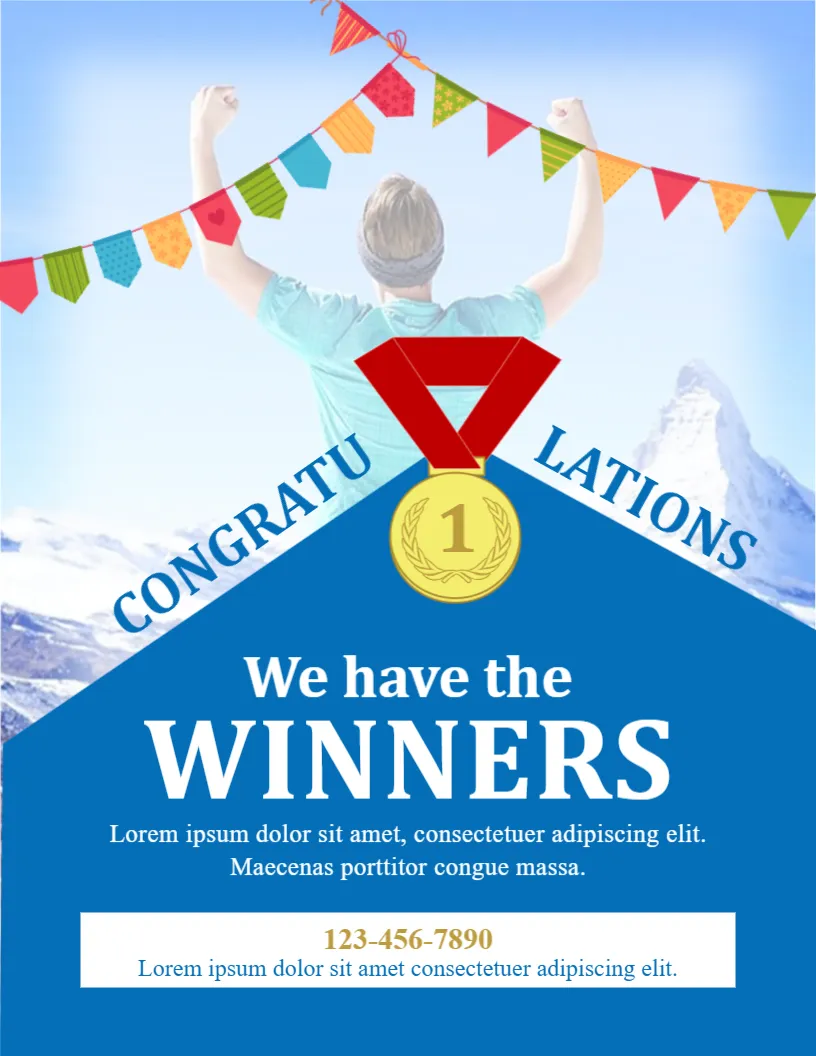
A contest, a competition, a sports day or an office challenge ends with winners, and they deserve a proper announcement. This page shows a person raising both arms against a mountain sky, bunting across the top, a gold medal numbered 1 and the word CONGRATULATIONS arching over a blue banner that says We have the WINNERS. It suits schools, clubs, shops, teams and online communities.
Photo, Bunting and Blue Panel
The page is 8.5 x 11 inches, portrait, one page. A pale blue photo with a victorious figure fills the top, and a string of multi coloured flags crosses it. A gold medal with a red ribbon marks the point of a blue triangular panel, with CONGRATU and LATIONS curving along the two slopes. The white card at the foot holds a phone number and a line of text. The font is a serif face.
Winners Heading and Contact Line
We have the in white serif script is followed by WINNERS in large capitals, then two lines of placeholder text. Use them for the name of the contest and the winners, for example Congratulations to Priya and Marcus, winners of the spring photo contest. The white strip at the foot shows 123-456-7890 and another line, which can hold the prize collection details.
Facts a Winner Announcement Should State
- The name of the contest or event.
- Winners’ names, with permission to publish them.
- The prize.
- How and when the prize will be given.
- A thank you to all who took part.
Asking Permission Before Naming People
Before you publish names or photos of winners, ask them. Some people prefer privacy, and minors need a guardian’s consent. A short message, Can we announce you as the winner?, avoids awkward surprises.
Replacing the Hero Photo
The sample image is a pale stock photo. Replace it with a picture of the winner or the event. Keep the image light, so that the medal and the heading remain readable.
Printing the Winners Page
Print on 120 gsm paper for a noticeboard, or on 200 gsm card for a certificate style handout. For digital use, save an image and share it with the full list of winners in the caption.
Step by Step Editing of the Winners Congratulations Design
- On the winners congratulations design, click the main headline and type your own words, keeping a similar length.
- Retype every name, date and contact line on the winners congratulations design, checking each against a trusted source.
- Search the winners congratulations design for the words Lorem and Company so that no placeholder remains.
- Click any logo or photo on the winners congratulations design, choose Replace Image and resize the new picture to fit.
- Zoom the winners congratulations design to full size and read each line aloud before you save it.
- Keep a clean master of the winners congratulations design without private details, so later versions start tidy.
Have a look at the winner announcement in celebration style. Another option is the contest launch announcement. A related layout is the giveaway announcement. The rest of the series around the winners congratulations design is in announcements.