An A4 Poster for a Conference, Summit or Business Meetup
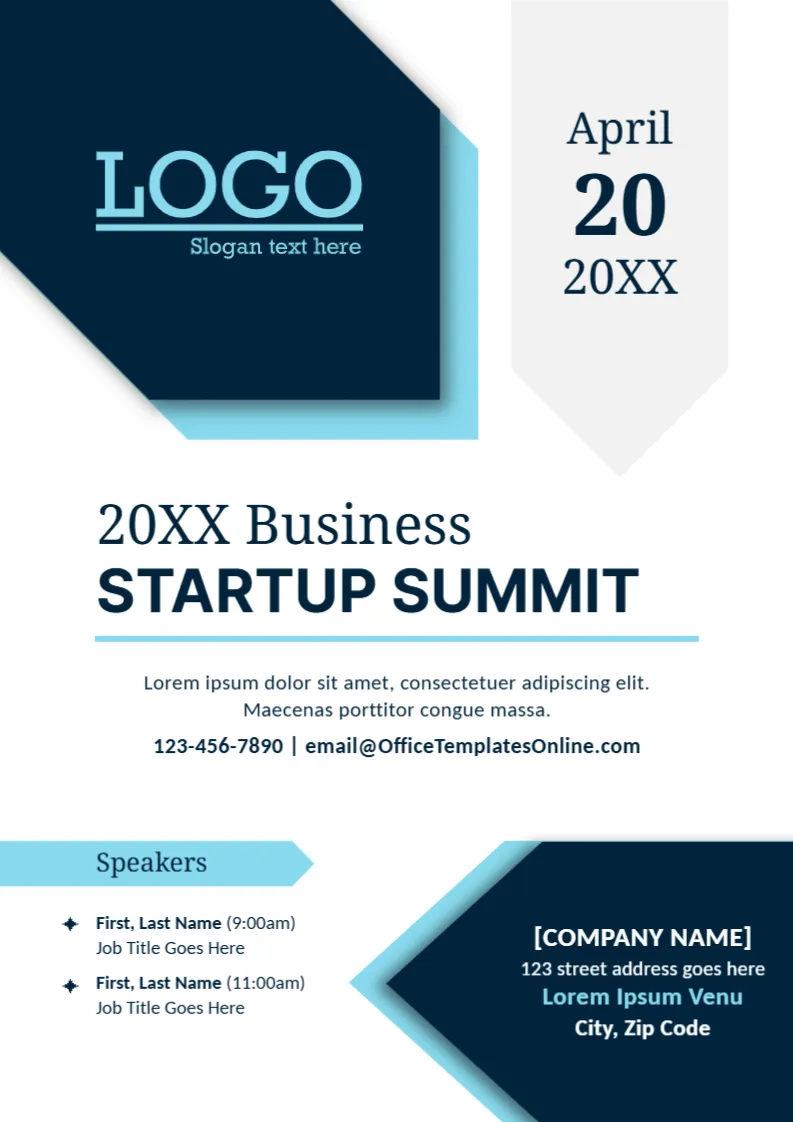
A business event needs a poster that gives the facts quickly: what it is, when it happens, who speaks and where. This A4 design places a navy logo block and a date tab at the top, a clear event title in the middle, a speaker list at the lower left and a venue panel at the lower right. It suits summits, workshops, seminars and networking days.
Navy Blocks, Date Tab and Title
The page is 210 x 297 mm, A4, one page. A navy hexagonal block holds a LOGO and a sky blue shadow. A grey tab with a pointed foot reads April, 20 and 20XX. The title 20XX Business STARTUP SUMMIT is set in serif capitals above a blue line and a short description. A navy panel with angled edges at the lower right holds the venue. The fonts are Noto Serif, Inter and Carlito.
Speakers, Contact and Venue
The block under the title lists a phone number and email. A blue arrow label, Speakers, introduces two entries, each with First, Last Name, a time in brackets (9:00am and 11:00am) and Job Title Goes Here. The venue panel shows [COMPANY NAME], a street address, Lorem Ipsum Venu and City, Zip Code. Venu is a typo for Venue, so replace the whole line with the real venue name.
Details to Confirm Before Printing
- Date, start time and end time.
- Names and titles of every speaker.
- Venue name, address and room.
- How to register and the deadline.
- Ticket price or a free entry note.
Adding More Speakers
The template shows two speakers. To add more, copy a speaker line and place it below, keeping the same spacing. If the list grows beyond four, reduce the font by a point or move the session times into a separate programme.
Paper Size Notes for A4
The page is A4, so print it on A4 paper, or choose A3 at a print shop for wall posters. If your printer uses Letter, scale the design to fit and check that no text is cut at the foot.
Printing the Summit Poster
Use 150 gsm paper for posters and 250 gsm for handouts. The navy blocks print richly on a colour laser. Make a PDF for email and a smaller image for social media.
Step by Step Editing of the Startup Summit Event Poster Design
- On the startup summit event poster design, click the main headline and type your own words, keeping a similar length.
- Retype every name, date and contact line on the startup summit event poster design, checking each against a trusted source.
- Search the startup summit event poster design for the words Lorem and Company so that no placeholder remains.
- Click any logo or photo on the startup summit event poster design, choose Replace Image and resize the new picture to fit.
- Zoom the startup summit event poster design to full size and read each line aloud before you save it.
- Keep a clean master of the startup summit event poster design without private details, so later versions start tidy.
A related layout is the grand opening poster. Also worth a look: inauguration announcement. Next to try is the new product announcement template. The rest of the series around the startup summit event poster design is in announcements.