An Invitation That Announces the Graduate and the Party
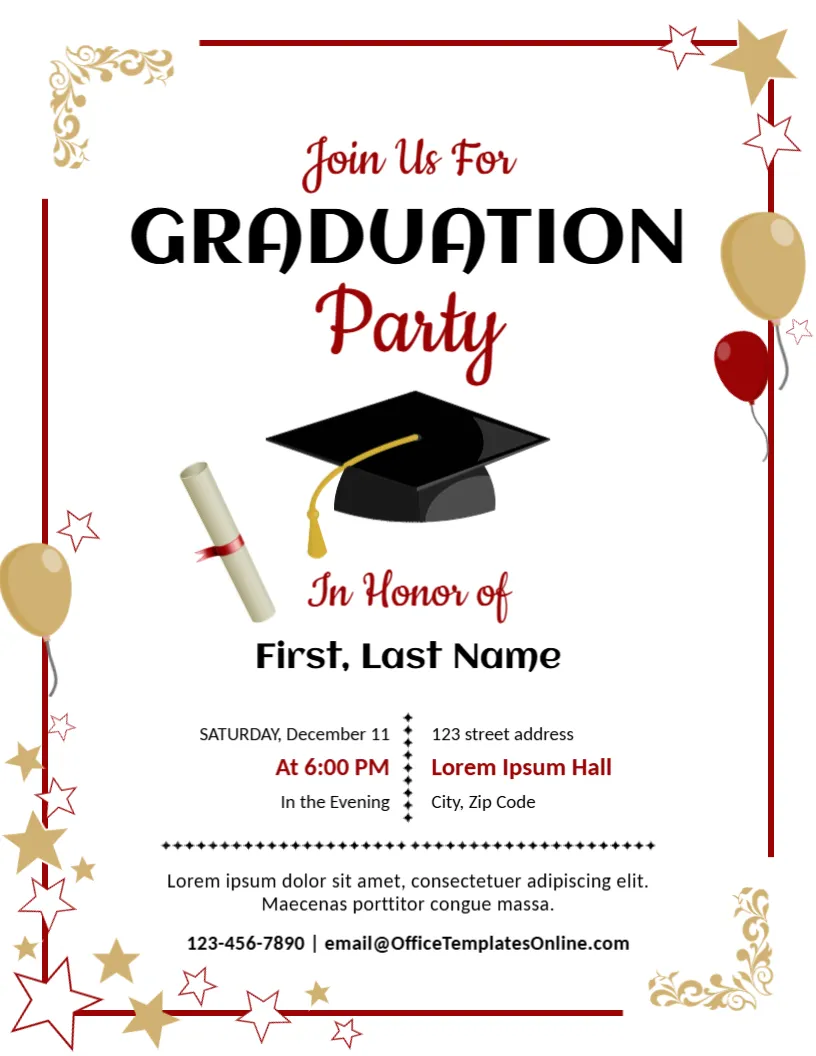
A graduation is a big day, and the party afterwards is a chance to thank everyone who helped. This announcement and invitation combines both jobs. A black graduation cap, a rolled diploma, gold and red balloons and stars surround a clear message in script and bold capitals, with the honoree, the date, the time and the place below. It suits family parties, class gatherings and club celebrations.
Cap, Diploma, Stars and a Red Frame
The page is 8.5 x 11 inches, portrait, one page. A red frame runs around the top, the right and the left of the page, broken by gold balloons and stars. Ornate gold corner flourishes sit at the upper left and lower right. The cap and diploma sit in the middle. The fonts are Cookie, Aclonica and Carlito.
Honoree, Time and Place
Join Us For is in red script above GRADUATION in black and Party in red script. In Honor of leads to First, Last Name. A two column block lists SATURDAY, December 11, At 6:00 PM and In the Evening at the left, and a street address, Lorem Ipsum Hall and City, Zip Code at the right. The words At 6:00 PM and In the Evening say the same thing twice, so change the second line to something useful, such as Dinner and dancing. A line of placeholder text and a phone and email close the page.
Details Guests Need on a Graduation Invitation
- Name of the graduate and the degree or school.
- Date, start time and end time.
- Venue address with a note on parking.
- RSVP date and how to reply.
- Dress code or theme, if any.
Setting an RSVP Date
Ask guests to reply a week before the party so that you can confirm numbers with the venue and the caterer. Put a phone number or an email on the page. A reply date makes it easier for guests to remember.
Customising the Colours
Red and gold are classic graduation colours, but you can match the school colours by changing the text colours. The cap, diploma and stars are pictures and stay as designed, so choose text colours that harmonise with them.
Printing the Graduation Invitations
Print on 200 gsm card and cut to A5 if you want smaller cards. For a digital invitation, save an image and send it by message with a short note and a map link.
Step by Step Editing of the Graduation Party Design
- On the graduation party design, click the main headline and type your own words, keeping a similar length.
- Retype every name, date and contact line on the graduation party design, checking each against a trusted source.
- Search the graduation party design for the words Lorem and Company so that no placeholder remains.
- Click any logo or photo on the graduation party design, choose Replace Image and resize the new picture to fit.
- Zoom the graduation party design to full size and read each line aloud before you save it.
- Keep a clean master of the graduation party design without private details, so later versions start tidy.
Similar designs include the wedding announcement template. Compare it with the birth announcement template. You may also like the school admission announcement. Looking beyond the graduation party design? See all announcements.