A Playful Giveaway Post With Clear Entry Steps
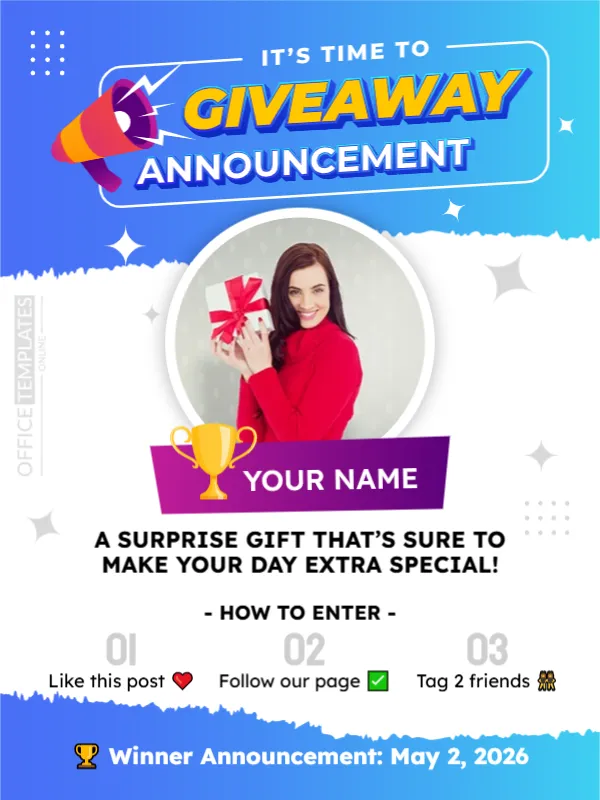
Giveaways grow followers when the rules are easy. This announcement is bright and cheerful, with a blue gradient, a megaphone and the words GIVEAWAY ANNOUNCEMENT in yellow and white. A round photo of a smiling woman with a gift, a purple name banner with a trophy and three numbered steps explain what to do. It suits brands and creators that run contests on social media.
Blue Gradient, Torn Edges and Round Photo
The design is 600 x 800 pixels, portrait, one page. A blue to cyan gradient fills the top and bottom, separated by a white torn paper edge. The photo sits in a ring on the white area, and a purple banner labelled YOUR NAME with a gold trophy overlaps it. Stars and dots decorate the page. The fonts are Lexend and Staatliches.
Prize Line, Steps and Winner Date
A surprise gift that is sure to make your day extra special! introduces the prize. HOW TO ENTER lists 01 Like this post, 02 Follow our page and 03 Tag 2 friends, each with an emoji. The foot reads Winner Announcement: May 2, 2026. Replace YOUR NAME with the winner, or use it for the prize name, and update the date and steps to match your own rules.
Rules Every Giveaway Should State
- Who can enter and where.
- How winners are chosen.
- The closing date and the winner date.
- What the prize is and its value.
- That the contest is not sponsored by the platform.
Following Platform and Local Rules
Social networks and some countries have rules for contests, including age limits and disclosure. Read the guidelines of the platform you use, and state the rules in the caption. This is general guidance, not legal advice.
Announcing the Winner Fairly
Use a random picker and record the draw. Contact the winner by message and post the result on the date promised. Reply to comments to keep followers engaged, and thank everyone who took part.
Saving the Giveaway Post
Check that the three steps remain readable on a phone. Keep the emoji, or replace them with simple words if the font does not display them correctly on every device. Save as an image for the feed and a copy for stories.
Step by Step Editing of the Bright Giveaway Design
- On the bright giveaway design, click the main headline and type your own words, keeping a similar length.
- Retype every name, date and contact line on the bright giveaway design, checking each against a trusted source.
- Search the bright giveaway design for the words Lorem and Company so that no placeholder remains.
- Click any logo or photo on the bright giveaway design, choose Replace Image and resize the new picture to fit.
- Zoom the bright giveaway design to full size and read each line aloud before you save it.
- Keep a clean master of the bright giveaway design without private details, so later versions start tidy.
Try too the flash sale announcement. Have a look at the new service announcement post. Another option is the discount offer announcement. The rest of the series around the bright giveaway design is in announcements.