A Friendly Notice That the Service Will Be Offline
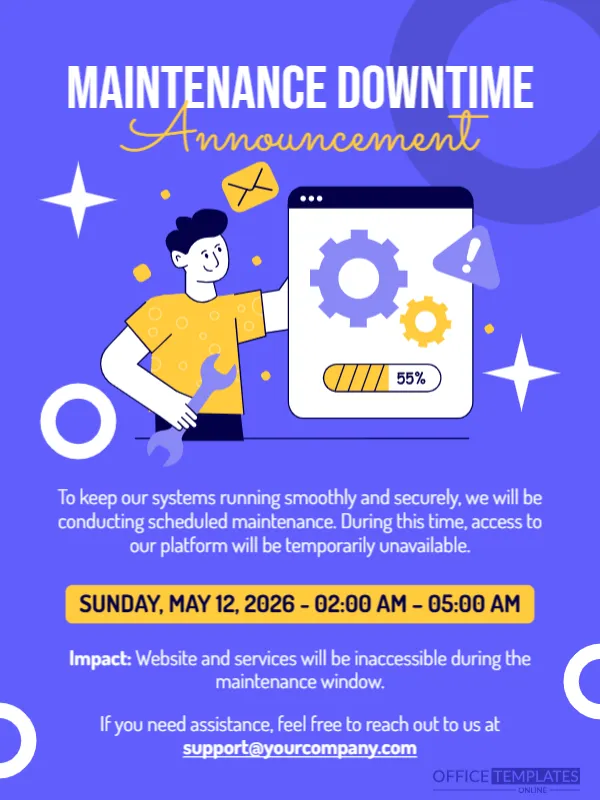
Planned downtime is easier to accept when it is announced well. This card uses a friendly illustration of a worker with a wrench and a screen with gears and a progress bar at 55 percent, and a clear yellow bar for the time window. It suits software, websites, online shops, banks and services that need to tell users about planned maintenance.
Illustration and the Yellow Time Bar
The design is 600 x 800 pixels, portrait, one page. A bright blue violet page carries the title MAINTENANCE DOWNTIME in white capitals and a yellow script Announcement. In the centre, a cartoon worker holds a wrench beside a browser window with gears, an alert triangle, an envelope and a progress bar. White rings decorate the edges.
Explaining the Window and the Impact
The reason reads To keep our systems running smoothly and securely, we will be conducting scheduled maintenance. During this time, access to our platform will be temporarily unavailable. The yellow bar shows SUNDAY, MAY 12, 2026 to 02:00 AM to 05:00 AM, but 12 May 2026 is a Tuesday, so correct the weekday or the date. The Impact line says Website and services will be inaccessible during the maintenance window, and a support email follows. Add the time zone, which the sample does not show.
Details Users Need Before Downtime
- Start and end time with a time zone.
- Which services are affected.
- Whether data or payments are at risk.
- What to do before the window, such as saving work.
- Where to follow updates.
Choosing the Right Time
Schedule maintenance for the quietest hour for your users, and announce it at least a week ahead. For global services, state the time in more than one zone. Send a reminder the day before.
Following Up When Service Returns
Post a short note when the service is back, and thank users for their patience. If the work ran over, say so honestly. Clear communication keeps customers calm during future maintenance.
Saving the Downtime Notice
Post the notice on your website banner, your status page and social media. Save the image at the platform size and keep the editable file for the next window.
Step by Step Editing of the Maintenance Downtime Design
- On the maintenance downtime design, click the main headline and type your own words, keeping a similar length.
- Retype every name, date and contact line on the maintenance downtime design, checking each against a trusted source.
- Search the maintenance downtime design for the words Lorem and Company so that no placeholder remains.
- Click any logo or photo on the maintenance downtime design, choose Replace Image and resize the new picture to fit.
- Zoom the maintenance downtime design to full size and read each line aloud before you save it.
- Keep a clean master of the maintenance downtime design without private details, so later versions start tidy.
Related reading is the urgent notice announcement. Also worth a look: feature update announcement. Next to try is the event reschedule announcement. Every maintenance downtime style alternative sits in announcements.