A Stage Spotlight on the Event You Are About to Launch
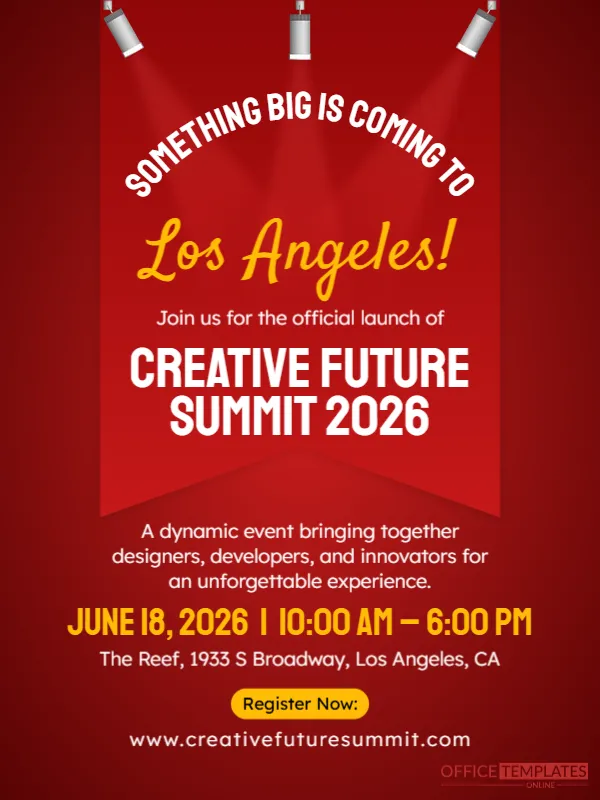
Spotlights point at a red banner on this poster, as if the event were about to be revealed on stage. Arched white capitals say SOMETHING BIG IS COMING TO and a golden script names the city. Below, the event name, date, venue and link tell people what to do. It suits conferences, festivals, launches, workshops and summits.
Red Backdrop, Spotlights and Banner
The design is 600 x 800 pixels, portrait, one page. Three lights hang at the top and cast cones onto a darker red curtain. A banner shape hangs down the middle with the headline curved above it. The text is white and golden yellow on red. The layout is symmetrical, which gives it a formal and exciting mood.
Event Name, Date, Venue and Registration
Los Angeles! in gold script ends the headline. Join us for the official launch of leads to CREATIVE FUTURE SUMMIT 2026 in large white capitals. A paragraph describes a dynamic event bringing together designers, developers, and innovators. The details read JUNE 18, 2026 | 10:00 AM to 6:00 PM, The Reef, 1933 S Broadway, Los Angeles, CA, a Register Now button and www.creativefuturesummit.com. Replace the city, name, date and link with your own.
Information a Launch Poster Needs
- Event name and city.
- Date, start and end time.
- Venue address.
- Who it is for.
- Registration link or QR code.
Using an Arched Headline
The curved text above the banner is a single text box that follows a path. If you retype it, keep a similar length, or the letters may crowd. Short phrases such as Big things are coming to work better than long ones.
Planning the Launch Posts
Share the poster six weeks before, a second time at four weeks and a final push a week before. Add speaker announcements in between. A steady rhythm keeps interest without overwhelming followers.
Saving the Event Launch Poster
Check that the registration link is real and short, or replace it with a QR code. Save an image for social media and a PDF for printing at a shop.
Step by Step Editing of the Creative Summit Launch Design
- On the creative summit launch design, click the main headline and type your own words, keeping a similar length.
- Retype every name, date and contact line on the creative summit launch design, checking each against a trusted source.
- Search the creative summit launch design for the words Lorem and Company so that no placeholder remains.
- Click any logo or photo on the creative summit launch design, choose Replace Image and resize the new picture to fit.
- Zoom the creative summit launch design to full size and read each line aloud before you save it.
- Keep a clean master of the creative summit launch design without private details, so later versions start tidy.
Compare it with the event reminder countdown. You may also like the speaker announcement card. See also the business event announcement poster. Find more designs next to the creative summit launch design in announcements.