Catering Services Proposal Template for Word with Diagonal Cover
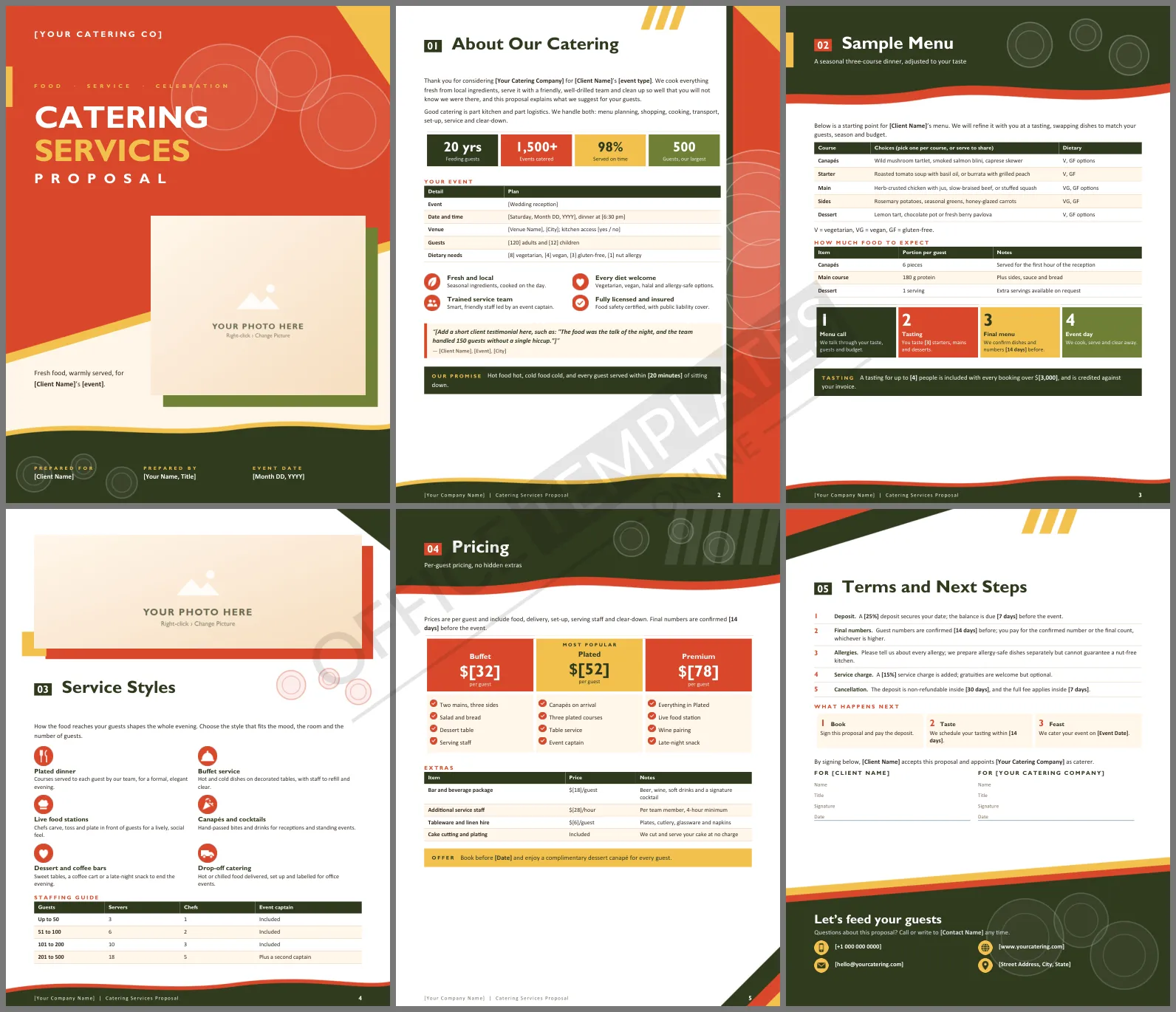
People eat with their eyes before they ever taste a thing, and the same goes for caterers' proposals. A plain quote makes your food sound ordinary. This Catering Services Proposal Template gives you six appetising Word pages: a bold cover, a sample menu, service styles, clear per-guest prices, and the terms that keep an event running smoothly.
What Each Page Does
The cover is split by a diagonal line, with the title above and a photograph breaking across it. About Our Catering sums up your experience and tabulates the event: date, venue, guest numbers, and dietary needs. Sample Menu lists canapés through dessert with dietary codes and a portion guide, then shows four steps from menu call to event day. Service Styles opens with a food photo and explains plated, buffet, live stations, and more, ending with a staffing guide. Pricing shows Buffet, Plated, and Premium per-guest packages and extras. Terms and Next Steps close the booking.
Tomato, Olive and Saffron
A saturated tomato red fills the top of the cover, cut on the diagonal and lined with saffron yellow. Faint plate rings float over the red, an olive block sits behind the photo, and a dark olive wave carries the event details along the bottom. Inside, olive headers and red tiles keep the palette warm. Headings are set in Gill Sans MT, a friendly humanist typeface that ships with Microsoft Office, with Calibri for text.
A Worked Pricing Example
Show clients how a guest count turns into a total, so there are no surprises on the invoice. This example uses the three package prices from the template:
| Guests | Package | Price per guest | Food total |
| 60 | Buffet | $32 | $1,920 |
| 120 | Plated | $52 | $6,240 |
| 200 | Premium | $78 | $15,600 |
Add the bar package, extra staff, and hire items from the extras table to reach the final figure.
Menus, Allergies and Honest Promises
The sample menu uses simple codes for vegetarian, vegan and gluten-free dishes. Keep those codes and update the dishes to your own seasonal list. Be straightforward about allergies in the terms; promise careful separate preparation, not a guarantee your kitchen cannot give. Clients value clarity far more than a bold claim.
Staffing and Timing Promises
Large events rarely fail because of the food. They fail because there were too few hands or because the kitchen ran late. The staffing guide on the service styles page sets out how many servers, chefs, and captains you bring for each guest range, and the pricing page lists extra staff by the hour. Add a clear arrival time and a service window, such as plates in front of every guest within twenty minutes of sitting down, and clients will see you have planned the pace as carefully as the plates.
Editing the Template
Everything in brackets is a placeholder for you to replace with event details. Click the large cover photo or the wide image on the service styles page and choose Change Picture to add your own food photography. The menu, staffing, and extras are all editable Word tables.
Two Quick Answers
Can I use it for corporate lunches?
Yes. Use the drop-off style, shorten the menu, and price per head for office orders.
Where do I add a tasting offer?
The tasting callout sits at the bottom of the sample menu page.












