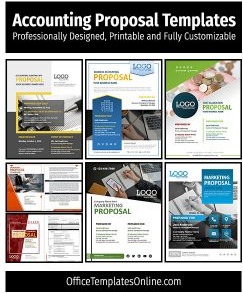
Accounting and Bookkeeping Services Proposal Template
A bookkeeping client is signing up for a relationship that may last for years, so the proposal has to show two things: that you are precise, and that working with you will be simple. This six-page Word template does both, with emerald and charcoal pages, ledger-style layouts, and a package comparison that makes the monthly fee easy to understand.
Ledger Lines, a Calculator and a Rising Chart
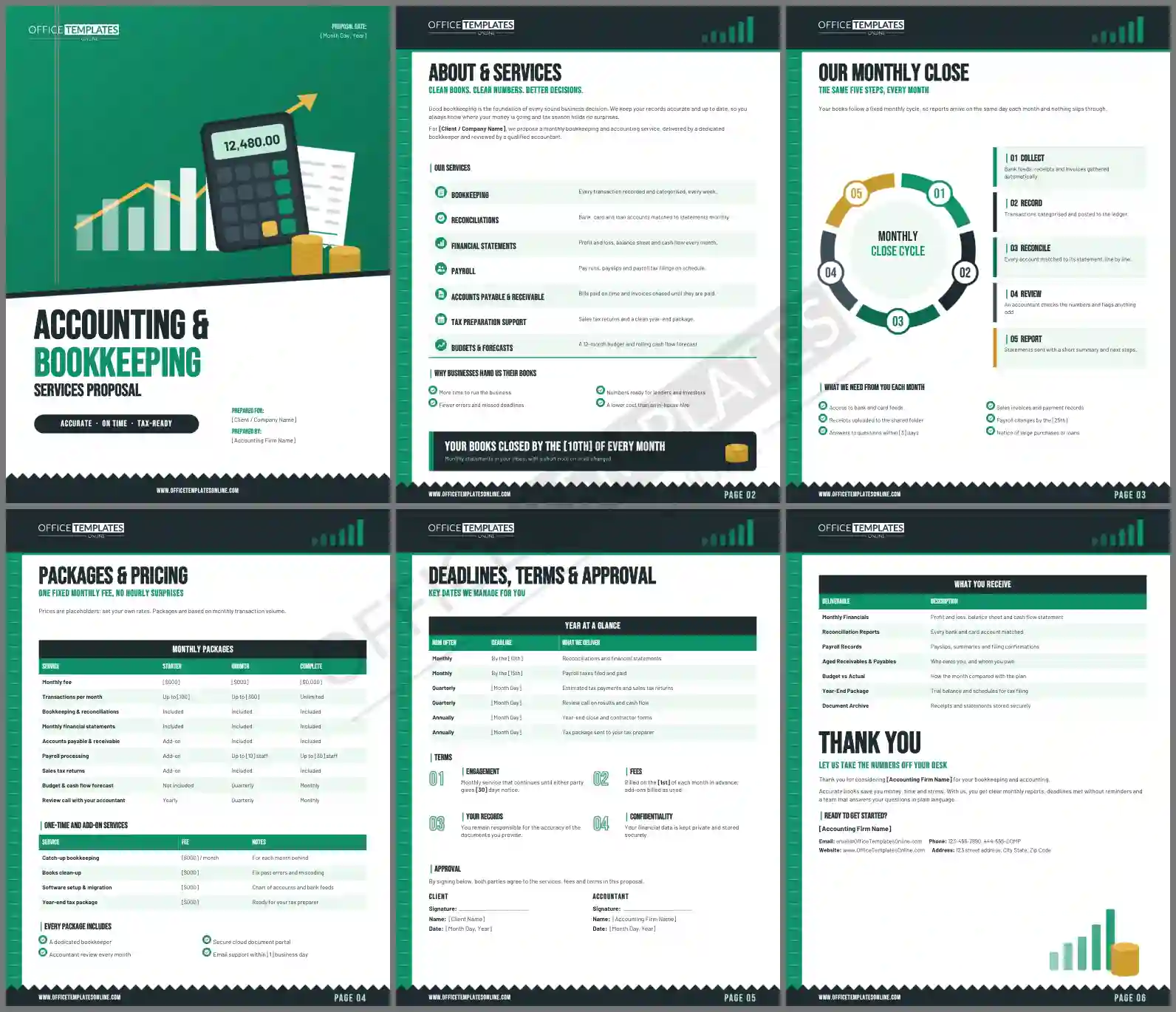
The top of the cover is an emerald block ruled with faint ledger lines and a pair of red margin lines, like an accounting pad. On it sit a charcoal calculator showing 12,480.00, a white receipt, stacked gold coins, and a bar chart with a gold arrow climbing to the corner. Below a charcoal diagonal edge, the title reads Accounting & in charcoal and Bookkeeping in emerald, set in tall Bebas Neue capitals, with Services Proposal underneath. A dark pill says Accurate · On time · Tax-ready, and the page ends with a zigzag receipt edge.
The inside pages keep the theme: an emerald ledger strip runs down the left edge, a charcoal header holds the logo and a small bar chart, and every page closes with the same torn-receipt edge and a Page 02 style number.
Six Pages Arranged Like a Set of Accounts
- About & Services lists seven services as ledger rows: bookkeeping, reconciliations, financial statements, payroll, payables and receivables, tax preparation support, and budgets.
- Our Monthly Close shows a five-part cycle ring (Collect, Record, Reconcile, Review, Report) with matching step cards and a checklist of what the client provides each month.
- Packages & Pricing compares Starter, Growth, and Complete across nine rows, then prices one-time services such as catch-up bookkeeping.
- Deadlines, Terms & Approval gives a year-at-a-glance deadline table, four terms, and signature blocks.
- What You Receive lists seven monthly and year-end deliverables, then thanks the client.
Documents to Request in the First Week
Onboarding goes faster when the client knows exactly what to send. Copy this list into your welcome email after the proposal is signed.
| Document | Why you need it | Period |
| Bank and credit card statements | To reconcile every account | Current year to date |
| Last filed tax return | To confirm opening balances | Previous year |
| Payroll reports | To match wages and payroll tax | Current year to date |
| Loan and lease agreements | To record repayments and interest correctly | All active agreements |
| Accounting software login | To review the chart of accounts | Ongoing access |
Setting Fair Bookkeeping Fees
The comparison table ties each package to a monthly transaction limit, which is the fairest way to price recurring bookkeeping. Count the client's transactions for three typical months before choosing their package, and use the catch-up fee for every month their books are behind. Every price is a placeholder in brackets, so you set your own rates.
Personalizing the Numbers and Wording
All text and tables are normal Word text. Replace [Accounting Firm Name], [Client/Company Name], and the dates in brackets, and set the monthly close day in the Your books closed by the [10th] banner. The calculator scene, ledger strip, and receipt edges belong to the page background in the header; use Change Picture there to show your own office or team photo. Install Bebas Neue and Barlow, both free Google Fonts, before you edit.
Print and PDF Notes for Accountants
The template is six US Letter pages. Most accounting clients prefer a PDF, so export from Word and protect it with a password if your firm requires it. If you print it, use a laser printer for clean emerald fills.
Answers for Bookkeepers and Accountants
Can a sole bookkeeper use it?
Yes. Replace Reviewed by a qualified accountant with your own qualification and remove any services you do not offer.
Can I add tax return preparation?
Add a row to the comparison table and a line to the deadlines table for each return you prepare.
Does it work outside the United States?
Yes. Rename the tax forms and deadlines to match your country and change the currency symbol.