HVAC Services Proposal Template with Thermostat Dial Cover
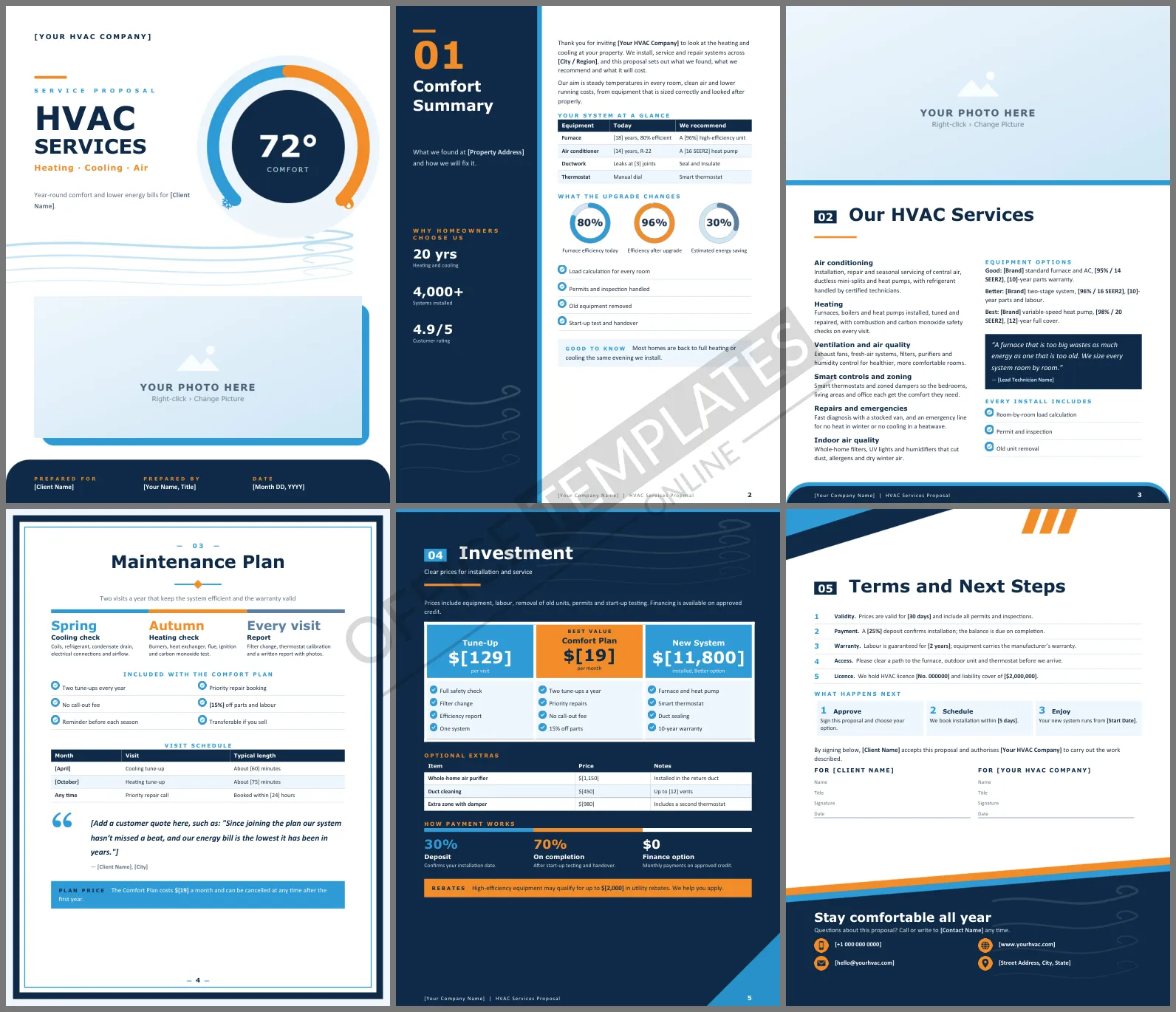
Homeowners rarely understand what is wrong with their heating or cooling. They understand comfort, bills, and reliability. A good HVAC proposal translates your findings into those three things and then gives a clear price. This HVAC Services Proposal Template does that across six Word pages, with a cover built around a thermostat dial that says heating and cooling before a word is read.
Page by Page Through the Proposal
The cover shows a large thermostat dial set to 72 degrees, with a blue arc for cooling and an orange arc for heating, airflow lines underneath, and a wide rounded photo frame. Comfort Summary uses a split layout: a navy column on the left holds the section number, a short introduction, and three company figures, while the right side carries a table of the current equipment, three progress rings showing efficiency today, after the upgrade, and the estimated savings, and a checklist. Our HVAC Services is laid out like a magazine page, with a full-width photo at the top and two columns of text below. Maintenance Plan sits inside a framed page with a centered title, seasonal visits, a plan checklist, a visit schedule, and a large customer quote. Investment switches to a dark navy page with three price cards and an extras table, and the final page holds the terms, next steps, and signatures.
Cool Blue Meets Warm Orange
The palette mirrors what HVAC does: ice blue for cooling, warm orange for heating, deep navy to hold it together. Rounded corners on the cover photo and footer bands keep the look friendly. Headings are set in Verdana, a wide and very readable typeface, with Calibri for body text; both come with Microsoft Office.
Which Option Suits Which Home
The services page offers Good, Better, and Best equipment. Use this guide when you explain the choice to a homeowner:
| Option | Best for | Why |
| Good | Rentals and short stays | Lowest upfront cost with reliable standard equipment |
| Better | Most family homes | Two-stage comfort and lower running costs |
| Best | Long-term owners in extreme climates | Variable-speed efficiency and the longest warranty |
Turning Findings into a Sale
Customers trust what they can see. Photograph the rusty heat exchanger or the leaking duct joint and mention it in the equipment table. Put real numbers into the efficiency rings: if the furnace is 80% efficient and the new one is 96%, the ring makes the improvement obvious. Recommend one option clearly, rather than leaving the homeowner to guess, and mention rebates, which often tip the decision.
Making It Your Own
Bold [bracketed] text marks the details to change, such as your company name, the address, the equipment ages, and the prices. The tables, checklists, and price cards are ordinary Word content, so add or delete rows freely. To add photos, click the cover frame or the wide image on the services page and choose Change Picture. The section number and introduction on the navy panel are text boxes you can type into.
HVAC Proposal Questions
Can I use it for a service agreement only?
Yes. Keep the Maintenance Plan page, delete the new system price card, and rename the investment page to match.
What paper size is it?
It is set up for US Letter in portrait and runs to six pages.
Can I show financing?
The investment page already includes a payment row with a deposit, a completion payment, and a finance option.












