Courier and Delivery Services Proposal Template with Route Map Cover
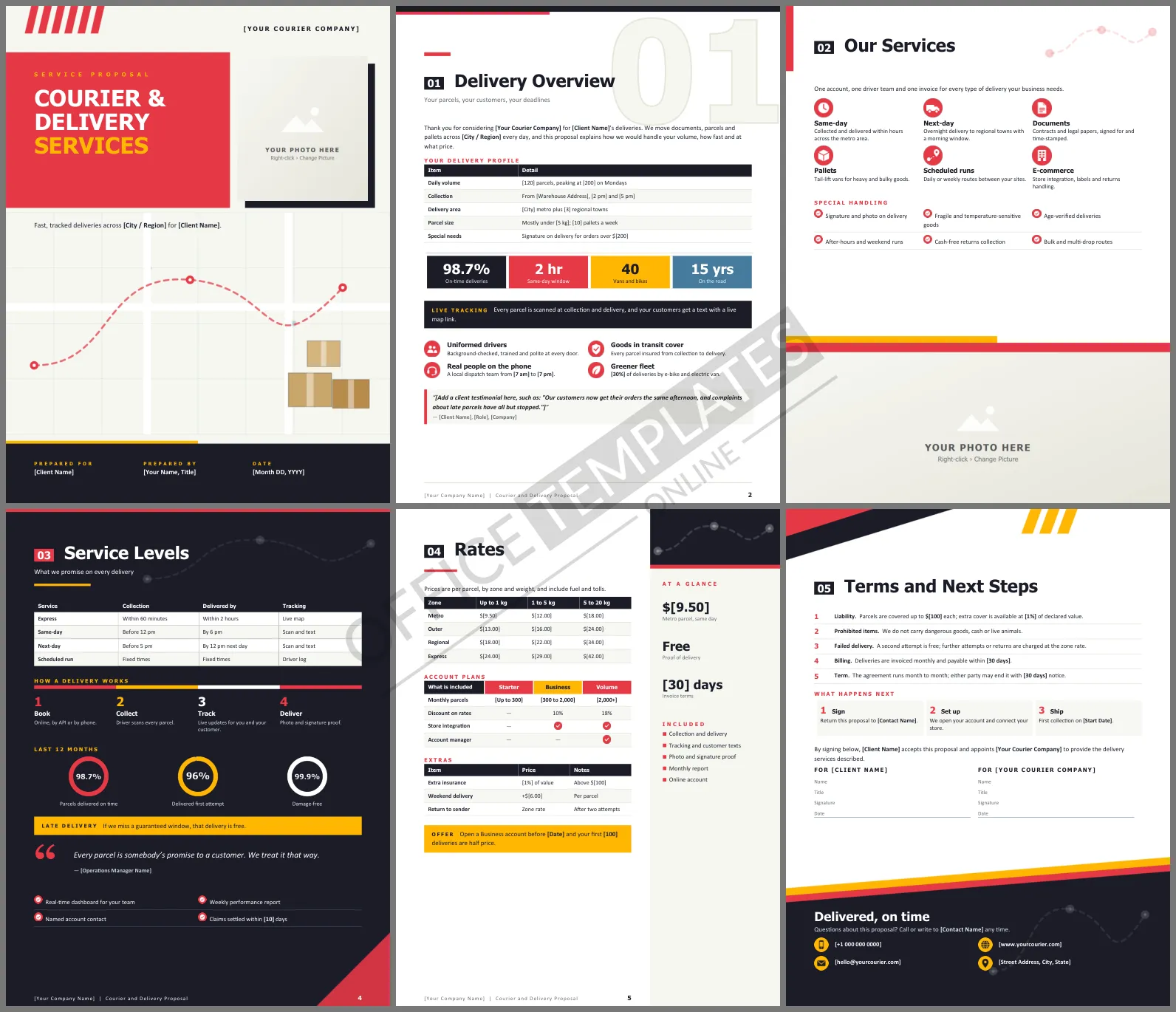
Businesses choose a courier the way they choose an employee: on reliability. They need to know when parcels will be collected, when they will arrive, what happens if they are late, and what it all costs. This Courier and Delivery Services Proposal Template puts those answers into six punchy Word pages, with a cover that looks like a delivery route on a city map.
What Each Page Covers
The cover pairs a bold red title block and a framed photo with a city grid, a dashed delivery route with pins and a small stack of parcels. Delivery Overview has a large outline 01 behind the heading, a table of the client's volumes, collection times, and delivery area, four performance tiles, and a list of commitments. Our Services shows six services as icons with a special handling checklist, and a photo runs across the bottom of the page. Service Levels is a dark page with collection and delivery windows, a four-step delivery bar, and three rings for on-time, first-attempt, and damage-free rates. Rates lists prices by zone and weight next to a sidebar of quick facts, with a plan comparison. The last page holds the terms and signatures.
Red, Ink and Amber
Signal red and amber give the template urgency, set against a dark ink color. Dashed route lines repeat in the headers. Headings use Tahoma, a compact and clear sans serif, with Calibri for body text.
A Worked Zone Price
Show a new client how a typical week adds up, using the zone rates from the template:
| Parcels per week | Zone and weight | Rate | Weekly cost |
| 400 | Metro, up to 1 kg | $9.50 | $3,800 |
| 150 | Outer, 1 to 5 kg | $16.00 | $2,400 |
| 50 | Regional, 5 to 20 kg | $34.00 | $1,700 |
With a ten percent Business discount, that week would cost $7,110 instead of $7,900.
Promises You Can Keep
Only guarantee windows your drivers can meet on a bad day, not a good one. The template's late-delivery promise, that a missed guaranteed window is free, is powerful but costly if you overcommit. Back it with tracking data and a clear claims process.
Editing the Proposal
Change the bold [bracketed] text to your volumes, zones, prices, and contact details. The rate and service level tables are Word tables, so add zones or services as needed. Click the cover photo or the wide photo on the services page and choose Change Picture to show your vans or riders.
Onboarding a New Business Account
The first two weeks decide whether a new client stays. Set up their account, connect their online store if they have one, and run a test collection before the first busy day. Agree on a named contact on both sides and send a short performance summary at the end of week one. The next steps on the final page already cover signing, set-up and the first collection date, so fill those in with real dates rather than leaving them open.
Courier FAQs
Can I use it for food delivery?
Yes. Add temperature-controlled handling to the services and adjust the liability terms.
Does it suit a one-van business?
Yes. Remove the account plans, keep the zone rates, and edit the fleet numbers on the first page.












