Home Renovation Proposal Template with Before and After Cover
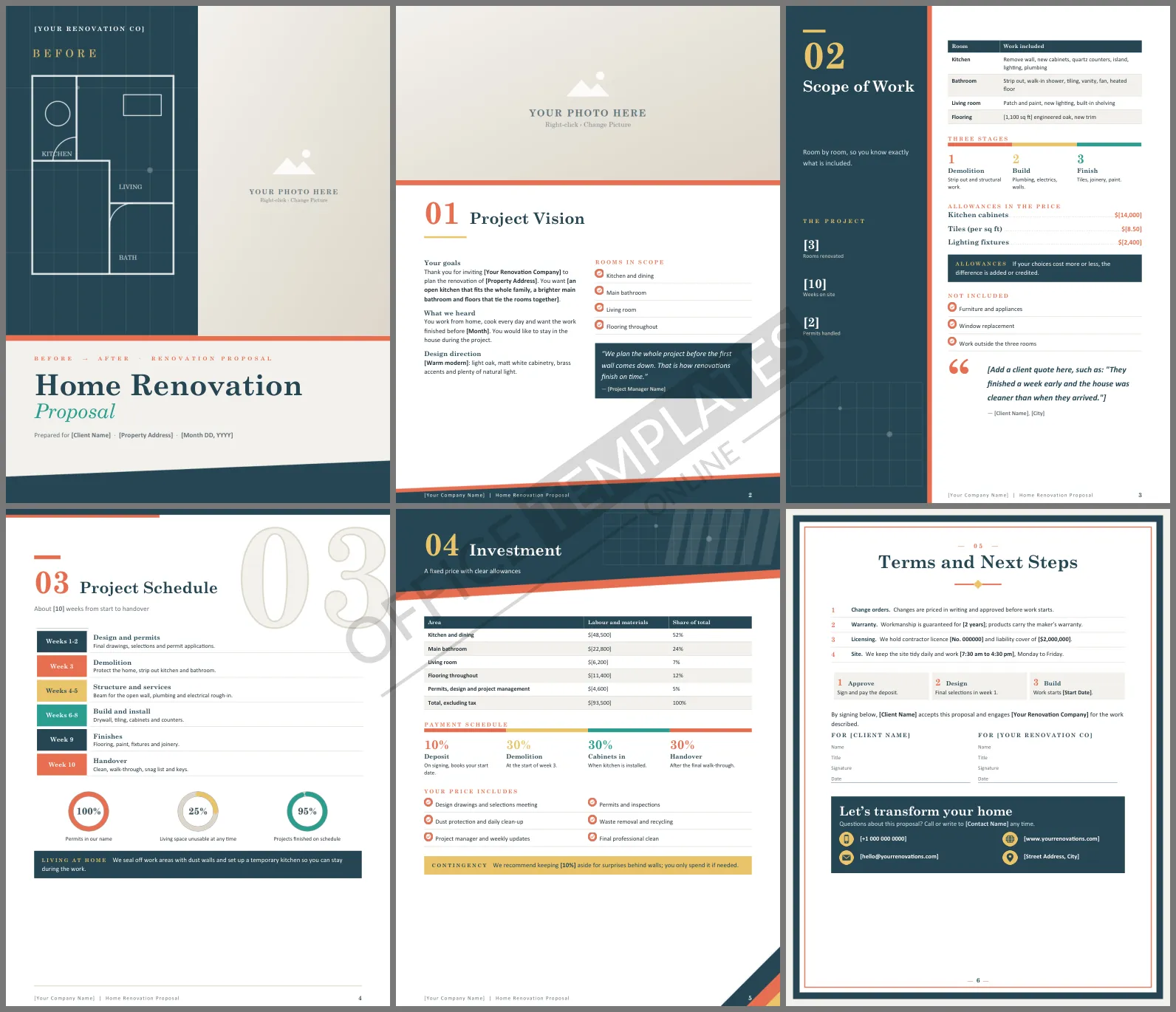
A renovation is a big decision and a bigger cheque. Homeowners want to see that you understand their vision, have planned every stage, and will not surprise them with costs halfway through. This Home Renovation Proposal Template gives contractors six polished Word pages that move the client from dream to signed contract, starting with a cover that literally shows before and after.
How the Pages Unfold
The cover is split in two: on the left, a white floor plan drawn on a deep teal blueprint grid labelled Before; on the right, a full-height photo frame for the finished room. Project Vision is a magazine page with a wide photo and two columns covering the client's goals, what you heard, and the design direction. Scope of Work uses a teal side panel for project figures beside a room-by-room table, three stages, and a dotted list of allowances. Project Schedule sets out ten weeks in a timeline under a large outline 03, with three rings and a note on living at home during the work. Investment breaks the price down by area with a four-step payment bar. A framed closing page brings together the terms, next steps, signature lines, and your contact details.
Teal, Terracotta and Sand
Deep teal and terracotta feel modern and warm together, with sand and gold for highlights. Blueprint grid lines repeat in the headers. Headings use Century Schoolbook, a classic serif that suits a craft business, with Calibri for body text.
Allowances Explained Simply
Allowances cause more renovation disputes than anything else. Explain them clearly:
| Item | Allowance | If the client chooses more |
| Kitchen cabinets | $14,000 | The difference is added by change order |
| Wall and floor tiles | $8.50 per sq ft | The extra cost per square foot is added |
| Lighting fixtures | $2,400 | Savings are credited if they spend less |
Keeping the Project on Track
The schedule page lists who does what each week, and the terms require written change orders before extra work begins. Recommend a contingency of around ten percent for surprises behind walls, as the investment page does, and explain that it is only spent if needed. Weekly updates from a named project manager keep everyone calm.
Customizing the Proposal
Swap the bold [placeholders] for the client's rooms, finishes, schedule, and price. Add rows to the scope or investment tables for extra rooms. Click the after photo on the cover or the wide photo on the vision page and choose Change Picture to show your best finished projects.
Helping Clients Live Through the Work
Many families stay at home during a renovation, and how you manage that shapes their whole experience. Agree on working hours, protect the rooms you are not working in, keep a clear path to the front door, and set up a temporary kitchen if you can. The schedule page includes a note on living at home, which reassures clients before they sign.
Contractor Questions
Can I use it for a single-room remodel?
Yes. Keep one row in the scope table, shorten the schedule, and adjust the payment stages.
Where do permits go?
Permits appear in the schedule, in the investment table, and in the scope panel figures.












