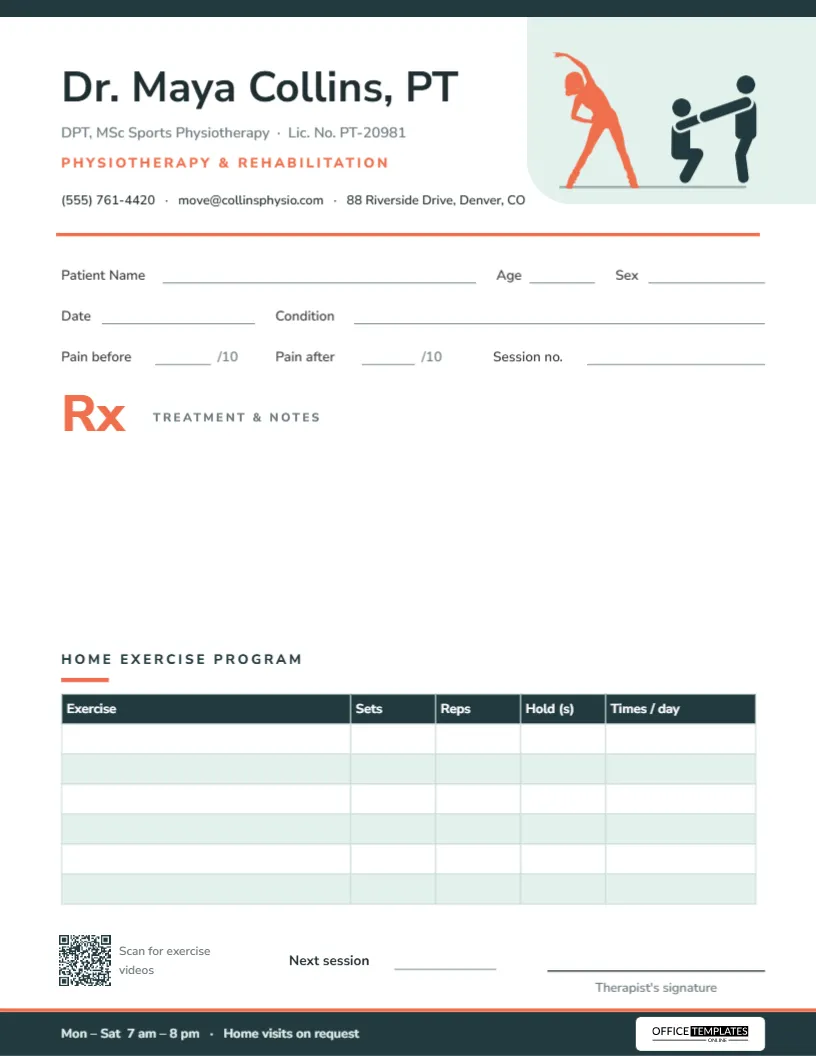
Physiotherapy doesn’t end when the session does. The real progress happens at home, in the ten or fifteen minutes a day a patient spends doing the exercises you showed them. The problem? Most people forget the details by the time they get to the car. This physiotherapy prescription pad fixes that with a proper home exercise program table at the bottom of the page, so every patient walks out with exactly what to do, how many times, and for how long.
Built for Movement
A slim dark teal strip runs along the top edge of the page. In the top-right corner, a soft mint panel with a rounded lower corner holds two figures: a coral silhouette of a woman in a side stretch, and a dark teal pictogram of a therapist guiding a patient through an assisted exercise, both standing on a thin baseline. It’s energetic without being busy.
On the left, the therapist’s name is set large in Nunito Sans, a rounded, approachable typeface, followed by credentials and license number, Physiotherapy & Rehabilitation in coral capitals, and a line with phone, email, and address. A solid coral rule marks the start of the working area.
At the bottom, a dark teal footer with a coral top edge carries the opening hours and Home visits on request, with the Office Templates Online mark on a white plate at the right.
The Numbers That Matter to a Physio
The patient section goes beyond name and age:
- Patient Name, Age, Sex, Date, and Condition.
- Pain before and Pain after, each out of 10, so you can show the patient the difference a session makes.
- Session no., handy for insurance limits and for tracking a course of treatment.
Next comes a coral Rx with the label Treatment & notes, and an open space for the treatment given, modalities, taping, and any medication or supports recommended with the referring doctor.
Sample Home Exercise Program
The Home Exercise Program table has five columns (Exercise, Sets, Reps, Hold (s), Times/day) and six blank rows with a dark teal header and mint stripes. Here’s what a filled-in plan might look like for early knee rehabilitation:
| Exercise | Sets | Reps | Hold (s) | Times/day |
|---|---|---|---|---|
| Quadriceps sets | 3 | 10 | 5 | 3 |
| Straight leg raise | 3 | 10 | 3 | 2 |
| Heel slides | 2 | 15 | – | 2 |
| Calf stretch | 3 | 1 | 30 | 2 |
| Mini squats | 2 | 10 | – | 1 |
This is only an illustration; every program should be set by the treating therapist. You can write the plan by hand on the printed pad, or type it into the table before printing if you’re preparing a plan for a specific patient.
Editing the Exercise Table
The table is a real editable table, not lines drawn on the page. Double-click it (or use Edit Table Data in the Table panel) to type exercises straight into the cells, and use + Add Row if you need more than six. You can also rename the columns, for example swapping Hold (s) for Resistance when you prescribe band work, or Times/day for Days/week.
Five-Minute Setup
- Replace the name, credentials, and license number.
- Update the phone, email, and address line.
- Edit the footer hours, or remove Home visits on request if you don’t offer them.
- Click the QR code and link it to your exercise videos, a YouTube playlist, or your booking page.
- Download as a PDF for printing, or as a PNG to send with a patient’s plan by email.
Getting Patients to Actually Do Their Exercises
Every physio knows the scene: the patient comes back a week later and admits they did them a couple of times. A clear written plan helps, and a few habits help even more:
- Keep it short. Four or five exercises get done; ten get skipped. Use the six rows as a ceiling, not a target.
- Tie it to a routine. Write after brushing teeth or during the kettle in the Times/day column instead of just a number.
- Show the pain scores. Pointing at the Pain before and Pain after fields at the end of a session is a powerful motivator.
- Link to videos. The QR code can take patients straight to demonstrations, so they do each exercise the way you taught it.
- Check in next session. Ask them to bring the sheet back, and update it as they progress.
Who Can Use It
The layout suits physiotherapists and physical therapists, sports rehab clinics, occupational therapists, chiropractors who prescribe home exercises, and hospital outpatient rehab departments. Change the specialty line, and the figures stay relevant for all of them.
Printing and Handing It Out
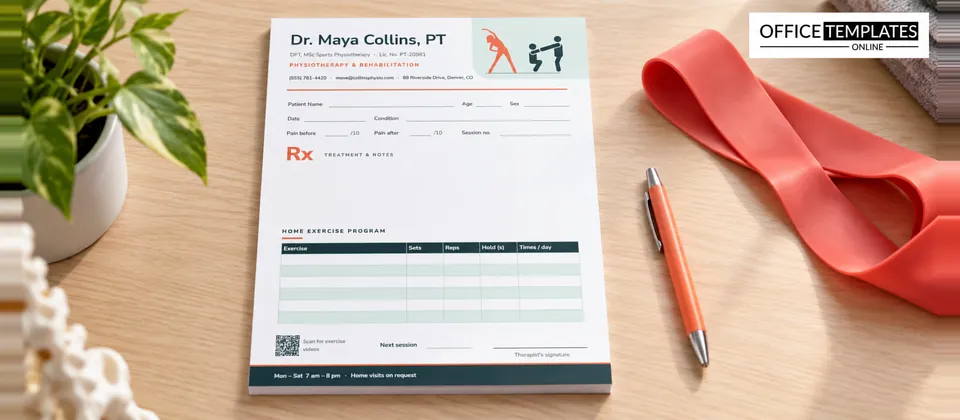
The pad is US Letter, 8.5 x 11 inches, portrait. The table’s fine borders print best on a laser printer with plain 24 lb paper. Want patients to keep the plan on the fridge? Print on a slightly heavier 32 lb stock so the sheet doesn’t curl. Pads of 50 with a glued top edge sit neatly on a treatment room desk, and a clipboard of loose sheets works well for home visits.
Physio Pad FAQ
Can I replace the figures with my clinic logo?
Yes. Delete one or both figures and upload your logo onto the mint panel.
Can I print a blank table?
Yes, the table prints blank by default, so you can fill it in by hand.
Does it work for group classes?
It does. Fill in the table once, print copies, and hand one to each participant.
Can I track progress over several weeks?
Yes. Give the patient a fresh sheet at each review with the updated plan, and ask them to keep the old ones. Laid side by side, the pain scores and the growing sets and reps tell a clear story of recovery, which is also useful for insurance reports and referral letters.
Is it suitable for post-surgical rehab?
Absolutely. Note the operation and the surgeon’s restrictions in the Condition line so anyone reading the sheet knows the limits.
Your patients get better between sessions, not just during them. Give them a plan they can’t lose track of, and watch the progress show up at the next visit.