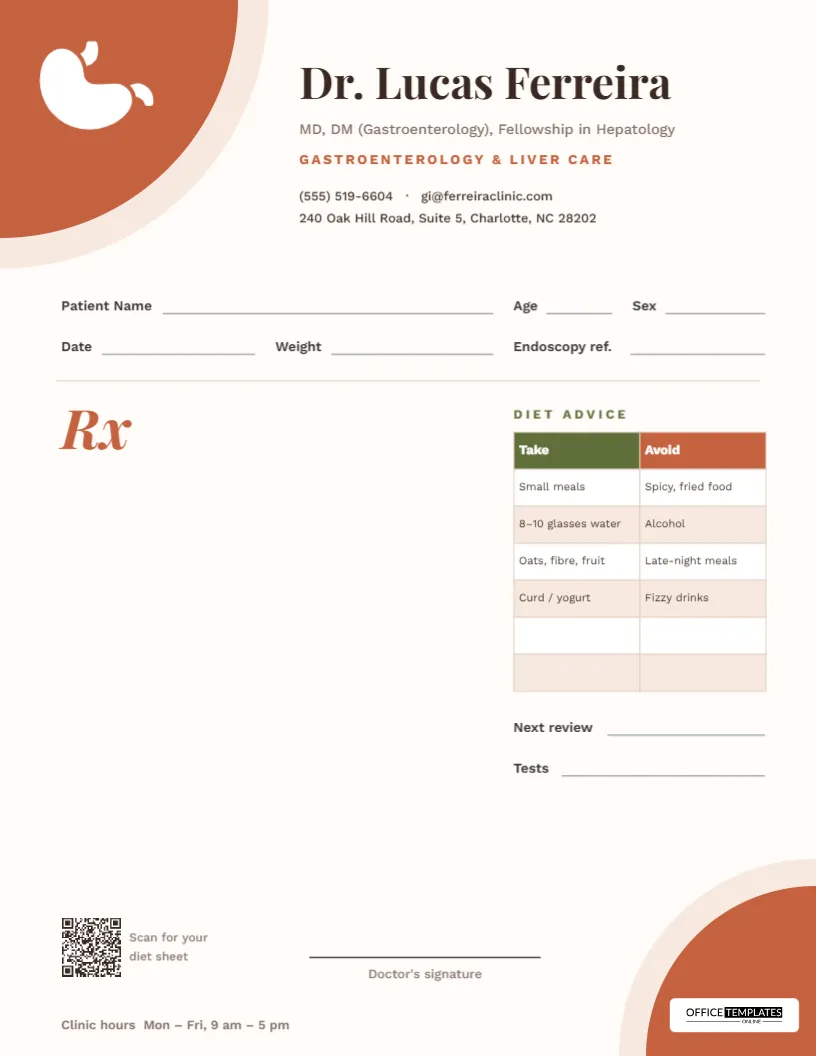
Ask any gastroenterologist which question patients ask most, and the answer is nearly always the same: What can I eat? Medication treats the gut, but food decides how it feels the next day. This gastroenterologist prescription pad answers that question on the same sheet as the prescription, with a two-column diet table headed Take and Avoid, ready to tick, amend or fill in for each patient.
First Impressions
The design is warm and grounded. A large terracotta quarter circle fills the top-left corner of the page, edged by a thin band of pale sand, and holds a white stomach emblem. Everything else in the header sits to the right of it: the doctor’s name in Playfair Display, a classic high-contrast serif; the qualifications in muted brown; Gastroenterology & Liver Care in spaced terracotta capitals; and two lines of contact details.
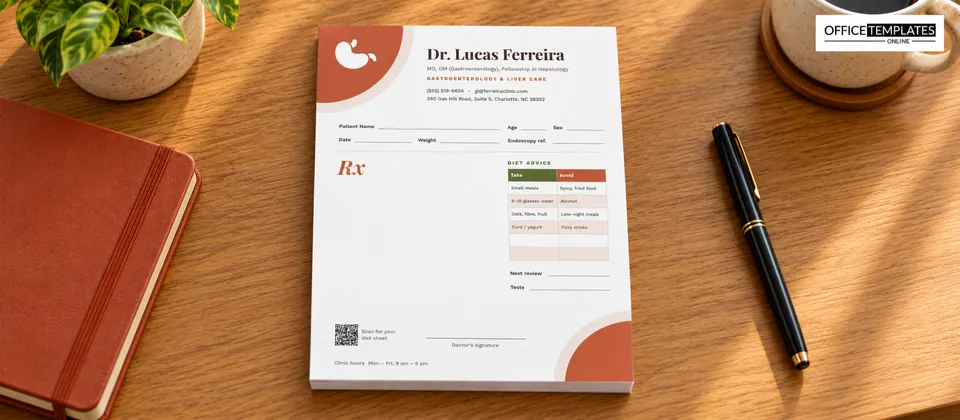
The background is a very soft cream rather than stark white, which suits the earthy palette. In the bottom-right corner, a smaller terracotta quarter circle with the same sand edge mirrors the header and holds the Office Templates Online logo on a white plate. The two corners frame the page diagonally.
Fields on the Form
- Patient Name, Age and Sex on the first line.
- Date, Weight, and Endoscopy ref. on the second. Weight is useful for tracking unintended weight loss and for dosing; the endoscopy reference links the prescription to a procedure report.
- A terracotta italic Rx opening a wide prescription area on the left.
- Next review and Tests lines under the diet table.
- A QR code captioned Scan for your diet sheet, a signature line, and the clinic hours along the bottom.
How the Take/Avoid Table Works
The diet table sits on the right of the page under the heading Diet Advice. It is a real editable table with an olive Take header, a terracotta Avoid header, white-striped rows, and four pre-filled suggestions in each column:
- Take: Small meals; 8-10 glasses of water; Oats, fibre, fruit; Curd/yogurt.
- Avoid: Spicy, fried food; Alcohol; Late-night meals; Fizzy drinks.
Two blank rows at the bottom leave room for anything specific to the patient. Double-click the table, or use Edit Table Data, to change any cell, and + Add Row to lengthen it.
Adapting the Diet Table to Common Conditions
Many clinics keep a few saved versions of the pad, each with a diet table tuned to a condition they see often. A few starting points, to be adjusted to your own clinical judgement:
| Condition | Ideas for “Take” | Ideas for “Avoid” |
|---|---|---|
| Acid reflux (GERD) | Smaller evening meals, head of bed raised | Eating within 3 hours of bed, coffee, chocolate |
| Irritable bowel syndrome | Regular meal times, soluble fibre | Trigger foods identified in a food diary |
| Fatty liver | Vegetables, whole grains, daily walking | Sugary drinks, alcohol, refined snacks |
| Constipation | Fluids, fruit, gradual fibre increase | Skipping breakfast, long periods sitting |
| After gastroenteritis | Oral rehydration, bland foods | Dairy and fatty food for a few days |
Save each version separately, and print the one that matches the clinic session.
Why a Diet Section Belongs on the Prescription
Separate diet leaflets get lost, go out of date and rarely match what the doctor actually said. Advice written on the prescription is personal, dated and signed, and it travels with the patient to the pharmacy and back to the next visit. It also saves time: ticking or striking out a pre-filled line is quicker than writing the same advice by hand for the tenth time in a morning.
Linking Prescriptions to Endoscopy Reports
Gastroenterology is a procedural specialty, and a large share of prescriptions follow an endoscopy or colonoscopy: acid suppression after an ulcer is found, eradication therapy after a positive biopsy, iron after a bleed, or bowel preparation before the next procedure. The Endoscopy ref. field lets you write the procedure number or date on the prescription, so anyone reading it later can find the report and images that justified the treatment. It also helps the patient: when they return for a repeat scope, the sheet reminds everyone which findings were being treated and for how long.
The Tests line under the diet table works the same way for investigations still to come, such as liver function tests, stool tests, a breath test, or an ultrasound of the abdomen, and the Next review line records when the patient should come back to discuss the results.
Customizing the Pad
- Replace the doctor’s name, degrees, and specialty line.
- Edit the phone, email, and address.
- Rewrite the diet table for your patients, or leave the defaults.
- Change the clinic hours at the bottom left.
- Click the QR code and link it to your full diet sheet or a booking page.
- Save a PDF for printing or a JPG to attach to an email.
Printing Tips for the Terracotta Corners
The page is US Letter, 8.5 x 11 inches, portrait. The two corner shapes run off the edges, so desktop printers will clip them slightly at the unprintable margin; that looks natural on these rounded shapes, but a print shop can print edge to edge if you prefer. A cream or natural white 24 to 28 lb paper suits the warm palette. The diet table’s small text prints best on a laser printer.
Frequently Asked by GI Clinics
Can a hepatologist or colorectal surgeon use it?
Yes. Change the specialty line and the diet table, and the rest of the layout fits both.
Can I remove the diet table?
Yes. Delete the table, its heading, and the two lines beneath it for a full-width prescription area.
Is the stomach emblem replaceable?
Yes. It is an editable vector shape, so you can recolour or resize it, or delete it and upload your own logo onto the terracotta corner.
Can the table have three columns?
Yes. Select the table, raise the Columns number in the Table panel, then use Edit Table Data to name the new column, for example, Limit.
Good digestive care is a partnership between medicine and the kitchen. Put both on one page, and your patients will leave knowing exactly what to do at their next meal.