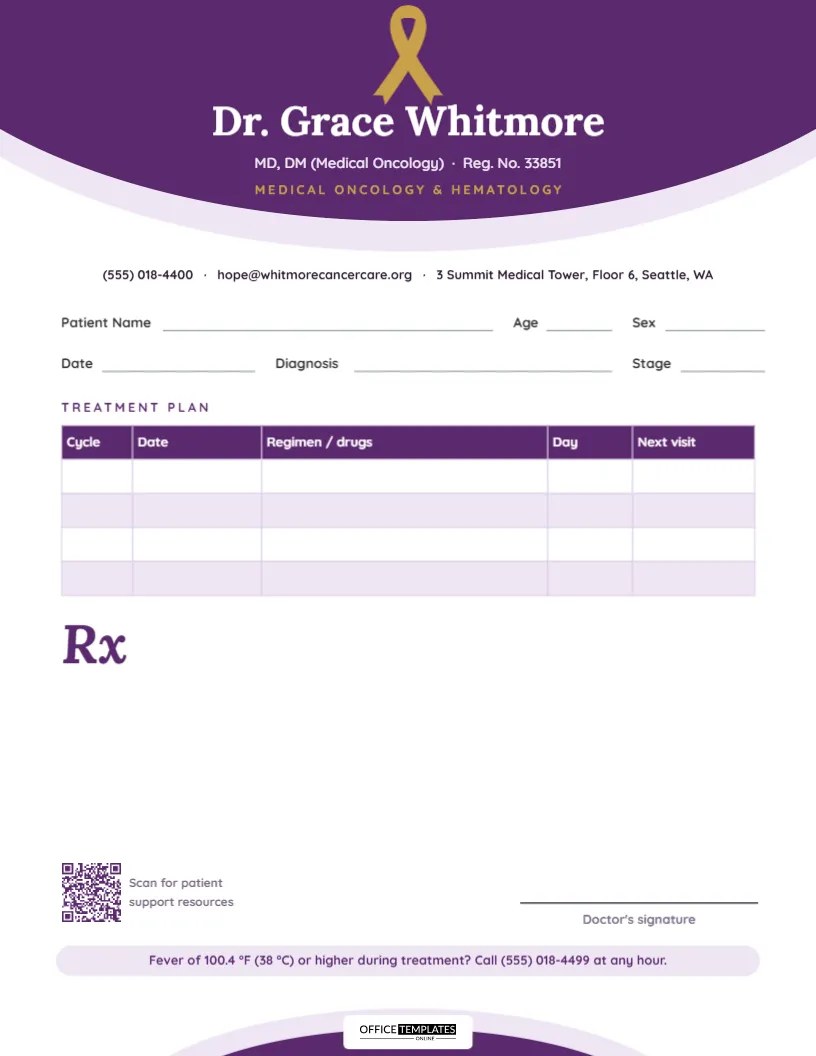
People going through cancer treatment collect a great deal of paper: appointment cards, lab slips, consent forms, leaflets and prescriptions. The sheets that help most are the ones that are calm, clear, and easy to find in a folder. This oncologist prescription pad template is designed with that in mind. A gentle plum and lavender palette, a gold awareness ribbon and generous white space give it a reassuring feel, while a treatment plan table and a 24-hour fever banner put the most important practical information where patients and caregivers will see it.
A Calm, Dignified Design
The top of the page is a wide dome that curves down from the upper edge: deep plum in front, with a soft lavender halo behind it. A gold awareness ribbon sits at the crown of the dome. Beneath it, the doctor’s name is centered in white Lora, an elegant serif, with the qualifications and registration number in pale lavender and Medical Oncology & Hematology in widely spaced gold capitals.
A centered line of contact details sits just under the dome. At the foot of the page, a smaller plum dome with its own lavender edge rises from the bottom, and the Office Templates Online logo sits on a white plate at its top, so the page opens and closes with the same gentle curve.
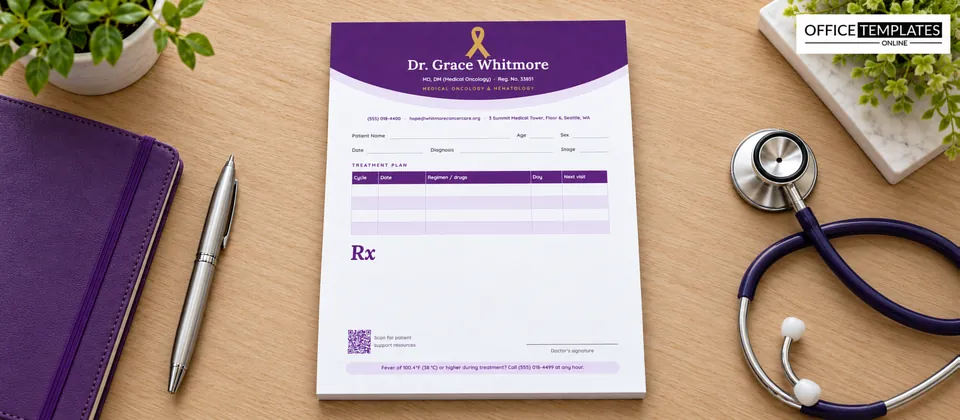
Quicksand, a soft rounded sans-serif, is used for all the labels and small text. It stays friendly and legible even at small sizes, which matters for readers who may be tired or anxious.
Recording the Treatment Plan
Under the patient fields (Patient Name, Age, Sex, Date, Diagnosis, and Stage) is a five-column table titled Treatment Plan, with a plum header and lavender stripes. Its columns are Cycle, Date, Regimen/drugs, Day, and Next visit, with four blank rows. Here is an example of how a clinic might fill it in:
| Cycle | Date | Regimen/drugs | Day | Next visit |
|---|---|---|---|---|
| 1 | 3 March | Regimen name, as per protocol | 1 | 24 March |
| 2 | 24 March | Same, dose adjusted | 1 | 14 April |
| 3 | 14 April | Same | 1 | 5 May |
The table shows patients where they are in their course of treatment at a glance, which is one of the questions they ask most often. It also helps family members who drive them to appointments plan ahead. Because it is a real table, you can double-click it to type in the cells, add rows for longer courses with + Add Row, or rename a column, for example, Day to Week for weekly schedules.
The Fever Banner
Near the bottom of the page, a rounded lavender banner reads: Fever of 100.4 °F (38 °C) or higher during treatment? Call (555) 018-4499 at any hour. Fever during chemotherapy can be a sign of serious infection, and many cancer centres give their patients exactly this instruction with a round-the-clock number. Printing it on every prescription means it is never far away. Replace the number with your own out-of-hours line, and adjust the temperature threshold if your centre uses a different one.
Prescription Space
Below the treatment table, a plum italic Rx opens a generous blank area. Oncology prescriptions often include supportive medicines rather than the cancer treatment itself: anti-sickness tablets, mouthwashes, laxatives, pain relief, steroids or growth factors, each with its own schedule. There is room for all of them, plus written advice, above the QR code and signature line.
The Support Resources QR Code
The QR code in the lower left is captioned Scan for patient support resources. It is a good place to link your centre’s page for counselling, nutrition advice, financial help, support groups or information on managing side effects. Click the code in the editor to replace its sample link.
Adapting the Pad
- Replace the doctor’s name, qualifications, and registration number.
- Change the specialty line, for example, to Radiation Oncology, Surgical Oncology, or Pediatric Hematology & Oncology.
- Update the contact line and the fever helpline number.
- Edit the treatment table’s columns to fit your protocols.
- Link the QR code to your support resources.
- If you prefer, recolor the ribbon to match a specific cancer type’s awareness color, such as pink, teal, or light blue.
- Download the pad as a PDF for printing.
Writing for Patients and Caregivers
A few habits make an oncology prescription easier to use at home. Write the purpose next to each supportive medicine (for nausea,for mouth sores), so patients know which one to reach for. Note the days of the cycle when a medicine should be taken, not just as directed. Keep the language plain and avoid abbreviations where possible. And if a caregiver is managing the medicines, it can help to hand them a second printed copy for their own folder.
Paper and Print
The page is US Letter, 8.5 x 11 inches, portrait. The plum domes are the only large areas of color, so the pad prints comfortably on a color office printer. A smooth, bright white 24 to 28 lb paper keeps the plum rich and the gold ribbon warm. Many cancer centres give patients a treatment folder; three-hole-punched loose sheets slot straight into a binder, while glued pads are handy in the clinic room.
Common Questions
Can I use a different ribbon color?
Yes. The ribbon is an editable vector shape: select it and change its colour swatch to pink, teal, light blue, or any awareness colour.
Can I remove the fever banner?
You can, but we recommend keeping an out-of-hours number somewhere on the page, even if it moves to the contact line.
Can the chemotherapy nurse fill in the treatment table?
Yes. Many day-care units have the nurse complete the Cycle, Date, and Next visit columns after each infusion, while the oncologist writes and signs the prescription.
Is this suitable for a hematology clinic?
Yes. The specialty line already includes hematology; adjust the table for transfusion or infusion schedules if needed.
Care during cancer treatment is built from many small, reliable details. This pad brings a few of the most important ones together on one calm, clearly organised page.