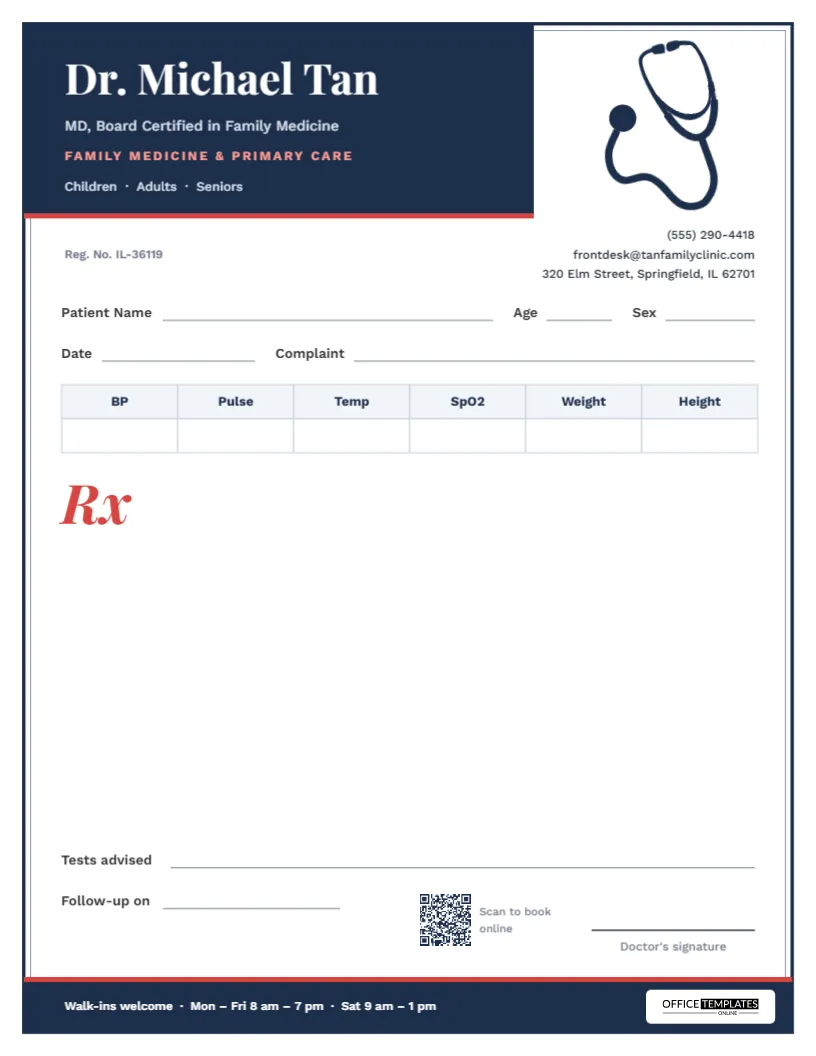
Family medicine covers everything: a child’s ear infection at 9 am, a blood pressure review at 9:15, a sprained ankle at 9:30, and a diabetes check before lunch. A family doctor’s prescription pad has to be as versatile as the practice. This family physician prescription pad keeps the layout classic and uncluttered, adds a row of vitals that fits almost any consultation, and finishes it with a tidy frame and a stethoscope that makes it unmistakably a doctor’s page.
Classic Frame, Modern Details
A navy double frame runs around the whole page, a strong outer line with a finer line just inside it, giving the sheet the look of traditional medical stationery. In the top-left corner, a solid navy tab holds the doctor’s name in white Playfair Display, a confident classic serif, with MD, Board Certified in Family Medicine, Family Medicine & Primary Care in coral-red capitals, and Children · Adults · Seniors. A red line underlines the tab.
To the right, a navy stethoscope hangs down from the top of the frame, drawn in fine line art. Under it, the phone number, email, and address are aligned to the right edge, with the registration number on the left. The bottom of the frame is closed by a navy footer band with a red top edge, the opening hours (Walk-ins welcome · Mon – Fri 8 am – 7 pm · Sat 9 am – 1 pm) and the Office Templates Online logo on a white plate.
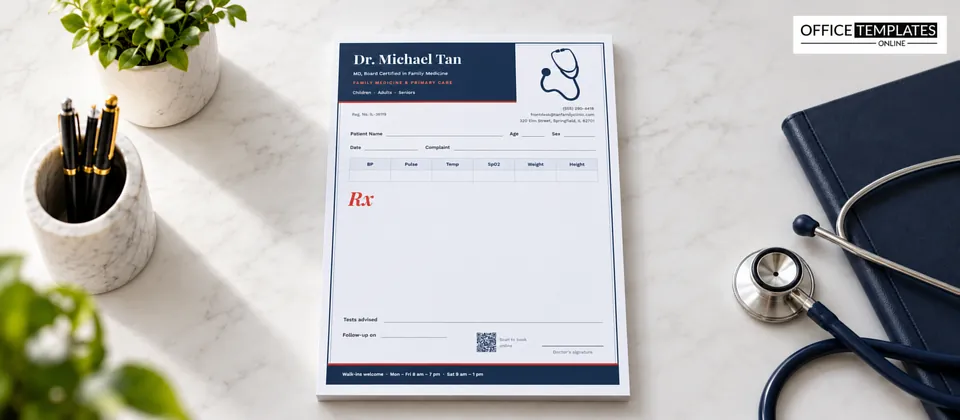
One Row of Vitals for Every Visit
Under the patient details (Patient Name, Age, Sex, Date and Complaint) is a six-column vitals table: BP, Pulse, Temp, SpO2, Weight and Height, with one blank row. It uses a pale header with navy text, so it looks light and unobtrusive on the page. The table is a real, editable table object: double-click to type values before printing, or change the headings to suit your practice.
Recording vitals on the prescription is a small habit with real value. Blood pressure next to an antihypertensive, weight next to a dose calculated for a child, temperature next to an antibiotic: each explains the decision that follows.
Five Situations Where a Printed Pad Still Earns Its Place
Many practices now use electronic prescribing, yet a printed pad remains useful:
- Home visits and nursing homes, where the computer stays in the car.
- Clinic outages and internet failures.
- Written advice that goes alongside an electronic prescription: dosing schedules, lifestyle advice, a list of tests.
- Sports physicals and school forms, where parents want something to take away.
- Community camps and screening events held away from the practice.
The Bottom of the Page
The prescription area, opened by a large red italic Rx, runs down to two lines near the foot of the page: Tests advised, full width, for blood tests, imaging or referrals, and Follow-up on, for the next appointment date. Beside them sit a QR code captioned Scan to book online and the doctor’s signature line.
Using the Tests Advised and Follow-Up Lines Well
These two lines at the foot of the page do a lot of quiet work in primary care. A few habits make them more useful:
- Be specific about tests.CBC, fasting lipids, and HbA1c is clearer to the lab and the patient than routine bloods.
- Say when. Add next visit or in 3 months so the patient knows the timing.
- Note fasting. A short fasting next to a lipid or glucose test saves a wasted trip.
- Write a date, not a period.Follow-up on 14 June is easier to remember than in six weeks.
- Record referrals. The Tests line can also hold: Refer to cardiology or Physio x 6 sessions.
Handled consistently, these lines turn each prescription into a small care plan that the patient, the lab and the reception desk can all act on.
Making the Pad Your Own
- Change the name, board certification, and specialty line. It works equally well as General Practitioner, Internal Medicine, or Primary Care Physician.
- Replace Children · Adults · Seniors with services you offer, such as Vaccinations · Health Checks · Minor Procedures.
- Update the contact details, registration number, and footer hours.
- Set the QR code to your online booking page.
- Adjust the vitals columns, for example, swapping Height for Blood sugar.
- Save as a PDF to print, or as a PNG for a digital letterhead.
The navy and red scheme can be changed too. Select the tab, frame, footer, and stethoscope, and choose a new dark color; forest green or burgundy both suit the classic frame.
Printing Inside the Frame
This pad is US Letter, 8.5 x 11 inches, portrait. The frame sits a little inside the page edge, so it prints fully on almost any home or office printer without clipping, one advantage of this layout over edge-to-edge designs. Print at 100% scale on 24 lb paper. If you print in black and white, the navy turns dark grey and the red lines mid grey; the frame and stethoscope stay crisp.
Family Practice FAQ
Can I add my practice logo?
Yes. Upload your logo and place it in the navy tab next to the name, or replace the stethoscope with it.
Can a nurse practitioner or physician assistant use this pad?
Yes. Update the name, credentials, and specialty line, and follow your local rules on who may prescribe.
Is there space for a practice stamp?
Yes. The area above the signature line and to the left of it is left clear.
Is it suitable for pediatric visits?
Yes. The Weight and Height columns help with pediatric dosing; you could rename one column to Head circ. for infants.
Can I print the vitals table blank?
Yes. It prints empty by default, ready for handwriting.
Can I use it as a sick note or fitness certificate?
The layout works well for short medical notes too: write the note in the Rx area and sign it, or save a copy with the Rx mark replaced by a heading such as Medical Certificate.
Family medicine is about knowing your patients over years. A familiar, well-organised prescription page is a small part of that relationship. Add your details and print a pad you’ll be happy to use every day.