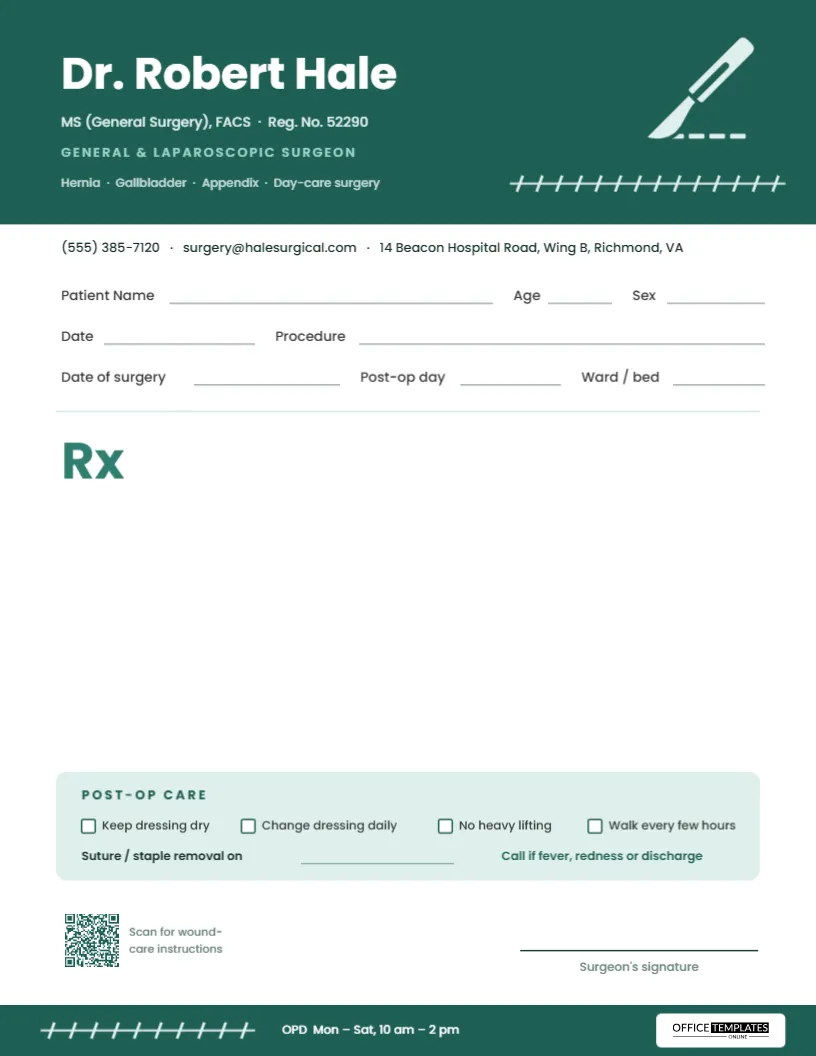
A surgeon’s prescription is usually written at one of two moments: in the outpatient clinic before an operation, or on the ward as the patient goes home. The second moment is the one that matters most to the patient, who leaves with a wound, a set of medicines and a list of instructions they are likely to half-remember. This general surgeon prescription pad template is built for discharge day, with fields for the procedure, the date of surgery and the post-operative day, and a printed post-op care strip that turns the usual verbal advice into something the patient can take home.
Scrubs, Scalpel and Stitches
The header is a full-width band in deep scrub green, the color most people associate with operating theatres. On the right, a pale mint scalpel illustration angles across the band, its blade drawn with a dashed incision line. Beneath it, a row of cross-stitches runs along a thin mint line, like a neatly sutured wound. The stitches are a single grouped object.
The surgeon’s name is set in bold white Poppins on the left of the band, followed by qualifications and registration number in mint, General & Laparoscopic Surgeon in spaced capitals, and a short list of common procedures. A contact line sits just below the band. The footer repeats the idea: a green strip carrying a shorter row of stitches, the OPD hours in white, and the Office Templates Online logo on a white plate.
Surgery-Specific Fields
Three rows of writing lines sit under the header:
- Patient Name, Age, Sex
- Date and Procedure, for example, Laparoscopic cholecystectomy.
- Date of surgery, Post-op day, and Ward/bed.
The post-operative day is how surgical teams talk about recovery, and it puts every instruction in context: pain relief on day 2 is different from pain relief on day 10. A light rule then leads to a large green “Rx” and a wide prescription area.
What the Post-Op Care Strip Covers
Above the signature, a rounded mint strip titled Post-op care holds four tick boxes in a row: Keep dressing dry, Change dressing daily, No heavy lifting, and Walk every few hours. Below them is a line for Suture/staple removal, and a reminder in green: Call if fever, redness, or discharge. These are the instructions nearly every general surgery patient needs, written where the patient will find them again.
A Discharge-Day Routine Using the Pad
- Fill in the procedure, date of surgery, and post-op day.
- Write the take-home medicines in the Rx area: pain relief, antibiotics if needed, stool softeners, and any regular medicines restarted.
- Tick the care boxes that apply and cross out any that don’t.
- Write the date for suture or staple removal, and where it will be done.
- Point out the warning line and make sure the patient has a number to call.
- Sign, stamp, and give the patient the original, keeping a copy for the notes.
Suture Removal Timing at a Glance
The Suture/staple removal time is left blank because timing depends on the site, the closure, and the patient. Commonly quoted ranges look something like this, but always follow your own unit’s protocol:
| Site | Typical removal window |
|---|---|
| Face | About 5 days |
| Scalp | 7 to 10 days |
| Trunk and abdomen | 10 to 14 days |
| Arms and legs | 10 to 14 days |
| Over joints | Up to 14 days or more |
Before the Operation, Too
The same pad works in the outpatient clinic before surgery. The Procedure line records the planned operation, the Rx area holds pre-operative instructions (medicines to stop or continue, bowel preparation, fasting times), and the post-op strip can be left blank until discharge. Some surgeons print the pre-operative list on one sheet at the clinic visit and the discharge prescription on another, so the patient has a matching pair of instructions from the same practice. The Ward/bed field is useful on admission day for inpatient orders, and on day-care lists it can simply hold the recovery bay number. Because every field is editable, a practice that does mostly day-care surgery might rename it to Day-care unit and replace Post-op day with Discharge time.
Wound-Care Instructions by QR Code
At the bottom left, a QR code is captioned Scan for wound-care instructions. Link it to your practice’s own post-operative advice page or video, and patients can re-read the details at home without calling the ward. Click the code in the editor to open its settings and change the link.
Tailoring It to Your Surgical Practice
- Replace the surgeon’s name, qualifications, and registration number.
- Edit the specialty line and the list of procedures under it: Hernia · Gallbladder · Appendix · Day-care surgery can become Breast · Thyroid · Endocrine or Colorectal · Proctology.
- Update the contact line and footer hours.
- Rewrite the post-op care boxes for your specialty; for example, keep arm in sling for shoulder surgery.
- Export as a print-ready PDF.
Printing for Wards and Clinics
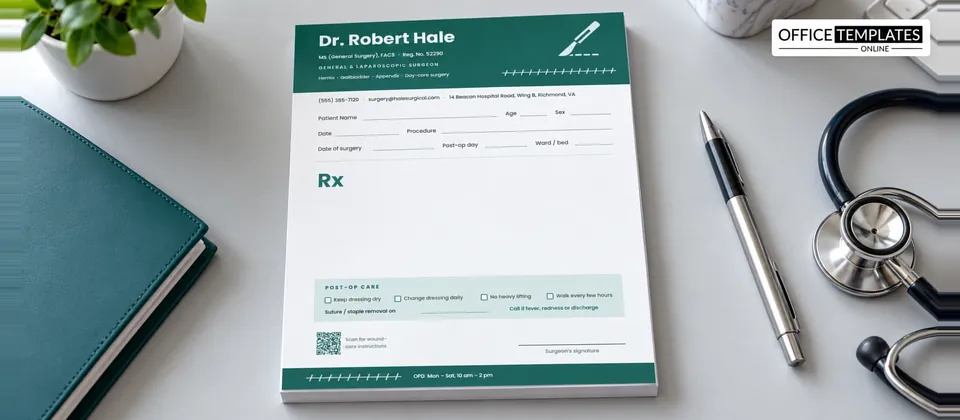
The template is US Letter, 8.5 x 11 inches, portrait. The green header is the largest block of color; a laser printer gives the crispest result, and the mint scalpel and stitches stay clear. Hospital wards often prefer loose sheets in a tray, so a copy can be filed; outpatient clinics tend to prefer glued pads of 50. A 24 lb paper is sturdy enough to survive a patient’s bag on the way home.
Surgeon Pad FAQ
Can other surgical specialties use it?
Yes. Plastic, vascular, breast, and pediatric surgeons can all use the layout by editing the specialty line and care boxes.
Can I remove the post-op strip for clinic prescriptions?
Yes. Delete the strip and its contents to make the Rx area larger.
Does the design work in black and white?
It does. The green becomes dark grey, and the stitches remain visible.
Can I add a drain or catheter care box?
Yes. Copy one of the tick boxes with its label, paste it into the post-op strip, and rename it, for example, Empty drain twice daily or Catheter review on.
Good surgery deserves a good handover. Put your name on this pad and send every patient home with clear, written instructions they can follow.