Translation Services Proposal Template with Multilingual Globe Cover
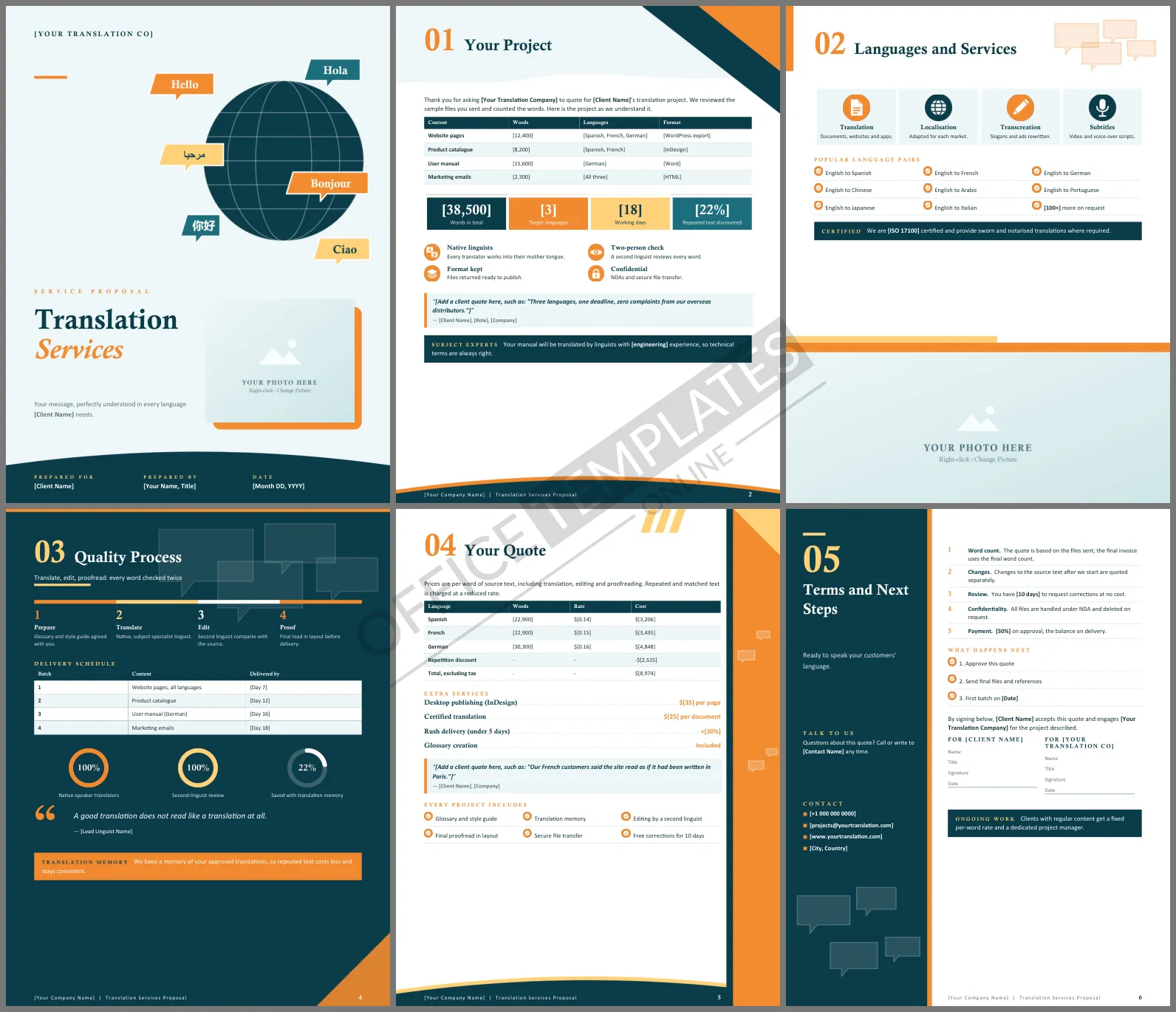
Clients buying translation worry about two things: will it sound natural to native speakers, and will it arrive on time without hidden costs? A clear proposal answers both before they ask. This Translation Services Proposal Template gives agencies and freelance translators six polished Word pages, opening with a globe surrounded by greetings in six languages.
Inside the Translation Proposal
The cover shows a deep teal globe with meridian lines, circled by speech bubbles saying Hello, Hola, Bonjour, Ciao, and greetings in Chinese and Arabic, with an orange-framed photo below. Your Project lists each piece of content with its word count, target languages, and file format, then four project figures and your quality commitments. Languages and Services shows translation, localization, transcreation, and subtitling tiles and the language pairs you cover, with a photo across the bottom of the page. Quality Process is a dark teal page showing the four-step workflow, a delivery schedule by batch, and three rings. Your Quote breaks the price down by language with a repetition discount, then lists extra services. The last page puts your contact details in a teal side panel beside the terms.
Teal, Tangerine and Sky
Deep teal suggests calm expertise, while tangerine and a pale yellow add warmth and energy. Speech bubbles repeat throughout the headers. Headings are set in Calisto MT, a graceful serif, with Calibri for body text.
How Word Counts Become a Price
Translation is priced on the source word count, adjusted for repetition. Explaining the bands avoids confusion:
| Text type | Typical charge | Why |
| New words | Full rate | Translated from scratch |
| Fuzzy matches | 50% to 75% of the rate | Similar to earlier text |
| Exact repetitions | 10% to 30% of the rate | Already translated once |
The quote page shows this as a single repetition discount line, which keeps it simple for clients.
Translate, Edit, Proofread
The quality page follows the widely used translate, edit, and proofread workflow, with a second linguist checking every word. Mention the glossary and style guide agreed at the start; they are the easiest way to keep brand terms consistent across languages and future projects.
Native Linguists Make the Difference
Clients often do not realize that good translators only work into their mother tongue. Say it clearly, as the project page does, and mention subject expertise where it matters, such as engineering manuals or legal contracts. It is a simple point that separates professional services from cheap machine output.
Editing Counts, Rates and Languages
Replace the bold [placeholders] with the client's word counts, languages, rates, and dates. Add a row for each extra language or document. Click the cover photo or the photo on the services page and choose Change Picture to show your team.
Turning One Project into an Account
Most translation clients come back with more content. Offer a fixed per-word rate and a dedicated project manager for regular work, as the closing callout does, and keep their translation memory ready for next time.
Translator FAQs
Can I quote certified translations?
Yes. Certified documents appear in the extra services list; add a row for each document.
What if the source text changes mid-project?
The terms say that changes after work starts are quoted separately.












