Printing Services Proposal Template with CMYK Halftone Cover
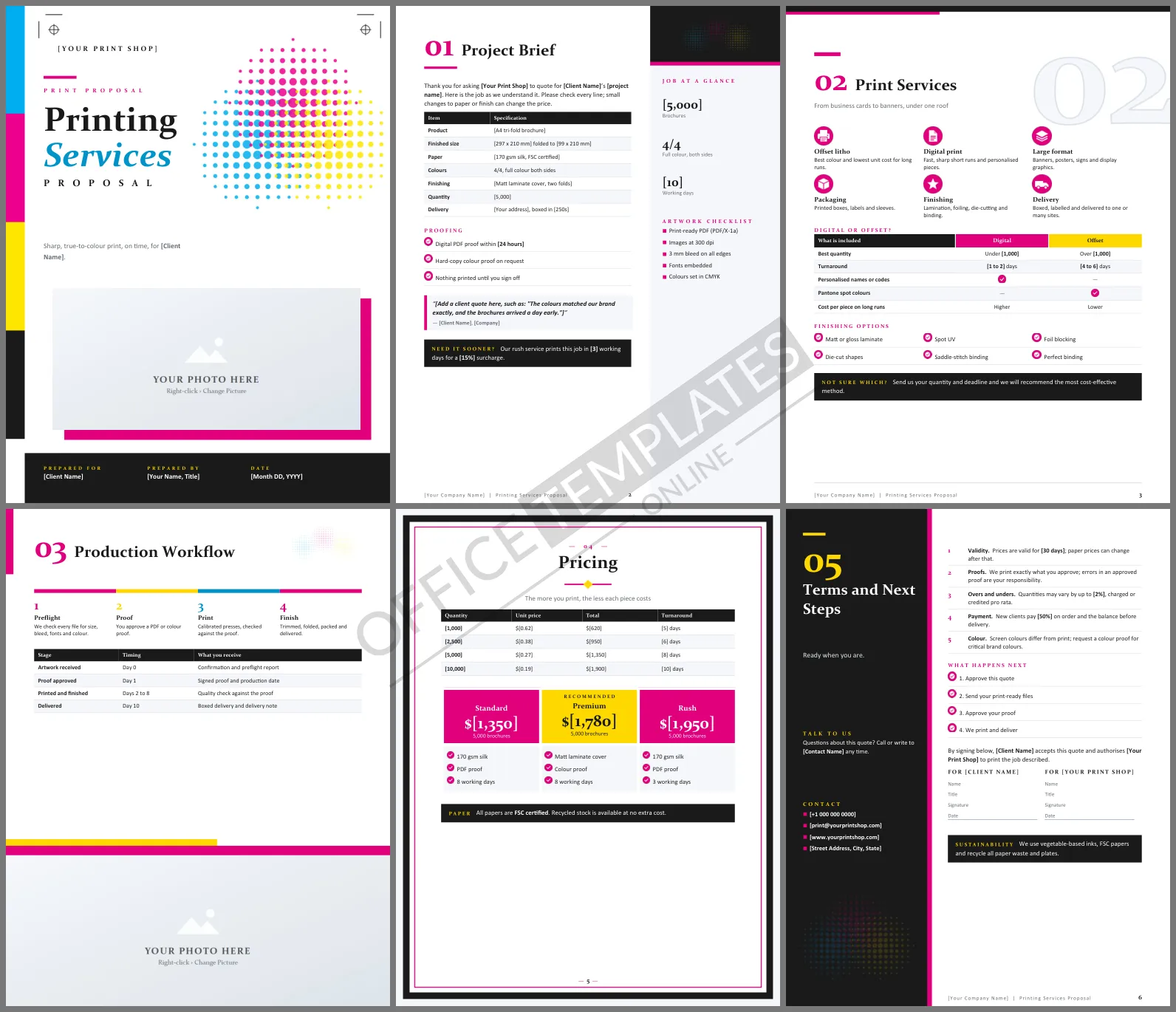
A print buyer wants to know three things: will it look right, will it arrive on time, and how much will it cost at each quantity? A printing proposal that spells out the paper, the colors, the proofing steps, and the price breaks saves a dozen emails. This Printing Services Proposal Template does it in six Word pages that celebrate the craft, with cyan, magenta, yellow, and black right on the cover.
Walking Through the Pages
The white cover carries CMYK color bars down the left edge, overlapping halftone circles in cyan, magenta and yellow, printer's crop marks in the corners and a photo frame with a magenta offset. Project Brief uses a sidebar: the job specification table, proofing checklist and a client quote on the left, and a pale column with key job figures and an artwork checklist on the right. Print Services shows six services, a digital versus offset comparison matrix, and finishing options under a large outline 02. Production Workflow runs a four-color milestone bar from preflight to finishing, a stage timeline and a photo across the bottom. Pricing is a framed page with quantity price breaks and three versions of the job. The final page places your contact details in a dark side panel beside the terms.
Process Colors as a Palette
The design uses the printer's own colors: magenta and cyan as accents, a bright yellow highlight, and rich black. Headings are set in Constantia, an elegant serif that shows off good typography, with Calibri for body text.
Paper Weights Explained
Clients often ask what a paper weight means in practice. This guide helps:
| Weight | Feels like | Typical use |
| 80 to 100 gsm | Office copy paper | Letterheads and flyers in volume |
| 130 to 170 gsm | A quality magazine page | Brochures and leaflets |
| 250 to 350 gsm | Thin card | Covers, postcards and business cards |
Proofs Protect Everyone
Most print disputes come down to an error nobody caught before the press ran. The proofing checklist and the terms make it clear that you print exactly what the client approves. For brand-critical colors, recommend a hard-copy color proof, and say that screen colors will always differ from ink on paper.
Making Changes in Word
Bold [bracketed] text marks the job details to replace: product, size, stock, quantity, and prices. The specification and price break tables accept extra rows for more quantities. Click the cover photo or the photo at the bottom of the workflow page and choose Change Picture to show your press room or finished work.
Getting Files Right the First Time
Late or faulty artwork is the main cause of missed print dates. The artwork checklist in the sidebar covers the essentials: a print-ready PDF, 300 dpi images, bleed, embedded fonts, and CMYK colors. Send it with every quote, and offer a quick file check before the client books a press date. It saves both of you a reprint.
Print Shop FAQs
Can I quote large-format work with it?
Yes. Change the specification rows to banner size, material, and mounting, and adjust the price breaks.
Can I offer a rush service?
The pricing page already includes a rush version, and the brief page has a callout for faster turnaround.












