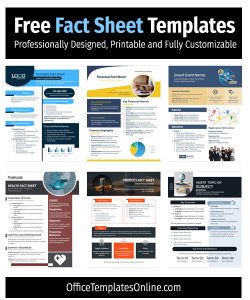
Project Fact Sheet Template

The Project Fact Sheet Template is an essential tool for project managers and coordinators, designed to present a clear and concise summary of a project. Created in MS Word, this template allows for easy customization and provides a structured format to include all necessary details about a project. The template includes sections for basic project information, key actions, contact details, project partners, duration, budget, contract number, summary, results, lessons learned, and last updated date.
How to Use the Template
- Company Information and Logo:
- Company Name: Enter your company's name, street address, city, state, and zip code.
- Logo: Insert your company's logo in the designated area to ensure brand consistency.
- Project Information:
- Project Name: Fill in the name of the project.
- Main Information: Update only the columns that need to be changed and tick all other fields that are already correct.
- Key Action:
- Project Coordinator: Provide the name of the project coordinator.
- Contact Person: Enter the contact person’s name, phone number, and email address.
- Project Partners:
- List the partners involved in the project, ensuring all names and roles are accurate.
- Project Details:
- Duration: Specify the start and end dates of the project.
- Budget: Include the project's budget.
- Contract Number: Provide the contract number associated with the project.
- Summary:
- Provide a clear and concise summary of the project, including its main objectives, methodology, target groups, and the problems it aims to solve.
- Benefits:
- Specify the qualitative benefits of the project and identify who will benefit from it.
- Keywords:
- List three keywords that will make your project easy to find online.
- Results:
- Detail the main results of your project using bullet points. Include quantitative targets and any significant achievements.
- Lessons Learned:
- After the first interim report, summarize the three most important lessons learned during the project.
- Last Updated:
- Indicate the date when the fact sheet was last updated to ensure the information is current.
- Important Note:
- Attach the project logo as a separate .jpg file and title the file in the following way: Project acronym-year.month.doc.
Tips for Using the Template
- Consistency:
- Ensure that the format and font remain consistent throughout the document to maintain a professional appearance.
- Clarity:
- Use clear and concise language. Avoid jargon and complex sentences to make the document easy to understand.
- Review Regularly:
- Regularly update the fact sheet to reflect any changes in the project, ensuring that all information remains accurate and up-to-date.
- Visual Appeal:
- Use bullet points and short paragraphs to enhance readability. Visual elements such as logos and headers should be clear and appropriately placed.
- Feedback:
- Get feedback from team members or stakeholders to ensure that the fact sheet covers all necessary information and is easy to understand.
Benefits of Using the Template
- Efficiency: Saves time by providing a pre-structured format.
- Organization: Helps in organizing project details systematically.
- Professionalism: Enhances the professional presentation of project information.
- Communication: Facilitates clear communication of project details to stakeholders.
By following this guide, you can effectively utilize the Project Fact Sheet Template to present your project in a professional and organized manner, ensuring all critical information is communicated clearly and efficiently.
Browse More Fact Sheet Templates