Navy and Orange Ribbons for Retail Store Feedback
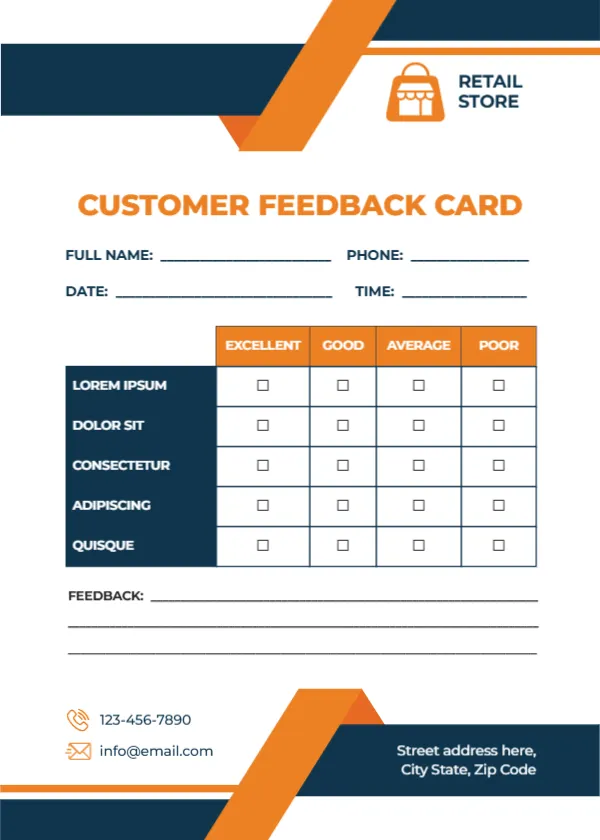
Navy and orange ribbon bands cross the top right and bottom of this white card. An orange shopping bag icon sits beside RETAIL STORE at the top right. CUSTOMER FEEDBACK CARD runs in orange capitals. Name, phone, date and time lines follow, then a table with orange headers rating five navy rows, three feedback lines, a phone and email with orange icons and an address on the navy band. It gives shoppers a quick way to share ideas before they leave.
A Card for the Till
The card is 5 x 7 inches, portrait. It fits in a bag with a receipt or in a holder by the till. The ribbons frame the card without crowding the table.
Store Criteria to Add
The five rated rows read LOREM IPSUM, DOLOR SIT, CONSECTETUR, ADIPISCING and QUISQUE, which are placeholders. For a retail store, try Product range, Staff helpfulness, Store layout, Checkout speed and Prices. Replace RETAIL STORE with your shop name and logo.
Preparing the Retail Card
- Replace the Lorem rows.
- Type your shop name.
- Type contacts.
- Hand out at the till.
- Review monthly.
Handing Out at Checkout
Staff can hand a card with each receipt and point to a box by the door. A short line from staff, such as We would love your thoughts, increases responses.
Product Range Requests
Use the feedback lines to ask what products customers would like to see in store. Popular requests can guide buying decisions for the next season.
Printing Navy and Orange
The colours print strongly on matte card.
Seasonal Comparisons
Compare ratings before and after seasonal changes, such as holiday staffing. Busy holiday periods often show the biggest changes in ratings.
Branch Comparisons
Chains can compare ratings across branches. Branch managers can share ideas from the best rated stores.
Rewarding Responses
A small loyalty stamp for completed cards encourages responses.
Using the Retail Feedback Cards
Review them at weekly staff meetings.
Step by Step Editing of the Retail Store Orange Navy Bag Design
- On the retail store orange navy bag design, click the main headline and type your own words, keeping a similar length.
- Retype every name, date and contact line on the retail store orange navy bag design, checking each against a trusted source.
- Search the retail store orange navy bag design for the words Lorem and Company so that no placeholder remains.
- Click any logo or photo on the retail store orange navy bag design, choose Replace Image and resize the new picture to fit.
- Zoom the retail store orange navy bag design to full size and read each line aloud before you save it.
- Keep a clean master of the retail store orange navy bag design without private details, so later versions start tidy.
Consider the product purchase card. Similar designs include the online shopping card. Compare it with the customer feedback card. The rest of the series around the retail store orange navy bag design is in feedback and comment card templates.