Mustard and Charcoal Bands for Event Feedback
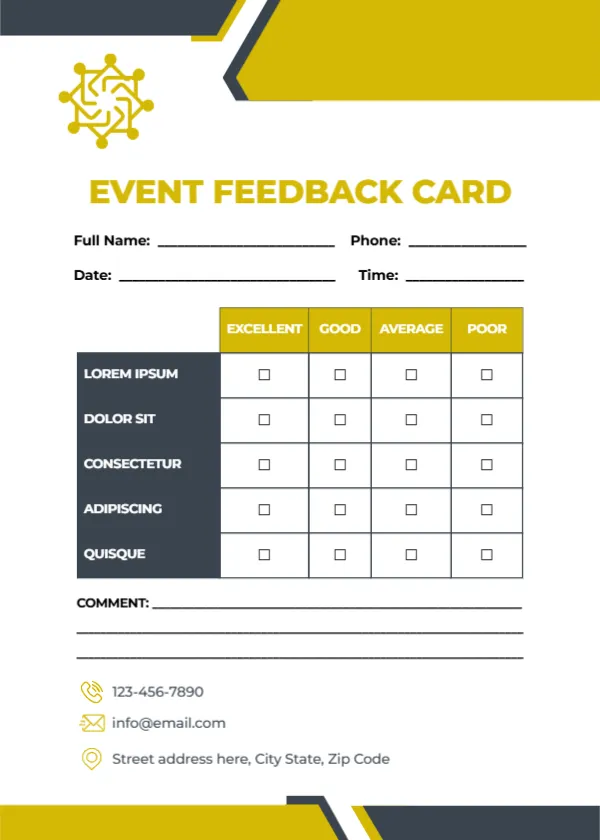
Mustard yellow and charcoal angled bands cut across the top and bottom of this white card. A mustard network style logo sits at the top left, and EVENT FEEDBACK CARD runs in large mustard capitals. Name, phone, date and time lines follow. A table with mustard headers rates five charcoal rows from Excellent to Poor, three comment lines follow, and a phone, email and address with mustard icons sit near the foot.
Bold and Easy to Spot
The card is 5 x 7 inches, portrait. The strong mustard title makes the card easy to find on a busy registration table or chair.
Event Criteria to Add
The five rated rows read LOREM IPSUM, DOLOR SIT, CONSECTETUR, ADIPISCING and QUISQUE, which are placeholders. For events, try Venue, Speakers or performers, Organisation, Food and drinks and Overall experience. Type your organisation’s contacts in the footer.
Preparing the Event Card
- Replace the Lorem rows.
- Swap the logo.
- Type contacts.
- Place cards on seats.
- Collect at the exit.
Collecting Feedback Before Guests Leave
Place a card on every seat or in the welcome pack and ask guests to drop it in a box at the exit. Feedback collected on the day is fresher and more detailed than an email survey sent a week later.
Conferences, Workshops and Parties
The criteria change with the event. A workshop might rate Content, Trainer and Materials, while a party might rate Music, Food and Atmosphere. Edit the rows for each event.
Reading Comments for Next Time
Comments often mention small fixes, such as better signage or more vegetarian food, which are easy to improve next time.
Printing Mustard Yellow
Mustard prints well on white card. Check that the charcoal row labels stay sharp.
Offering a Prize Draw
A prize draw for completed cards increases responses. Add a line asking for an email for the draw.
Sharing Results With Sponsors
Sponsors like to know how the event went. A short summary of ratings helps secure sponsorship next year.
Using the Event Feedback Cards
Summarise results within a week of the event.
Step by Step Editing of the Event Mustard Charcoal Design
- On the event mustard charcoal design, click the main headline and type your own words, keeping a similar length.
- Retype every name, date and contact line on the event mustard charcoal design, checking each against a trusted source.
- Search the event mustard charcoal design for the words Lorem and Company so that no placeholder remains.
- Click any logo or photo on the event mustard charcoal design, choose Replace Image and resize the new picture to fit.
- Zoom the event mustard charcoal design to full size and read each line aloud before you save it.
- Keep a clean master of the event mustard charcoal design without private details, so later versions start tidy.
Compare it with the museum feedback card. You may also like the community service comment card. For comparison, open the restaurant feedback card. The rest of the series around the event mustard charcoal design is in feedback and comment card templates.