Yes and No Questions and a Yellow Car for Taxi Feedback
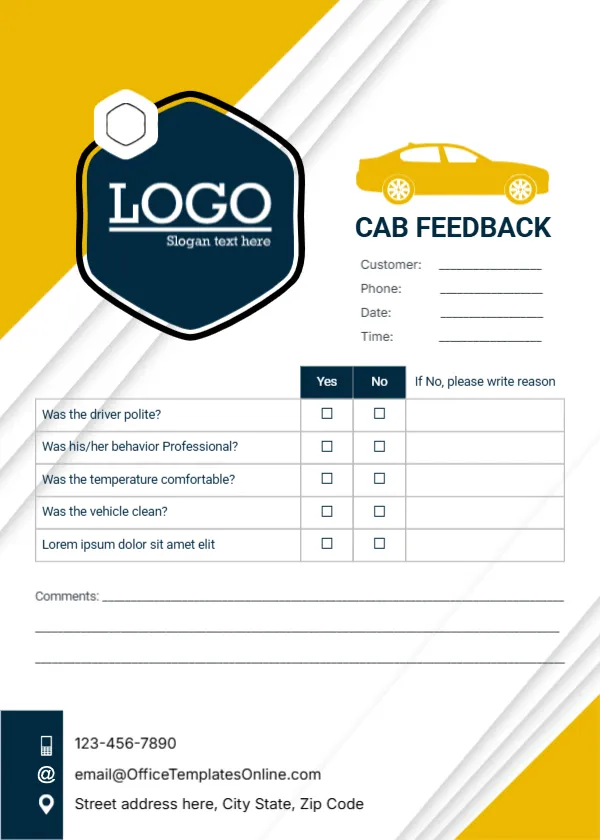
Bright yellow and white diagonal stripes sweep across this card, with a navy hexagon logo badge in the top left and a yellow cartoon car beside CAB FEEDBACK in bold navy capitals. Lines for customer, phone, date and time sit under the title. A table asks five questions with Yes and No tick boxes and a column headed If No, please write reason, followed by three comment lines. A navy strip at the foot carries icons for a phone, an email and an address.
Quick Yes or No Answers
The card is 5 x 7 inches, portrait. Yes and No answers are faster to fill in than a rating scale, which suits a passenger finishing a ride. The reason column only needs filling in when something went wrong, so happy customers can finish in seconds.
Questions and a Placeholder Row
The questions ask whether the driver was polite, whether his or her behaviour was professional, whether the temperature was comfortable and whether the vehicle was clean. The fifth row is Lorem ipsum, so replace it with something useful, such as Did the driver take the best route? The footer shows the template site’s email, so type your company contacts.
Preparing the Taxi Feedback Card
- Replace the Lorem question.
- Swap the hexagon logo.
- Type your phone, email and address.
- Print a stack for each car.
- Collect cards at the end of each shift.
Keeping Cards in the Vehicle
A small holder on the back of the front seat with cards and a pen invites passengers to give feedback while the ride is fresh. Drivers can collect completed cards at the end of each shift and hand them to the office.
Good Questions for a Fifth Row
Useful extra questions include Was the pickup on time?, Was the fare as expected? and Would you ride with us again? Pick one that matches the complaints or praise you hear most often.
Reading the Reason Column
The reason column is where you learn the most. Group repeated reasons, such as late pickups or a hot car, and share them with drivers in short team meetings.
Thanking Passengers
A small line such as Thank you for riding with us near the comments encourages people to fill in the card. Some firms offer a discount code for completed cards.
Printing the Yellow Stripes on Sturdy Card
The yellow stripes print strongly on white card. Use 250 gsm stock so cards do not crease in the seat pocket.
Handling Contact Details
The card collects names and phone numbers. Store completed cards securely and use details only to follow up on feedback.
Using the Taxi Feedback Cards
Review the cards weekly and act on repeated issues.
Step by Step Editing of the Cab Taxi Yellow Hexagon Design
- On the cab taxi yellow hexagon design, click the main headline and type your own words, keeping a similar length.
- Retype every name, date and contact line on the cab taxi yellow hexagon design, checking each against a trusted source.
- Search the cab taxi yellow hexagon design for the words Lorem and Company so that no placeholder remains.
- Click any logo or photo on the cab taxi yellow hexagon design, choose Replace Image and resize the new picture to fit.
- Zoom the cab taxi yellow hexagon design to full size and read each line aloud before you save it.
- Keep a clean master of the cab taxi yellow hexagon design without private details, so later versions start tidy.
Consider the tour and travel feedback card. Similar designs include the service quality feedback card. Compare it with the business feedback card. Every cab taxi yellow hexagon style alternative sits in feedback and comment card templates.