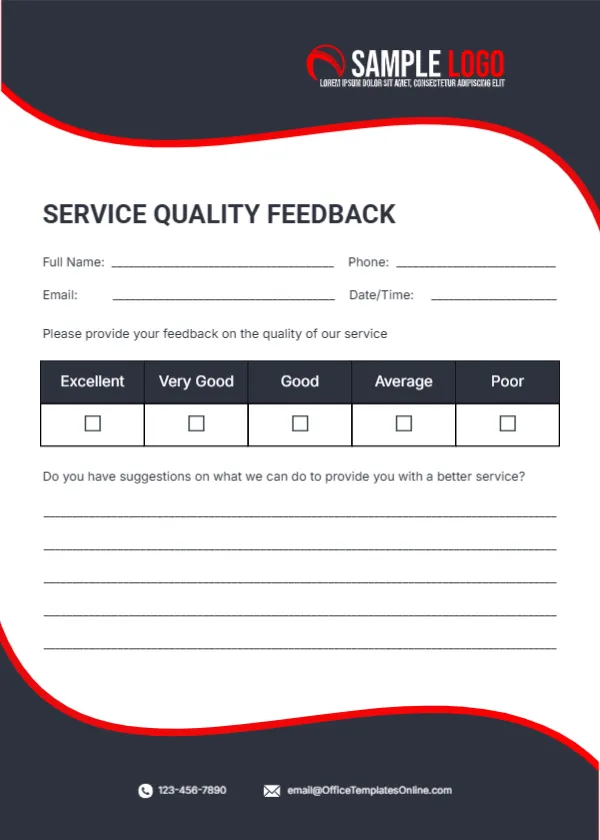
One Rating and Room for Suggestions on Service Quality
Charcoal waves edged with red curves frame a white panel, with a red and white SAMPLE LOGO at the top right. SERVICE QUALITY FEEDBACK sits in bold charcoal capitals, followed by lines for name, phone, email and date and time. A single row of tick boxes rates the service from Excellent to Poor, and five lines invite suggestions on how to provide a better service. A phone and email sit at the foot in white. It is a practical choice for any business that wants feedback without asking too much of customers.
Short and Focused
The card is 5 x 7 inches, portrait. One overall rating and a suggestions box make this the quickest card in the set to complete.
Contact Lines and Suggestions
The footer shows the template site’s email, so type your own contacts. The question Do you have suggestions on what we can do to provide you with a better service? invites useful, specific ideas.
Preparing the Service Card
- Swap the logo.
- Type your contacts.
- Print a stack.
- Hand out after service.
- Collect suggestions.
When One Rating Is Enough
A single overall rating suits quick services, such as repairs, deliveries or appointments, where customers will not want to rate many items. It also suits businesses that want a simple monthly score to track.
Learning From Suggestions
Five lines leave space for real ideas. Group similar suggestions and pick the most common one to act on each month. Even one specific suggestion a month can lead to a real improvement.
Printing Charcoal Waves
The dark waves print boldly. Use matte card for easy writing.
Optional Contact Details
Mark name and email as optional so customers who want to stay anonymous still respond. Many people will share more when they do not have to give their name.
Using It for Staff Reviews
Managers can use the card to collect feedback on individual staff members.
Digital Versions
Turn the questions into a short online form and print a QR code on the card.
Using the Service Quality Cards
Review suggestions monthly.
Step by Step Editing of the Service Quality Charcoal Red Design
- On the service quality charcoal red design, click the main headline and type your own words, keeping a similar length.
- Retype every name, date and contact line on the service quality charcoal red design, checking each against a trusted source.
- Search the service quality charcoal red design for the words Lorem and Company so that no placeholder remains.
- Click any logo or photo on the service quality charcoal red design, choose Replace Image and resize the new picture to fit.
- Zoom the service quality charcoal red design to full size and read each line aloud before you save it.
- Keep a clean master of the service quality charcoal red design without private details, so later versions start tidy.
For comparison, open the business feedback card. Consider the cab feedback card. Similar designs include the employee performance card. The rest of the series around the service quality charcoal red design is in feedback and comment card templates.