Virtual Assistant Services Proposal Template with Planner Cover
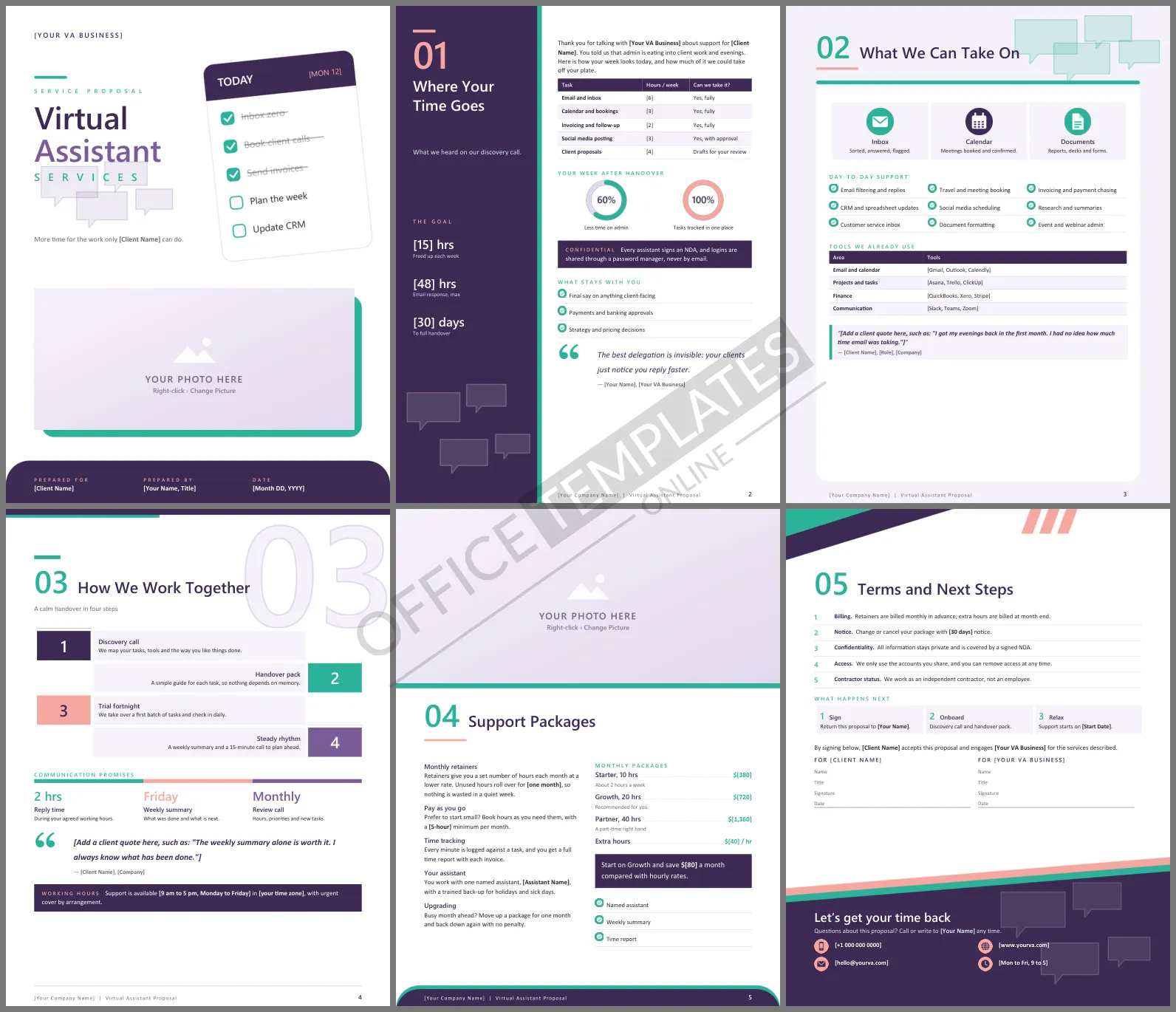
Busy business owners rarely hire a virtual assistant because they want one. They hire one because the inbox, calendar, and invoices have taken over their evenings. A proposal that shows exactly which hours you will hand back, and how safely you will handle their accounts, makes the decision easy. This Virtual Assistant Services Proposal Template does that across six calm, friendly Word pages.
A Quick Tour of the VA Proposal
The cover shows a tilted day planner headed Today with three tasks already ticked off and struck through, above a wide photo frame for your headshot or workspace. Where Your Time Goes uses a plum side panel for the goals, such as hours freed up each week and handover time, beside a table of tasks, weekly hours, and whether you can take them over. What We Can Take On sits on a white card with three large service tiles, a nine-item checklist of day-to-day support, and a table of tools you already use. How We Work Together lays out a four-step handover in zig-zag rows under a large outline 03. Support Packages reads like a magazine page with a dotted price list of monthly packages. The last page holds terms, signatures, and a contact panel.
Plum, Mint and Blush
Deep plum gives the template a polished, trustworthy feel, while mint green and a soft blush pink keep it warm and approachable. Small speech bubbles, a nod to communication, float in the side panels and footers. Headings use Segoe UI Semibold and the body text uses Calibri.
A Sample Time Audit
The timetable on the first inside page is the most persuasive part of the proposal. Fill it in during your discovery call, like this:
| Task | Hours per week now | Hours after handover |
| Email and inbox | 6 | 1 |
| Calendar and bookings | 3 | 0 |
| Invoicing and chasing payments | 2 | 0 |
| Social media posting | 3 | 0.5 |
Seeing fourteen hours become under two is what turns an enquiry into a signed retainer.
Earning Trust with Logins and Data
Clients are handing you their email, bank-adjacent tools, and customer records. Address that worry head-on. The template states that every assistant signs an NDA, that logins are shared through a password manager, and that access can be removed at any time. It also lists what always stays with the client, such as payment approvals and pricing decisions, which reassures cautious owners.
Choosing a Retainer Size
Most new clients underestimate how much they will hand over once they see the benefit. Recommend the middle package, as the template does, and allow a month-by-month upgrade so they can grow into it. Rolling over a small number of unused hours removes the fear of paying for time they do not use.
Personalizing It for Each Client
Swap every bold [placeholder] for the client's tasks, tools, hours, and your rates. The time audit, tools table, and price list all take extra rows. Click the cover photo or the wide image on the packages page and choose Change Picture to add a professional photo of yourself.
Questions VAs Ask About This Template
Can I use it as a solo freelancer?
Yes. Write I instead of we, and replace the back-up assistant line with your holiday cover arrangement.
Does it suit specialist VAs?
Yes. Rename the service tiles for bookkeeping, podcast, or e-commerce support and adjust the tools table.












