Navy and Orange Waves With a Round Photo Ring
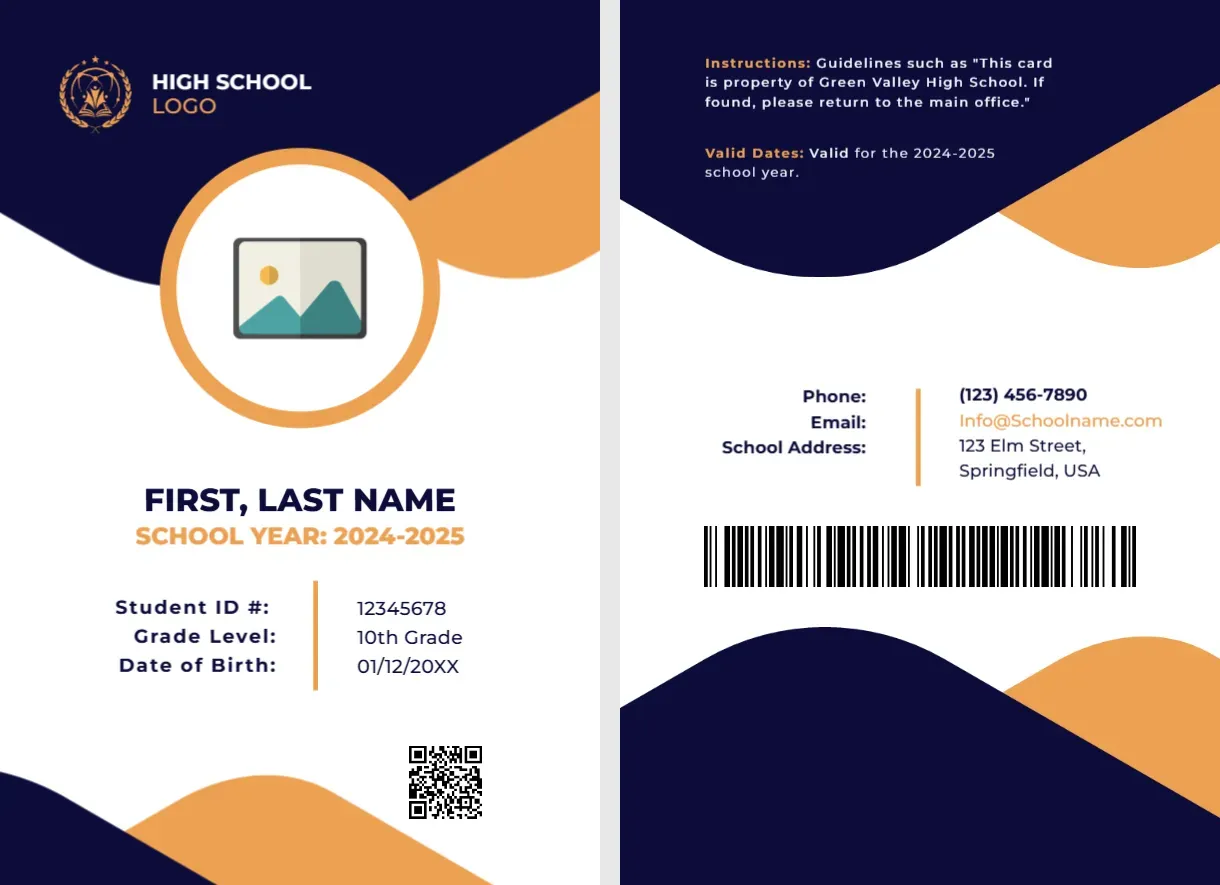
The front of this portrait card has a navy top with a gold crest, the words HIGH SCHOOL LOGO and a soft orange wave. A round photo placeholder with a thick orange ring overlaps the edge of the wave. FIRST, LAST NAME sits in navy with SCHOOL YEAR: 2024-2025 in orange, followed by Student ID #, Grade Level and Date of Birth lines and a QR code. The back has instructions, valid dates, contacts and a barcode.
A Teen Card With Two Faces
The card is 2.63 x 3.88 inches. The back carries instructions, valid dates and contacts, so a finder knows where to return a lost card.
Year, Fields and Back Contacts
Replace the sample school year, 2024-2025, with the current one, and fill the name, ID number, grade level and date of birth. On the back, replace Green Valley High School in the instruction line, the valid dates, and the Phone, Email and School Address block, which uses the Springfield sample.
Preparing the High School Card
- Update the school year.
- Insert the photo.
- Fill the three detail lines.
- Edit the back instructions.
- Check phone and address.
A School Year Printed on the Front
Showing the school year makes outdated cards easy to spot. At the start of each year, collect the old cards and issue new ones.
Navy and Orange for School Colours
Navy and orange are a common school colour pair. Recolour the waves in the editor if your school colours differ.
Date of Birth Considerations
The front shows a date of birth. Many schools prefer to omit it, since it is personal data, and use the student number instead. Follow your policy, and delete the line if needed.
A Back That Tells Finders What to Do
The instruction line says that if the card is found it should be returned to the main office. Add an office phone number so that a finder knows whom to call.
Valid Dates in Orange
The back states the card is valid for the school year. Keep the wording simple, and use the same dates for every student for easy checks.
Photo Day Planning
Take photos on a set day, against the same background. A plain wall makes the round crop neat, and it avoids retakes.
Printing Large Batches
For a whole school, use a card printer or an online card service. Provide a spreadsheet of names, numbers and photo file names to match each card.
Step by Step Editing of the High School Student Id Card Navy Orange School Year Design
- On the high school student id card navy orange school year design, click the main headline and type your own words, keeping a similar length.
- Retype every name, date and contact line on the high school student id card navy orange school year design, checking each against a trusted source.
- Search the high school student id card navy orange school year design for the words Lorem and Company so that no placeholder remains.
- Click any logo or photo on the high school student id card navy orange school year design, choose Replace Image and resize the new picture to fit.
- Zoom the high school student id card navy orange school year design to full size and read each line aloud before you save it.
- Keep a clean master of the high school student id card navy orange school year design without private details, so later versions start tidy.
You may also like the college student card. For comparison, open the dark diagonal student card. Consider the student council card. The rest of the series around the high school student id card navy orange school year design is in student ID card templates.