The trainee who is in the building but not on the payroll
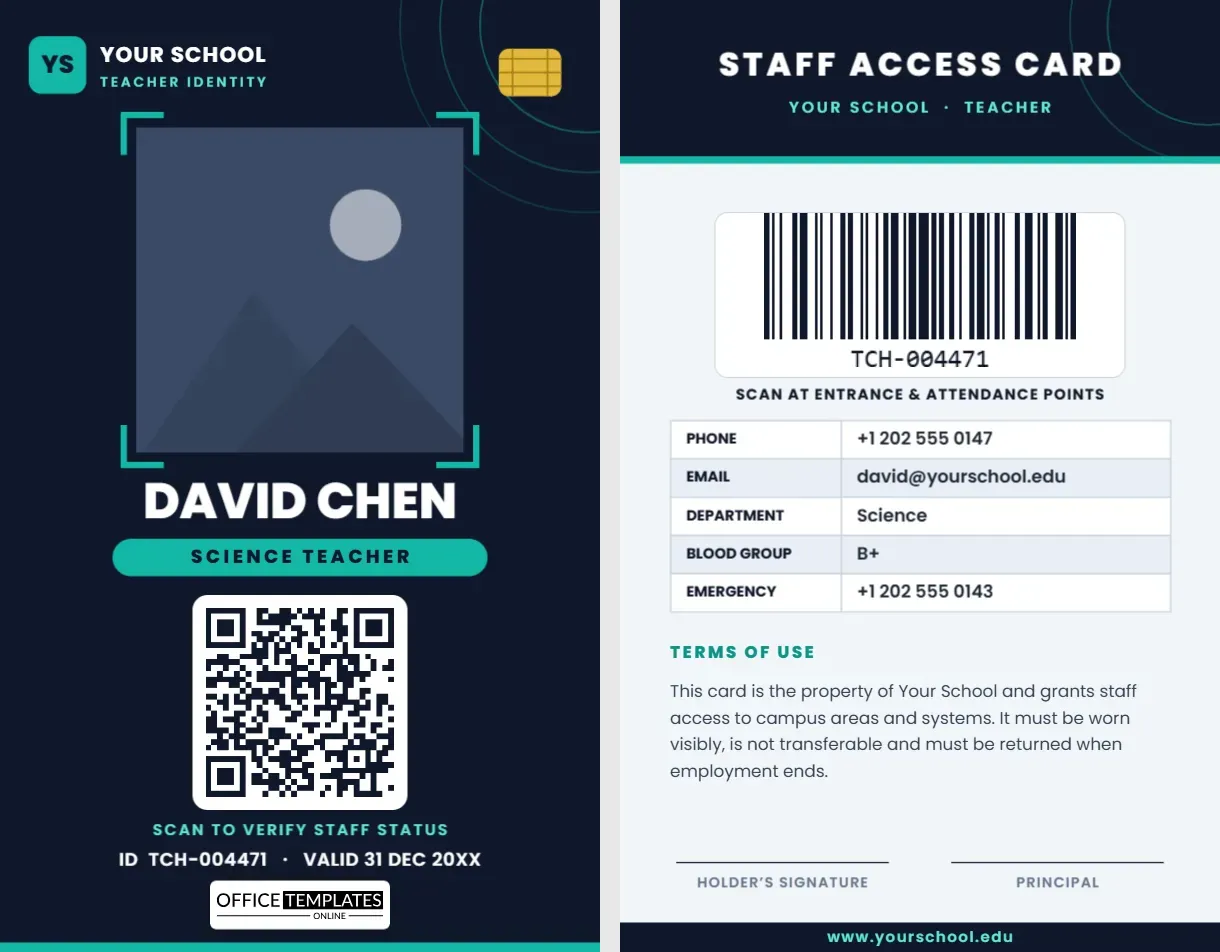
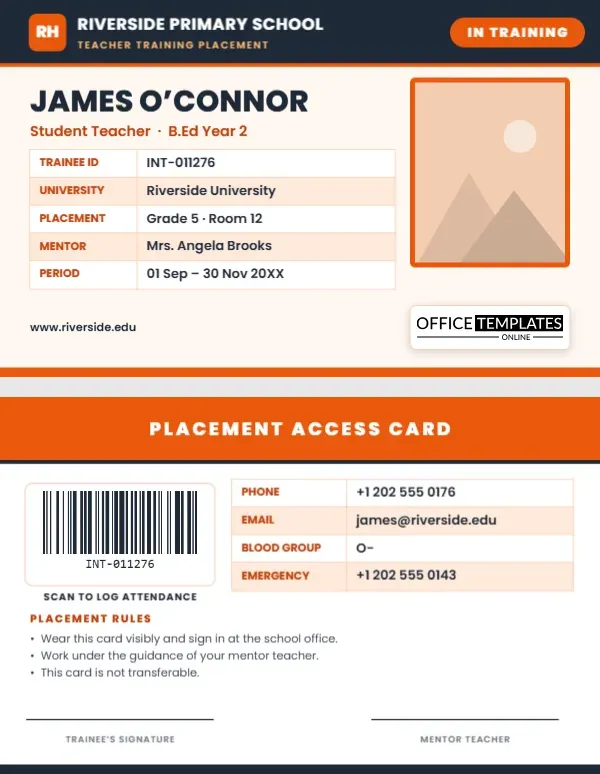
Every term, schools welcome a wave of student teachers: education students from a nearby university who spend weeks or months in a classroom under the wing of an experienced mentor. They teach lessons, mark books and join playground duty, but they are not on the staff list, and the school may see a new face every semester. A visible ID solves that problem. This student teacher and intern ID card template is a landscape card with the fields a school and a university both care about: the trainee’s ID, their institution, the placement class, the mentor teacher and the dates.
Why a placement needs its own card
- Colleagues and office staff can tell at once that the person is a trainee, not a full teacher or a visitor.
- Students know whom to approach for help and who is in charge of the class.
- The school has a record of who was on site and under whose supervision.
- The trainee gets a professional credential that makes them feel part of the team.
Reading the front of the card
The front is 3.375 x 2.125 inches, in orange and charcoal on a warm cream background. That palette is different from most school cards, which helps trainees stand out from permanent staff.
Charcoal header
The school name and the line “Teacher Training Placement” run across the top, with a small orange tile for the school’s initials and an “In Training” pill on the right.
Name and course
The trainee’s name is set in bold, with an orange line beneath it for the role and the course, for example “Student Teacher · B.Ed Year 2”.
The placement table
Five rows cover the essentials:
- Trainee ID for the school or university record.
- University that the trainee attends.
- Placement class and room.
- Mentor teacher who supervises the placement.
- Period for the start and end dates.
Since it is an editor table, you can add rows for a supervisor from the university, a subject specialism or a day of the week.
Photo and logo
A framed portrait sits at the right with an orange border. It is pattern-filled, so Replace Image crops your picture into the frame while the frame keeps its size. Below it, a small plate holds our logo as a template credit.
The back: access, rules and signatures
An orange header reads “Placement Access Card”. A barcode sits at the left with the caption “Scan to log attendance”, and a table on the right lists phone, email, blood group and emergency contact. A short “Placement Rules” list reminds the trainee to wear the card, sign in at the office, work under the mentor’s guidance and not to lend the card. Two signature lines, for the trainee and the mentor teacher, complete the layout.
Setting up your cards
- Change the school name and the tile letters.
- Replace the placeholder photo with the trainee’s portrait.
- Type the name, course and year.
- Fill in the table, taking care with the placement dates.
- Click the barcode on page 2 and set it to the trainee’s ID.
- Edit the rules to match your school’s policy, then download the file.
Other trainee roles you can produce
- Teaching intern and graduate trainee
- Practicum student or observer
- Pre-service teacher
- Student teacher on a teaching-school programme
- Work-experience student from a college
Change the pill and the course line and everything else works as it is.
Handling a whole cohort at once
A university may send five or ten trainees to the same school. Save one master copy with the school name, rules and colours, then duplicate it for each trainee and change only the photo, name, ID, class and mentor. Use the same placement dates for everyone in the group to keep the sheet consistent. When the placement ends, collect the cards and reuse the master for the next cohort.
Practical printing
Trainees only need cards for a few weeks, so paper is often enough. Print on heavy stock at 300 dpi, laminate the card and round the corners, then punch a slot on the short side or use a landscape card sleeve. If you use PVC for staff, consider printing trainee cards on a cheaper stock so you can tell them apart. The card fits any CR80 sleeve and most horizontal badge holders.
Placement questions
Should a trainee card look different from a staff card?
Yes, and this one does. The orange and charcoal colours and the “In Training” pill make trainees easy to recognise.
Can the card be used for a work-experience student?
It can. Replace “Student Teacher” with “Work Experience” and edit the table rows.
Do I need to include a barcode?
No. If you do not use scanners, delete it and use the space for extra contact rows.
Can the university logo go on the card?
Yes. Upload the logo as an image and place it near the trainee’s course line.
What to agree with the university before you print
A good placement starts with a clear agreement, and the card is easier to fill in when those details are settled. Ask the university for the trainee’s full name as it appears on their records, their student number, the start and end dates and the name of their visiting tutor. Confirm the mentor teacher and the class before the first day, so the table can be completed in advance. If the school runs a background check for every adult, add a line to the table or a small tick to show it has been done. Then print the cards in one batch on the day before the placement begins, so each trainee is greeted with a card ready to wear.
Keeping the card in good order
Ask trainees to return the card on their last day, along with any keys or resources. If a placement is extended, edit the period row and reprint rather than crossing out dates by hand. Keep a list of card numbers with the names and dates so you can trace any card that goes missing during the term.
Trainees are tomorrow’s teachers, and a clear card helps them feel welcome and safe. Open the template, enter the placement details and download a practicum badge in a few minutes.