A Portfolio Booklet Cover Led by One Strong Image
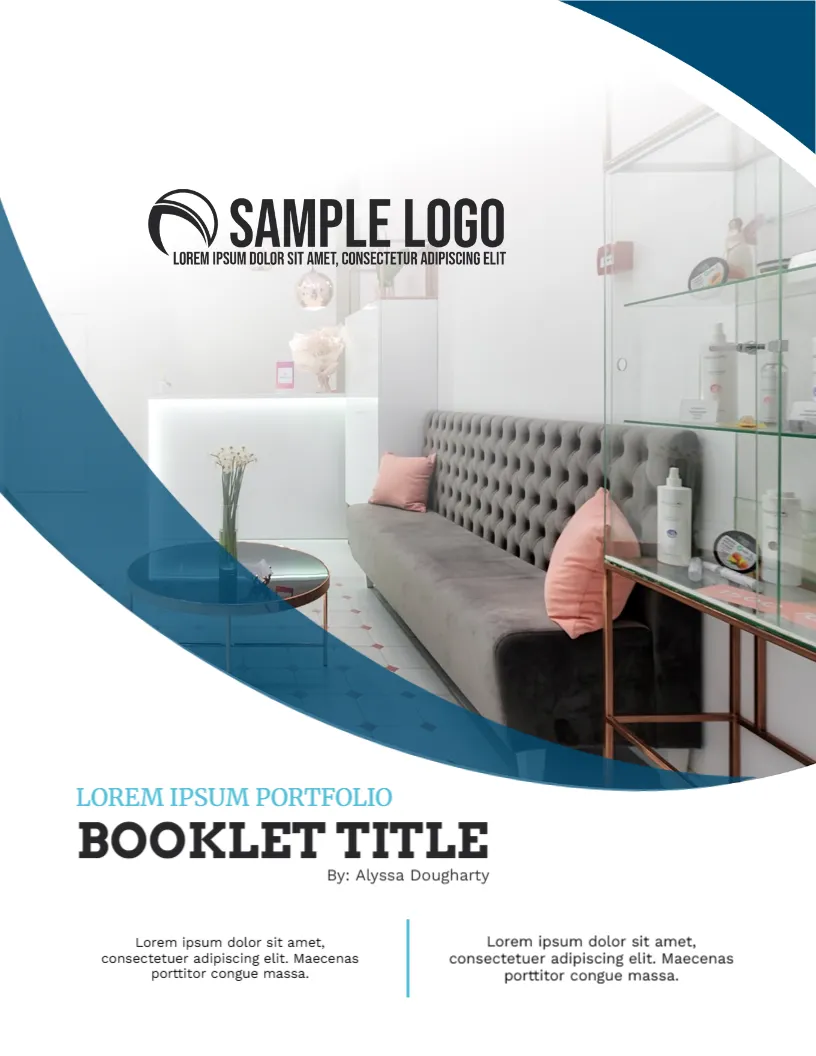
A company portfolio shows what you have built, designed or delivered, so the cover should lead with a single striking photograph. This design lets an interior photo fill most of the page inside a big blue curve, with the logo above it and a heavy serif title below. It suits architecture and design firms, hotels, retailers, studios and contractors.
The Blue Curve Frame
The page is 8.5 x 11 inches, portrait, one page. A deep blue arc sweeps from the upper right around the photo to the lower left, like a cropped circle. A soft white fade blends the photo into the page at the top. The arc is a graphic, and the photo is a picture that you can replace.
Choosing the Cover Photograph
The sample shows a reception area with a grey tufted sofa, pink cushions and glass shelves. Pick your best project photograph, with good light and no people who have not agreed to appear. A wide interior or building exterior works best, and the area at the top should be light enough for the logo to read.
Logo and Title Setting for the Portfolio Booklet Cover
The logo sits in the upper middle over the pale part of the photo. Below the curve, a teal serif line reads LOREM IPSUM PORTFOLIO, then BOOKLET TITLE in bold black slab serif capitals, then a small line By: Alyssa Dougharty. Replace them with your company name, the portfolio title and the author or studio name.
Two Caption Blocks at the Foot
At the bottom, two short centred paragraphs sit on either side of a thin teal line. Use the left one for a short description of the work in the booklet, and the right one for a contact line or a website. Keep each to two lines.
What Goes Inside a Company Portfolio
- A short introduction to the company and its approach.
- Six to twelve projects, each with a photo and a few facts.
- Client names or quotes, with permission.
- Services and capabilities in a simple list.
- Contact details and a call to action.
Editing Notes for the Portfolio Booklet Cover
Text boxes are editable. If your photo has a different shape, resize it and check that the curve still frames it. Keep the title to six words or fewer.
Printing the Booklet for the Portfolio Booklet Cover
Use 200 gsm silk for the cover with a matte laminate for a premium feel. For a digital portfolio, export a high quality PDF and keep it under ten megabytes so that it can be emailed.
Photo Quality for a Portfolio Cover
Cover photos should be at least 2000 pixels on the long side for a good print. Check focus, light and straight lines. Crop out cars, signs or people who did not agree to appear. If the project is for a client, ask whether you may publish it, since some contracts limit the use of photos.
Compare it with the business profile booklet cover. You may also like the business newsletter booklet cover. For comparison, open the architecture portfolio cover. The rest of the series around the portfolio booklet cover is in business and report cover pages.