A Newsletter Cover With Room for Real Photos
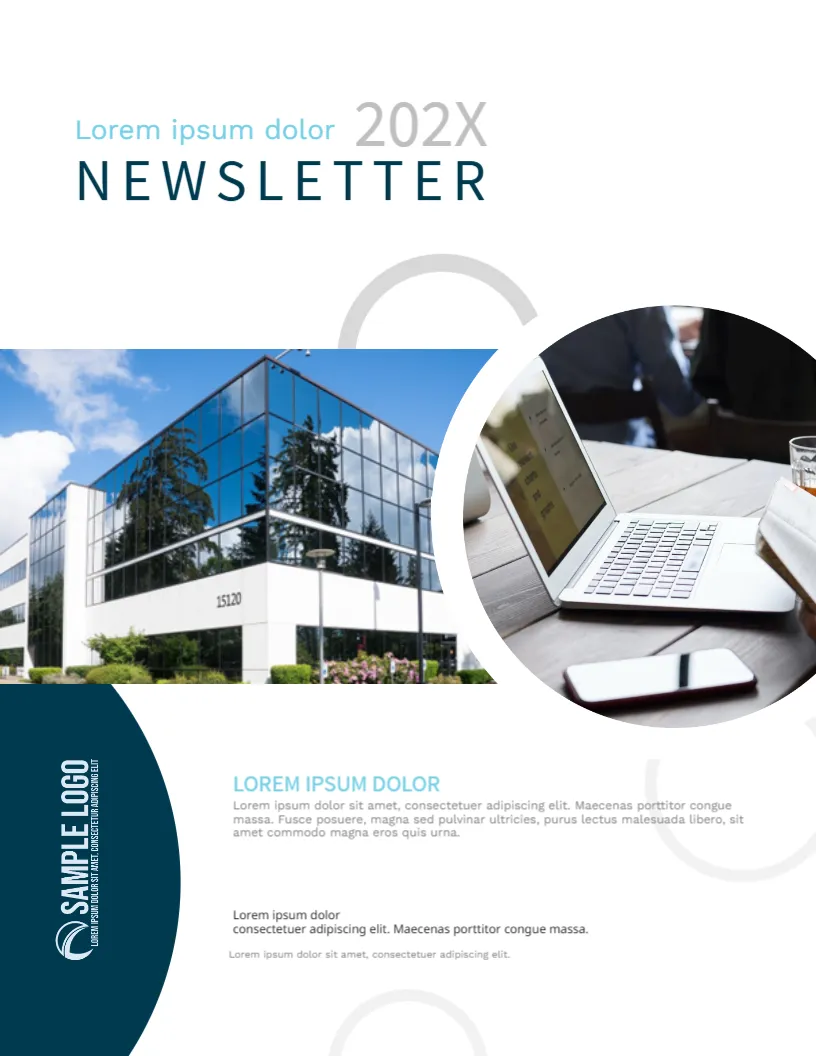
A company newsletter is read faster when the first page looks inviting. This booklet cover puts two large photos in the middle, one of an office building and one inside a circle showing a laptop, and keeps the title light and airy at the top. It suits corporate communications, internal staff bulletins, investor updates and client newsletters.
The Spaced NEWSLETTER Title
At the top left, a pale teal line reads Lorem ipsum dolor, next to a light grey 202X, and below them the word NEWSLETTER is set in dark teal capitals with wide letter spacing. Replace the first line with the name of the issue, such as Spring Edition, and set the year or issue number in the grey text. The wide spacing gives a calm, premium feel.
Two Photos and Light Rings
The page is 8.5 x 11 inches, portrait, one page. A wide photo of a glass office building runs from the left edge, and a round photo of a laptop and phone overlaps it at the right. Thin grey rings float behind. The photos are pictures that you can replace with your own premises, team or products. The rings are graphics.
The Navy Logo Tab
A navy half circle at the lower left holds a vertical SAMPLE LOGO. Replace the image with a white version of your logo. If your logo is wide, rotate it to match the vertical position, or delete it and type the company name.
Intro Text and Small Print
Next to the logo tab, a teal heading and a short paragraph introduce the issue, and a second small block gives a line for credits or an address. Use the heading for the lead story and write two sentences about it. Use the small block for the editor’s name or a web address.
Planning a Business Newsletter
- Choose one lead story that matters to readers.
- Add a short update from each team or department.
- Include dates and deadlines in a clear list.
- Close with a contact for feedback and ideas.
Editing Online for the Newsletter Booklet Cover
All text lines can be edited. For a recurring newsletter, save this cover as a master, change the issue line and the photos each time, and keep everything else the same, so that readers recognise the format.
Printing and Sharing for the Newsletter Booklet Cover
For a printed booklet, use 170 gsm for the cover and 100 gsm inside, with a staple spine. Most business newsletters are shared as PDFs, so check the photo quality at screen size.
Keeping a Newsletter on Schedule
A newsletter works when it arrives at the same time every issue. Decide the day, the length and the contributors, and keep a calendar. Save this cover as a master named with the issue number. When readers see the same layout each time they begin to expect it, and open rates tend to rise.
Also worth a look: company portfolio booklet cover. Next to try is the business profile booklet cover. Have a look at the annual report cover page. Find more designs next to the newsletter booklet cover in business and report cover pages.