An Annual Report Cover That Opens With a Dark Statement
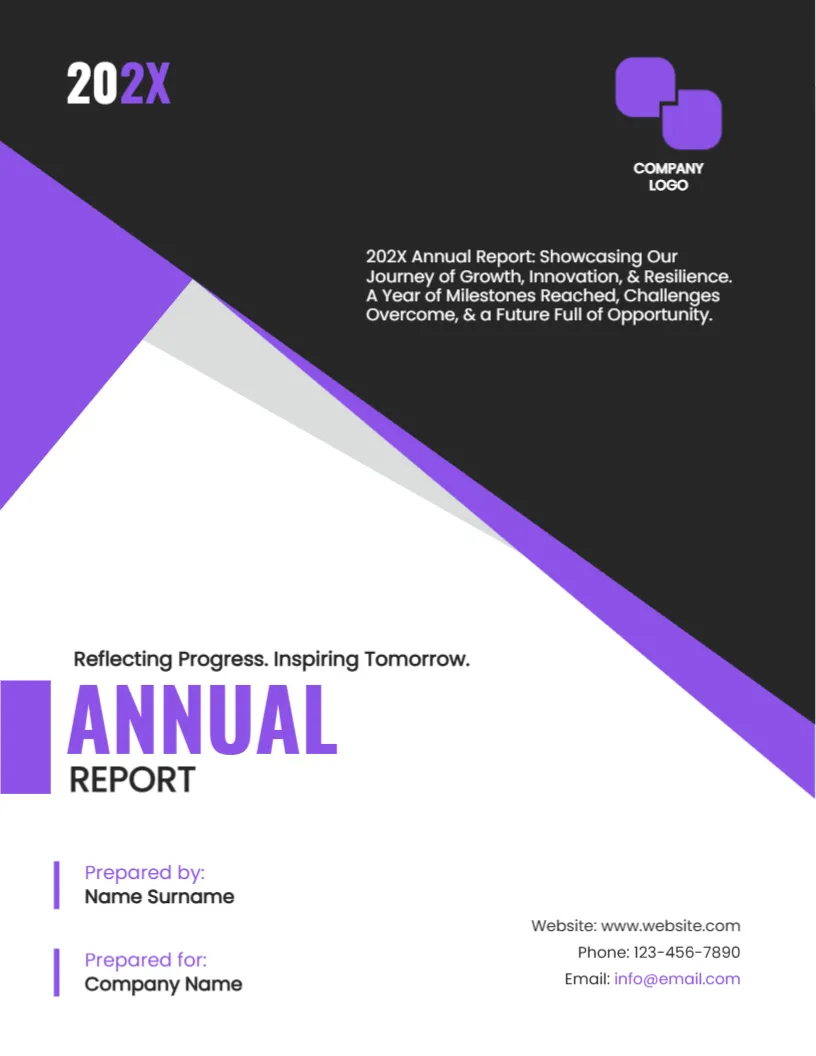
An annual report goes to shareholders, members, donors and staff, and the cover decides whether it is picked up or left in a pile. This design starts dark, with a charcoal top, a purple diagonal and a bright grey wedge, then opens into a white lower half with a large ANNUAL REPORT title. It suits companies, associations and nonprofits who want a modern and confident look.
Dark Top, Purple Angle, White Base
The page is 8.5 x 11 inches, portrait, one page. A charcoal area fills the upper part, cut by a purple diagonal that runs from the left edge to the right. A thin grey wedge softens the join. At the top left, the year 202X is set in white and purple. The angles and the wedge stay fixed as graphics.
Logo and Summary Sentence for the Purple Annual Report Cover
A purple double square mark with the words COMPANY LOGO sits at the top right. Replace it with your own logo, ideally a white or light version. Below it, a summary sentence reads 202X Annual Report: Showcasing Our Journey of Growth, Innovation and Resilience. Rewrite it with real themes of the year, in under thirty words.
The Tagline and the ANNUAL REPORT Title
The line Reflecting Progress. Inspiring Tomorrow. is placeholder tagline text. Replace it with your own slogan or the theme of the year, or delete it. ANNUAL is set in bold purple with a vertical bar, and REPORT in black below it. Change the year in two places: the top left and the summary sentence.
Prepared by, Prepared for and Contacts
Two purple marked lines give Prepared by: Name Surname and Prepared for: Company Name. On the right, three lines list Website, Phone and Email. For an annual report, the prepared by line might name the finance team or the board, and the prepared for line the shareholders or members.
A Checklist for Annual Report Basics
- Letter from the chair or director.
- Highlights of the year in numbers and short stories.
- Financial statements, audited where required.
- Governance: board, committees and policies.
- Plans for the next year.
Editing for the Purple Annual Report Cover
All text lines edit freely. Keep the logo version light on the dark background. If you have a brand colour other than purple, choose another cover design instead of recolouring this one, since the shapes are fixed.
Printing and Digital Release for the Purple Annual Report Cover
A dark cover prints best at a print shop on 250 gsm with a matte laminate. For a digital release, export a PDF and add bookmarks for the main sections.
Writing the Tagline for the Year
A tagline for an annual report should sum up the year in a few words. Think about what changed: a new market, a milestone, a hard lesson. Compare Reflecting Progress with Twelve New Branches, Zero Lost Days. The second is more specific and more memorable. Check that the claim is true and can be shown inside the report.
A related layout is the annual report cover page. Also worth a look: financial report cover. Take a look at the business profile booklet cover. Find more designs next to the purple annual report cover in business and report cover pages.