One Cover for Almost Any Kind of Project
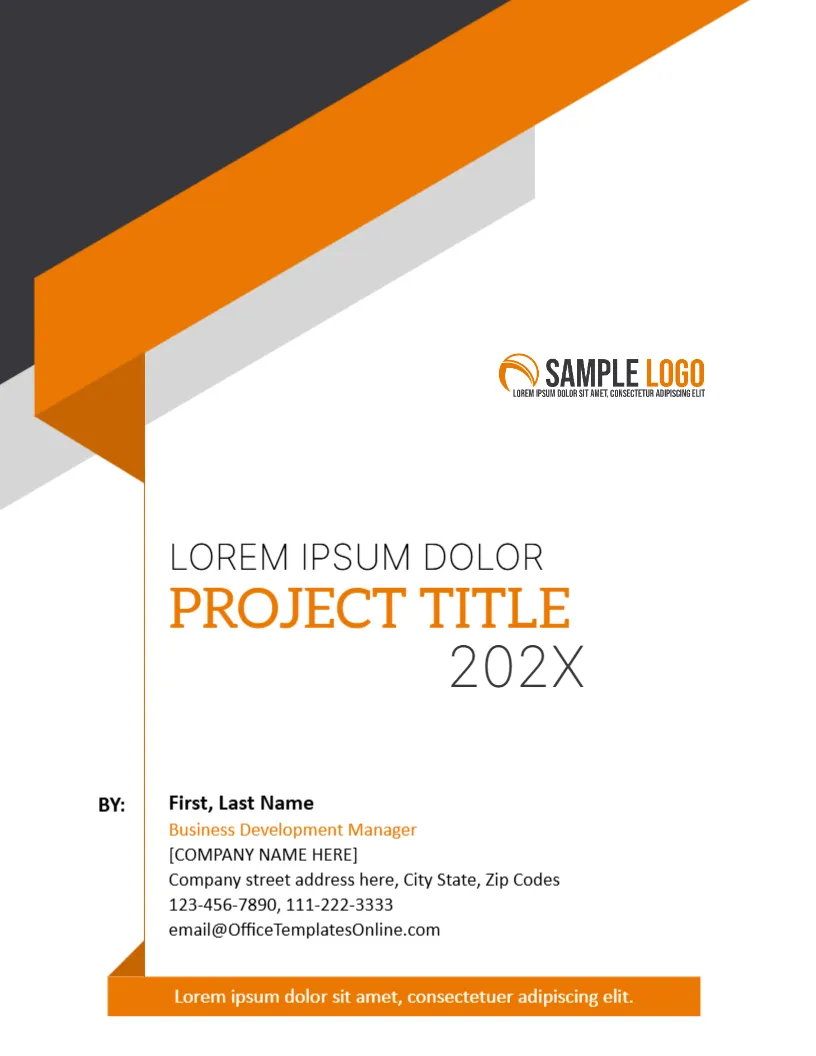
Not every project fits a named category such as a construction bid or a marketing plan. Sometimes you simply need a good cover for a report, a plan or a file. This design is neutral about the subject: a folded orange and charcoal ribbon runs across the top, a thin orange line stands beside the text, and the title area is wide and simple. It suits office, school and community projects.
The Folded Ribbon at the Top
The page is 8.5 x 11 inches, portrait, one page. A charcoal band and an orange ribbon cross the upper left and fold back as if the page corner were turned. Light grey shadows add depth. The ribbon is a graphic and stays fixed. Orange against dark grey feels energetic and businesslike.
Title, Subtitle and Year
The title block reads LOREM IPSUM DOLOR in a light grey line, PROJECT TITLE in bold orange serif capitals, and 202X in a large light number. Replace the first line with a subtitle or the name of the programme. Type your real project title in the orange line. Enter the year in the last line.
The By Block
At the bottom left, the label BY: leads to a name, a job title in orange (sample: Business Development Manager), a company placeholder in square brackets, an address, two phone numbers and an email. Replace all of them. If the project belongs to a team, use the team lead’s name and add the team at the end.
The Orange Footer Strip
An orange strip at the foot carries a line of white placeholder text. Use it for a motto, a confidentiality note such as Confidential, for internal use, or a project code. Keep it to one line.
When the Generic Cover Is the Right Pick
- Handover files and project binders.
- Community and nonprofit project reports.
- Internal plans that do not need a client name.
- Course projects where the teacher asks for a neat cover.
Logo Placement for the Ribbon Project Cover
A SAMPLE LOGO sits at the right, above the title. Replace it using Replace Image. A logo with a transparent background looks best against the white page.
Editing and Printing for the Ribbon Project Cover
Text boxes edit freely. Print on 120 gsm paper for a file copy, or on 200 gsm card for a binder cover. The ribbon prints fully to the edge on a shop machine, so ask for full bleed.
Combining Covers in One Document Set
If you produce several documents for the same project, such as a plan, a budget and a report, use the same cover for all and change only the title line. A consistent set is easier to file and looks more professional.
Project Names That Read Well on a Cover
A good cover title is specific and short. Compare Community Hall Roof Repair with Project 3. Include the place, the subject or the year when it helps a stranger understand the file. If the title is long, move the extra words into the small grey line above, so the orange line stays punchy.
Next to try is the business project cover page. Have a look at the final project cover page. Another option is the educational project cover. Find more designs next to the ribbon project cover in business and report cover pages.