A Cover for Manuals, Guides and Company Documents
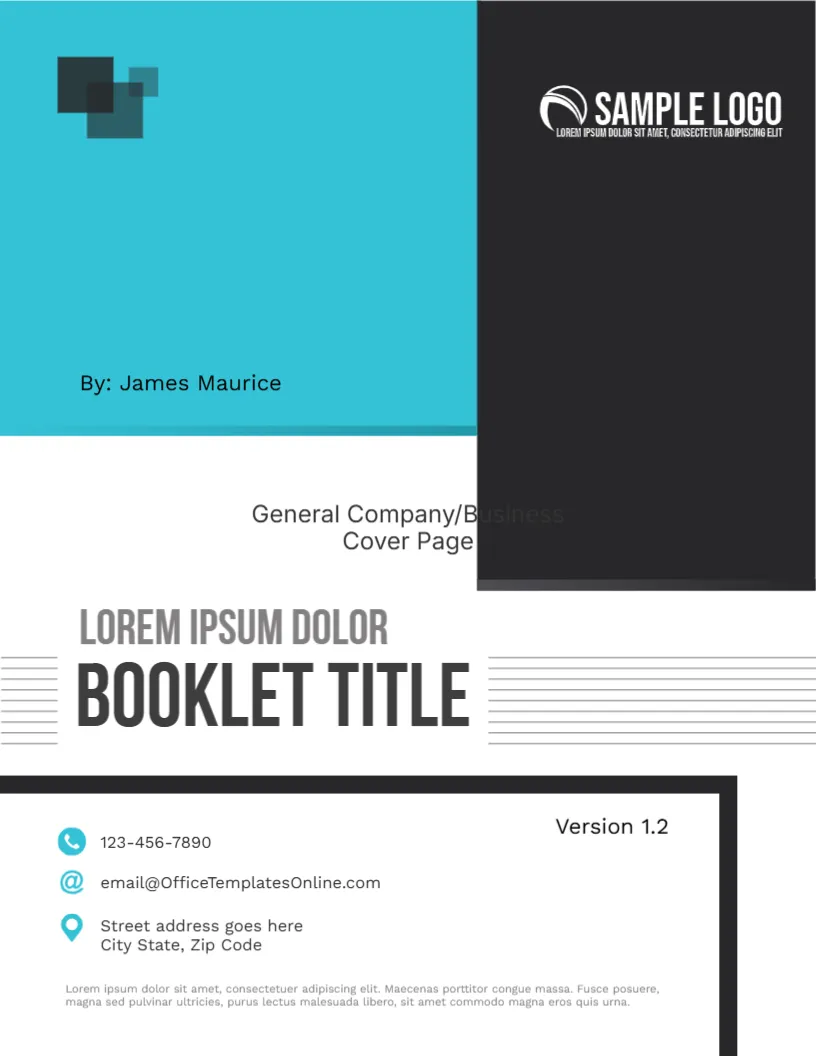
Many companies produce documents that are not proposals or reports: product manuals, staff handbooks, policy guides, price books and process documents. They need a cover that identifies the document, the version and the owner. This general design does it with a teal block, a dark logo panel, a bold booklet title and a boxed contact area with a version number.
Teal Block and Charcoal Panel
The page is 8.5 x 11 inches, portrait, one page. A wide teal block covers the upper left, with two overlapping dark squares at the corner and the line By: James Maurice near its foot. A tall charcoal panel on the right holds the logo in white. The strong contrast puts the identity of the company at the top.
A Template Label to Delete
Below the teal block, the text General Company/Business Cover Page appears in grey, partly hidden by the charcoal panel. It is the name of the template, not a real part of the design. Delete it before you use the cover, or replace it with something useful, such as a department name.
The BOOKLET TITLE Between Lines
A line reads LOREM IPSUM DOLOR above the words BOOKLET TITLE in heavy charcoal capitals, flanked by thin horizontal lines. Use the small line for the document family, for example Employee Handbook, and the large line for the edition or topic. Keep it short so it sits between the lines.
The Contact Box With Version 1.2
At the bottom, a box with a thick black border holds the version, Version 1.2, and three lines with teal icons: a phone, an at sign and a map pin. Below is a small paragraph of placeholder text. Update the version every time you issue a new edition, which helps readers know that they hold the current copy.
Document Control Tips
- Show the version and the date of the last change.
- Name an owner who answers questions.
- Keep a change log on page two.
- Replace the paragraph with a one line purpose of the document.
Editing for the Company Manual Cover
All text lines can be edited. The logo is a picture, so use Replace Image. The squares and the blocks are graphics.
Printing and Binding for the Company Manual Cover
For a printed manual, use 200 gsm paper and a comb or spiral binding. For a digital handbook, export a PDF with bookmarks.
Naming and Filing Company Documents
Name each file with the document, the version and the date, for example Staff Handbook v1.2 2026. Keep one master folder and move old versions into an archive folder. The cover then matches the file name, and nobody has to guess which copy is current.
Using One Cover for a Whole Document Family
If you publish several manuals, keep this cover for all of them and change only the booklet title and the version. Staff then learn to recognise official company documents at a glance, and new files look consistent even when written by different departments.
Have a look at the business profile booklet cover. Another option is the company portfolio booklet cover. A related layout is the formal and informal report cover. Looking beyond the company manual cover? See all business and report cover pages.