UX Designer Resume Template with Wireframe Canvas Header
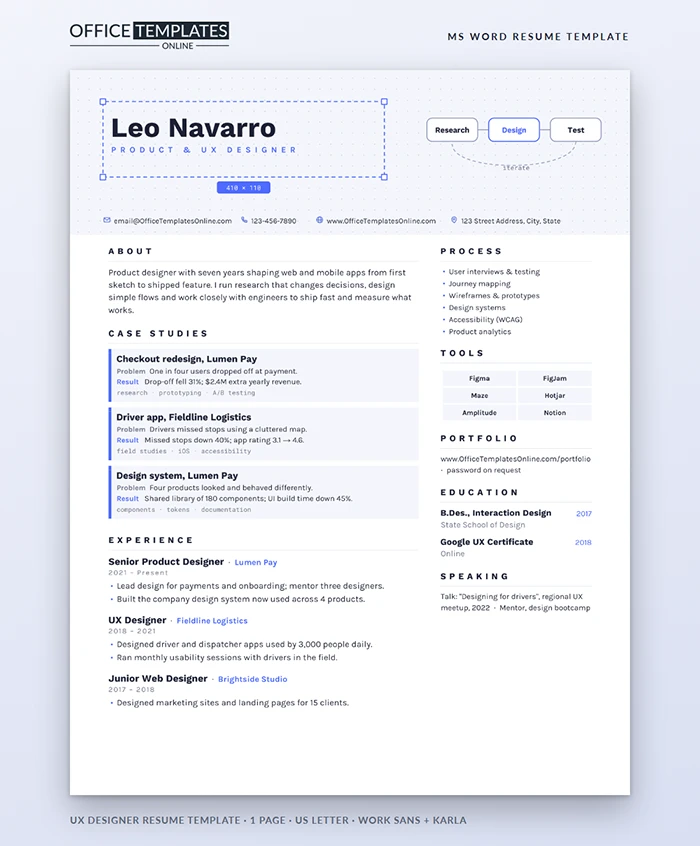
Product teams hire designers who think in systems and communicate clearly. A UX designer's resume is a small design problem in itself: who is the user, what do they need to find, and how fast can they find it? This template answers those questions with a layout taken straight from a design tool, and case study cards that show your thinking as well as your results.
A Canvas, Not a Header
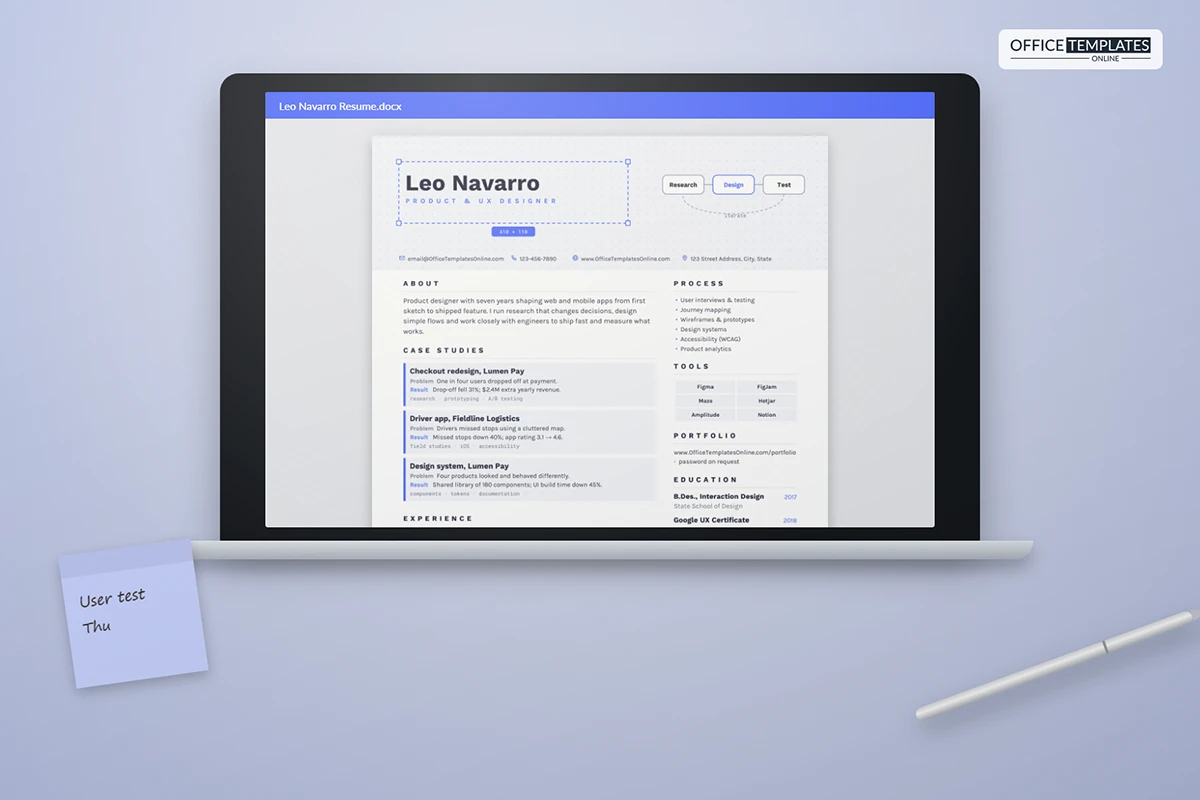
The top of the page looks like a design canvas: a light grey panel covered in a fine dot grid. Your name sits inside a dashed blue selection box with square handles at each corner and a small blue label showing its size, exactly as if you had just selected it in your design tool. To the right, a mini user flow shows three rounded boxes, Research, Design, and Test, joined by arrows, with a dashed loop labelled iterate curving back. Your contact details sit in a row beneath the canvas.
Case Study Cards
The most important part of the page is the case studies section. Each card has a blue left edge, a project title, a Problem line, a Result line, and a row of small monospace tags for methods used, such as research, prototyping, or A/B testing. Three cards fit comfortably above your experience. They work as a teaser for your portfolio: the reader sees the outcome here and clicks through for the full story.
Writing a Strong Case Study in Two Lines
| Part | What to write | Example |
| Problem | The user or business pain, in plain words | One in four users dropped off at payment |
| Result | The measurable change after launch | Drop-off fell 31%; $2.4M extra yearly revenue |
| Tags | Three methods or platforms | research · prototyping · A/B testing |
Process and Tools
The side column lists your process skills, from user interviews to accessibility and analytics, followed by tool chips such as Figma, FigJam, Maze, and Amplitude. Hiring managers look for evidence that you research before you design and measure after you ship, so make sure both ends of the process appear. Your portfolio link, education, and speaking or mentoring round off the column.
Portfolio Tips That Match the Resume
- Use the same three projects in your portfolio as on your case study cards.
- Lead each portfolio case with the problem and result, then show the process.
- Keep password-protected work easy to unlock; put the password in your email.
- Show at least one project with real research and one with measurable impact.
Switching Into UX
Coming from graphic design, research, development, or customer support? Your background is an advantage. Use a case study card for a project from your current job where you improved an experience, even if your title was different. A bootcamp or certificate belongs in education, and a short Junior Web Designer style role shows practical design experience.
Editing the Canvas in Word
- The dot grid, selection box, handles, size label, and user flow are shapes in the page header. Double-click near the top of the page to edit the flow labels or recolor the blue accent.
- Each case study card is a one-cell table; copy a card to add another.
- Tool chips are table cells, so you can type over or add them freely.
Typefaces and Format
Work Sans and Karla are free from Google Fonts, and the tags use Roboto Mono, also free. The resume fits one US Letter page. Send a PDF with a working portfolio link, and test the link on a phone first, because many recruiters open it there. Refresh your case study cards whenever a new project ships with measurable results.












