Software Development Proposal Template for Word with Code Cover
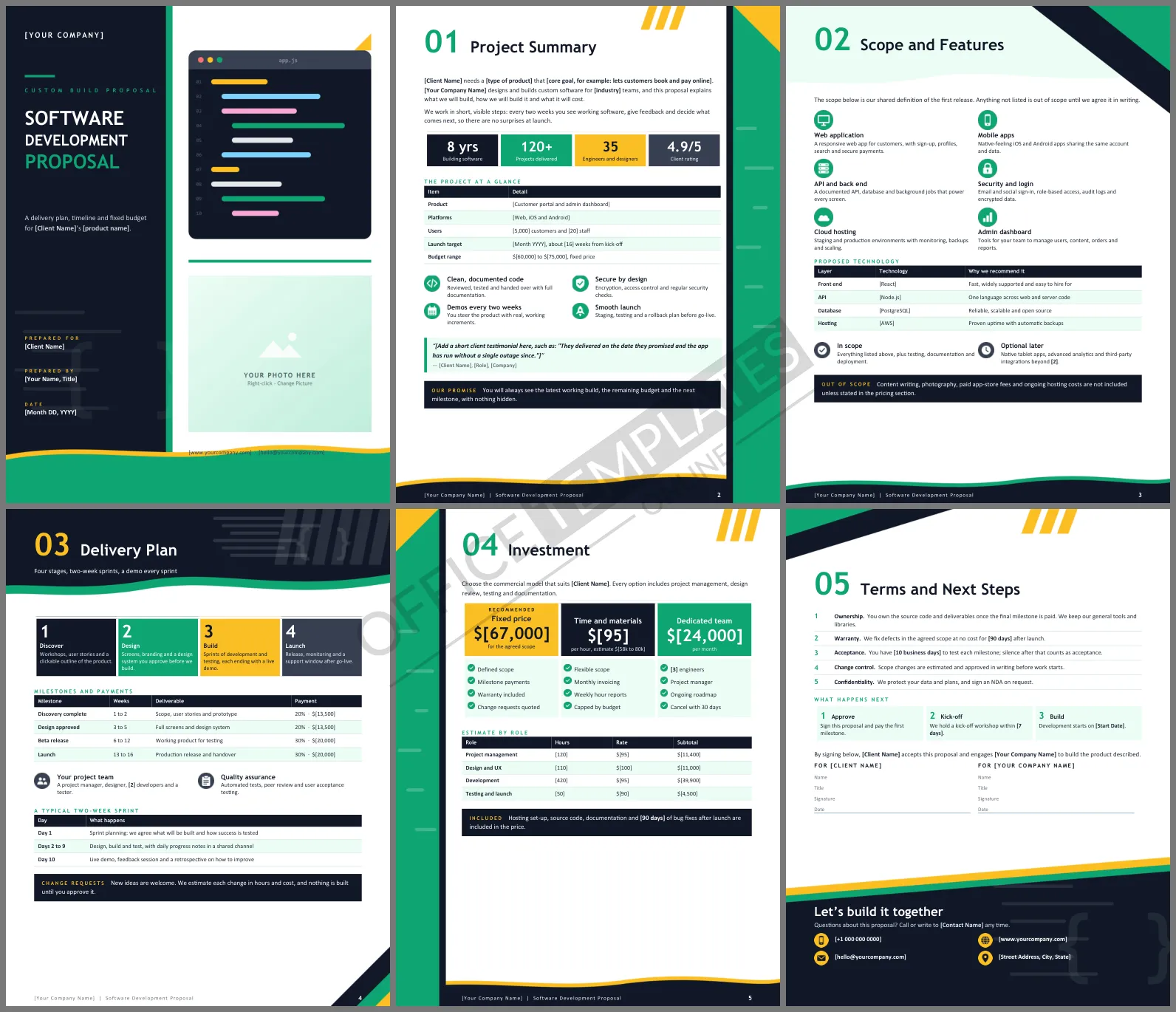
In software, scope is the proposal. When a document is vague about what will be built, the project argues about it for months. This Software Development Proposal Template gives you six designed Word pages that pin down the product, the stages, the milestones, and the price, so a client can say yes with clear eyes and you can build without surprises.
What the Six Pages Contain
The cover pairs a dark title column with an illustration of a code editor and a photo frame. Project Summary introduces the product, with a table covering platforms, users, launch target, and budget range. Scope and Features lists six modules, from web app to admin dashboard, with a proposed technology table. Delivery Plan shows four stages, a milestone and payment table, and a typical two-week sprint. Investment compares three commercial models and estimates hours by role. Terms and Next Steps covers ownership, warranty, and acceptance.
A Cover Built Around a Code Window
The left third of the cover is near-black, holding the title in white with the last word in emerald. On the right, a rounded editor window with three colored dots and color-coded lines of code sits above a photo frame. Emerald and amber highlight the rest of the document, and wavy header and footer edges lighten the technical feel. Headings use Trebuchet MS, which is installed with Microsoft Office.
Pick the Right Commercial Model
The pricing page offers fixed price, time and materials, and a dedicated team. Each fits different clients:
| Model | Best when | Main risk |
| Fixed price | Scope is clear and stable | Change requests slow the project |
| Time and materials | Scope will evolve as you learn | Budget can drift without a cap |
| Dedicated team | Work is ongoing for many months | Needs a steady backlog to stay efficient |
Recommend one, and mark it with the yellow badge, so the client does not have to guess.
Milestones That Protect Both Sides
Tie each payment to something the client can see and test: a prototype, approved designs, a beta, a launch. The milestone table on the delivery plan page shows weeks, deliverable, and payment share together. Write acceptance criteria in plain words and agree on a review window, so a milestone cannot stay open forever.
Estimating Without Guessing
Clients accept a price more readily when they can see how it was built. The investment page includes a table that breaks the project into hours by role, each with a rate and a subtotal. Estimate in ranges first, add a buffer for testing and rework, and be willing to explain every line. If a feature is uncertain, say so, and price a short discovery phase instead of padding the whole budget with fear.
Working in Word
All bold [bracketed] items are placeholders for your project details. Edit the technology table to match your stack, and add or delete module tiles to fit the scope. The photo frame on the cover can be changed with Change Picture; a product mock-up or team photo works well. The code window on the cover is part of the page artwork and stays fixed while you edit.
Developer FAQs
Can I use it for a mobile app only?
Yes. Remove the web application tile, rename the platforms row, and adjust the sprint plan.
Where do I describe a discovery phase?
The first step on the delivery plan page is Discover, with a matching row in the milestone table.












