Operations Scaling Readiness Checklist Template
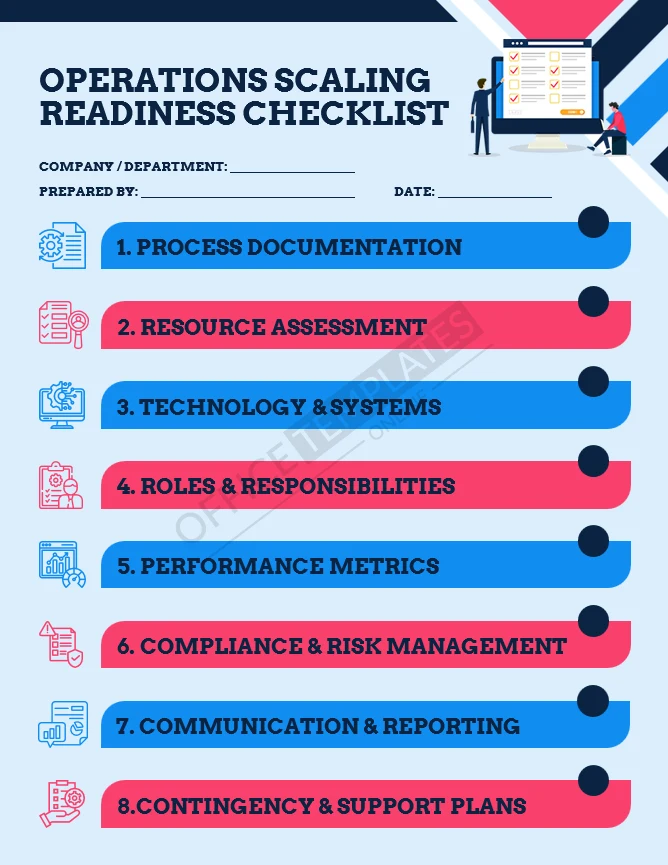
The Operations Scaling Readiness Checklist is designed to help businesses assess whether their operations are prepared to scale. It provides a structured way to review processes, resources, systems, roles, performance controls, and risk readiness before growth creates strain.
Rather than focusing on strategy alone, this checklist looks at the operational foundations that need to be in place for sustainable scaling.
What This Template Helps You Do
Evaluate whether core operations are ready to scale
Identify gaps that could cause breakdowns during growth
AdvertisementReview process documentation, systems, and controls
Align resources and responsibilities before expansion
Reduce operational risk during scaling initiatives
Who This Template Is For
Business owners planning growth
Operations and general managers
Founders preparing for hiring, expansion, or investment
Teams moving from informal to structured operations
What’s Included in the Template
The checklist is organized into clear operational readiness areas:
Process documentation and standardization
Resource and capacity assessment
Technology and systems readiness
Roles, responsibilities, and ownership clarity
Performance metrics and reporting
Compliance and risk management
Communication and reporting structure
Contingency and support planning
Each section prompts practical review questions rather than abstract theory.
How to Use This Template
Use this checklist during planning sessions, leadership reviews, or pre-scaling assessments. Mark areas that are complete, partially ready, or missing, and use the results to prioritize operational improvements.
Many teams revisit this checklist periodically as the business grows.
When This Checklist Is Most Useful
Before hiring rapidly
Before expanding into new markets
Before increasing service or delivery volume
Before external audits, funding, or partnerships
When operations start feeling strained or reactive
Fonts Included
The download includes:
The editable Microsoft Word (.DOCX) file
A Fonts folder containing the fonts used in the checklist design
Installing the fonts ensures the document looks exactly like the preview screenshot.
How to Install the Fonts
Download and unzip the file
Open the Fonts folder
Double-click each font file and click Install
Reopen the Word document if it was already open












