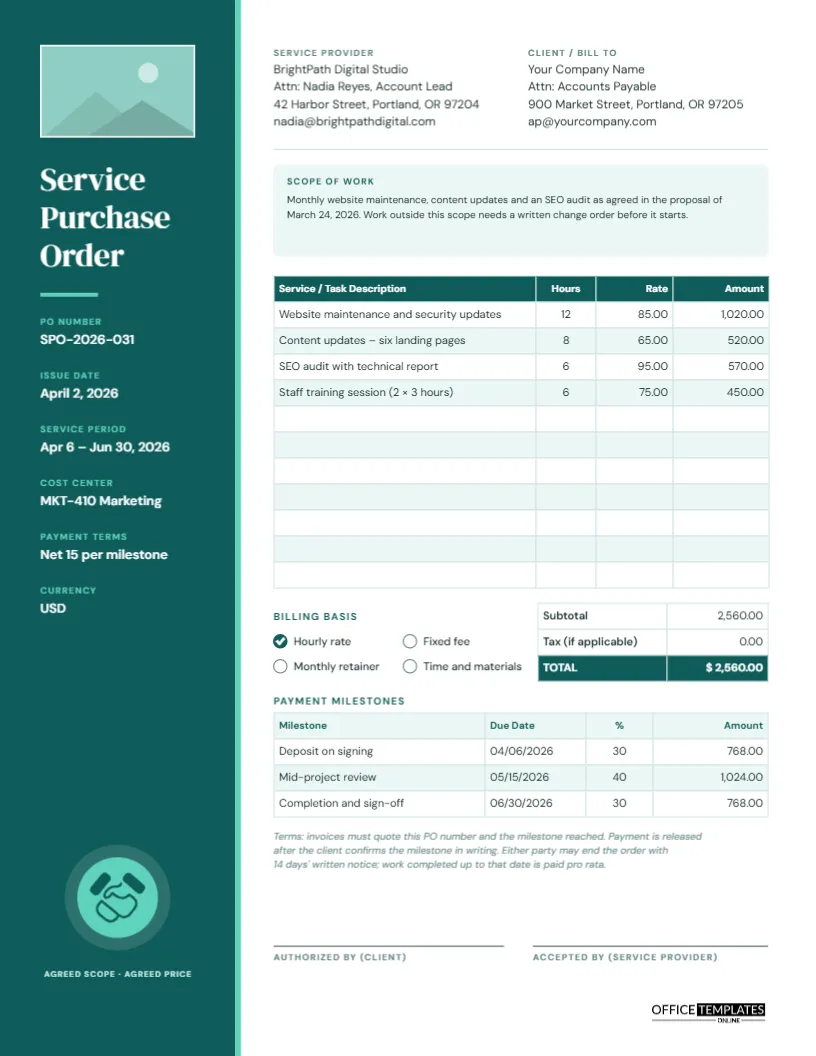
Buying a service is different from buying a box of paper. You cannot count what arrives on a pallet; you are paying for time, skill, and results, often spread over weeks or months. That makes the paperwork more important, not less. A service purchase order records what work has been agreed, how it will be charged, and when payments fall due, so both sides can point to the same page if expectations drift. This Service Purchase Order Template is designed for exactly that job.
Who Raises a Service PO?
Service purchase orders are common wherever outside specialists do work for a business: marketing and web agencies, IT support providers, consultants, trainers, cleaners on a fixed contract, accountants brought in for a project, freelance designers and writers, and trades such as electricians or landscapers on commercial sites. Many larger organisations will not pay any supplier invoice unless it quotes a PO number, so freelancers and agencies often ask their clients for one before they start. If you are the client, this template lets you issue that PO quickly and professionally.
The Layout: A Teal Column of Key Facts
The template is US Letter portrait, 8.5 x 11 inches. A deep teal column fills the left-hand side of the page, edged with a thin mint line. At the top of the column is a rectangular placeholder for your company logo. Below it, Service Purchase Order Template is stacked over three lines in the elegant DM Serif Display typeface, followed by the facts a supplier looks for first: PO Number, Issue Date, Service Period, Cost Center, Payment Terms, and Currency. At the foot of the column, a handshake icon sits in a mint circle above the words Agreed scope · agreed price.
The white main area on the right, set in DM Sans, holds:
- Service Provider and Client/Bill To details.
- A tinted Scope of Work box for a short description of the job.
- An 11-row table for Service/Task Description, Hours, Rate, and Amount.
- A totals table (Subtotal, Tax if applicable, TOTAL) beside a Billing Basis checklist: Hourly rate, Fixed fee, Monthly retainer, Time and materials.
- A Payment Milestones table with Milestone, Due Date, % and Amount.
- A short terms note, and signature lines for the client and the service provider.
Writing a Scope of Work That Prevents Arguments
Most service disputes come from a scope that was never written down clearly. The Scope of Work box has room for two or three sentences, which is enough if you reference a fuller proposal. Good scope statements answer four questions: what will be done, what will be delivered, by when, and what is not included. Here are examples you can adapt:
Web maintenance: Monthly security updates, backups and up to eight hours of content changes for www.example.com, April to June 2026, as described in proposal P-114. New page designs are quoted separately.
Training: Two half-day Excel workshops for up to twelve staff at our office, including course notes and a recorded session. Travel is included.
Consulting: Review of warehouse layout and a written report with recommendations, delivered within 20 working days of the site visit.
Always end with a line about changes, as the sample does: work outside the scope needs a written change order before it starts.
Hours × Rate, and the Milestone Maths
The sample order covers four tasks for a web studio: maintenance (12 hours at 85.00), content updates (8 hours at 65.00), an SEO audit (6 hours at 95.00), and staff training (6 hours at 75.00). Each line is hours multiplied by rate, giving a subtotal of 2,560.00. No tax is charged in the sample because many services are not taxable, but rules vary, so check yours and fill in the Tax row if needed.
The payment milestones split that total into three stages. Here is how the figures are worked out, so you can do the same with your own numbers:
| Milestone | Share | Calculation | Amount |
|---|---|---|---|
| Deposit on signing | 30% | 2,560.00 × 0.30 | 768.00 |
| Mid-project review | 40% | 2,560.00 × 0.40 | 1,024.00 |
| Completion and sign-off | 30% | 2,560.00 × 0.30 | 768.00 |
| Total | 100% | 2,560.00 |
Check that your percentages add up to 100 and your amounts add up to the PO total. The editor’s tables hold typed text rather than formulas, so the arithmetic is yours to do before you type the figures in.
Choosing the Billing Basis
Tick the box that matches your agreement, because it changes how the supplier should invoice:
- Hourly rate: the supplier bills actual hours up to the amount on the PO. Consider adding not-to-exceed wording in the scope.
- Fixed fee: one agreed price for the whole job, however long it takes. Milestones work especially well here.
- Monthly retainer: a set amount each month for an agreed level of service; the Service Period shows how many months the PO covers.
- Time and materials: hours plus the cost of materials, often with a markup. List materials as separate lines in the table.
To tick a different box, select the teal-filled box and its check mark and move them, or recolour boxes so the chosen one is filled and the others are white.
Editing the Template
- Click the logo rectangle at the top of the teal column and use Replace Image to insert your logo.
- Click each sidebar fact to edit it: PO number, dates, service period, cost center, terms, and currency.
- Replace the provider and client details and rewrite the scope.
- Double-click the task table to open Edit Table Data. Type your tasks, hours, rates, and amounts; add rows with the + Row button if needed.
- Update the totals and milestones, and adjust the terms note to match your agreement.
- The handshake is an editable vector: select it to recolour it from its colour swatch, or delete it if you prefer a plain column.
Sending It to Your Supplier
Download a PDF and email it with a short note asking the supplier to sign the Accepted by line and return a copy. That signature confirms they agree to the scope, price, and milestones before work begins. Ask them to quote the PO number and the milestone reached on every invoice, as the terms say, so accounts can match payments quickly. If you prefer paper, print on US Letter at actual size; the teal column prints best on a colour laser printer.
Service PO Answers
Do freelancers need a PO?
Not always, but many companies require one before paying any invoice. Issuing it up front avoids delays when the invoice arrives.
What if the scope changes halfway through?
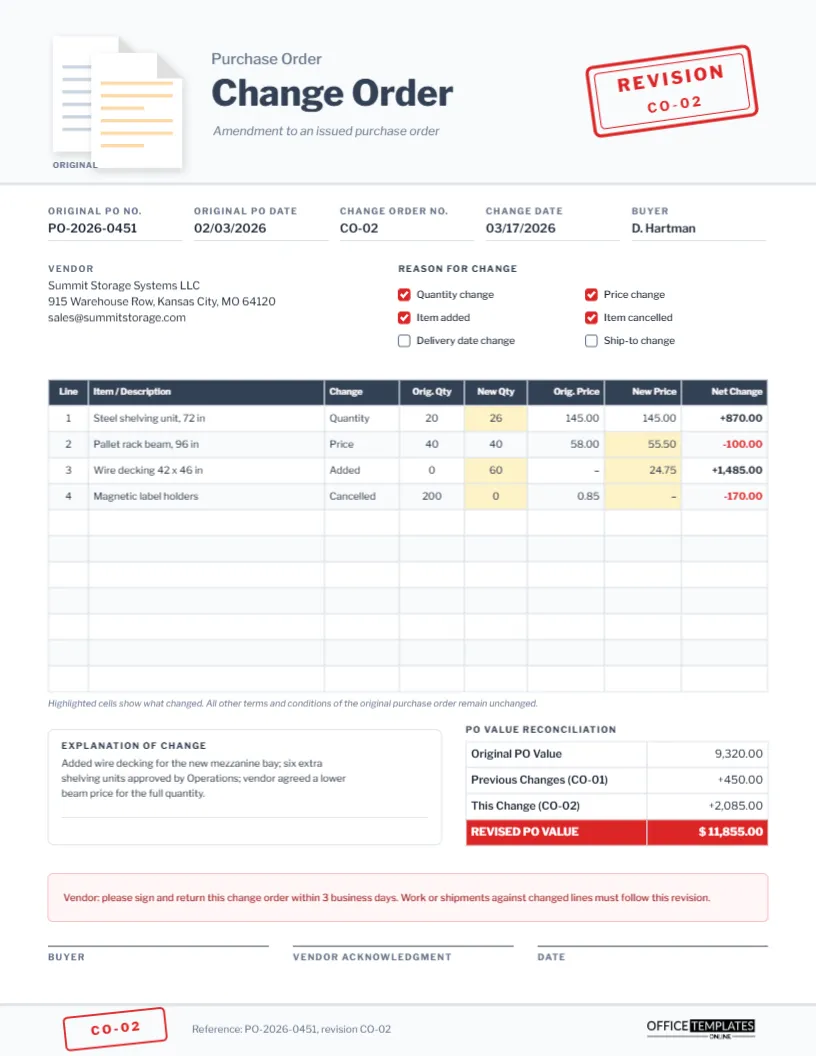
Issue a change order that updates the tasks, amounts, and milestones. The Change Order template in this collection is made for that purpose.
Can I delete the milestones table?
Yes. For small jobs paid in one invoice, delete the table and its heading and move the terms up.
Put Your Next Engagement on Paper
A service purchase order turns a friendly conversation into a clear agreement. Describe the scope, set the rate, plan the payments, and get both signatures, and the work can start on a solid footing.