A Weekly Table With Yes and No Columns and a Notes Box
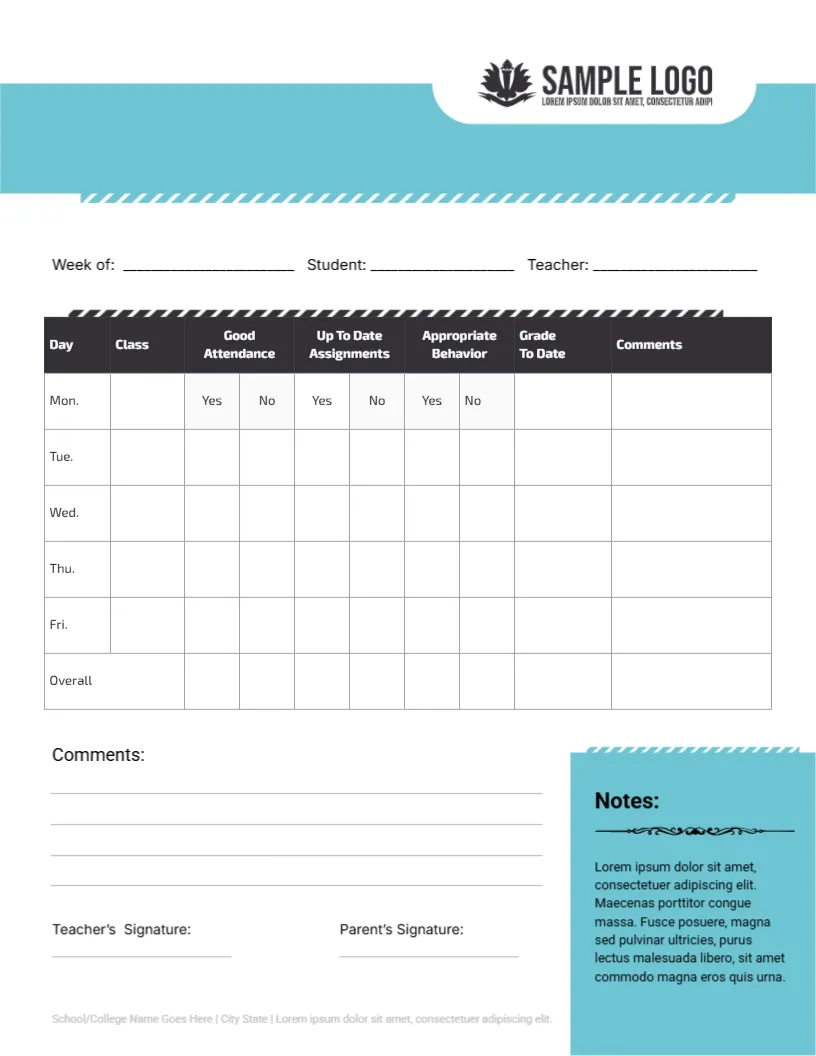
A teal wave band with a SAMPLE LOGO sits across the top of this letter page, with Week of, Student and Teacher lines below. A dark headed table lists Day, Class, Good Attendance, Up To Date Assignments, Appropriate Behavior, Grade To Date and Comments for Mon. to Fri. and an Overall row, with Yes and No cells for the first three. A Comments area, two signatures and a teal Notes box close the page.
A Letter Page for Weekly Reporting
The page is 8.5 x 11 inches. One row per day and a closing overall row give a quick weekly summary that fits on a single side.
Yes No Cells and Notes Text
Circle or tick Yes or No in each of the three cells per day, then add a class, a grade to date and a brief comment. The teal Notes box holds Lorem ipsum, so replace it with a reminder, such as the next test date. Update the Lorem footer too.
Preparing the Weekly Card
- Fill week, student and teacher.
- Name the class each day.
- Mark the Yes No cells.
- Add grade and comment.
- Complete the Overall row.
Yes and No for Speed
Yes or No cells take a second to answer, so a teacher can complete a card for each child at the end of the day. The speed makes the card realistic for large classes.
Three Habits Worth Watching
The card tracks attendance, assignments and behavior. These are the three things parents can influence most, so the card is practical for school and home.
Grade To Date for Context
The Grade To Date column shows where the student stands as the week goes on. Parents who see a drop early can act before the end of term.
An Overall Row at the Foot
The last row summarises the week. Use it for a total of Yes answers or an overall comment, such as great week or needs more focus on homework.
A Teal Notes Panel
The teal box on the right holds school notices. Using it for upcoming events or tips keeps all communication on the same sheet.
Two Signatures for Accountability
The teacher and the parent both sign. A returned signed card shows that the parent has seen the week summary, which is the main purpose of the sheet.
Keeping Weekly Records
File the cards by week in a student folder. A term of cards shows patterns that a single report card can hide.
Step by Step Editing of the Weekly Academic Progress Report Card Attendance Yes No Design
- On the weekly academic progress report card attendance yes no design, click the main headline and type your own words, keeping a similar length.
- Retype every name, date and contact line on the weekly academic progress report card attendance yes no design, checking each against a trusted source.
- Search the weekly academic progress report card attendance yes no design for the words Lorem and Company so that no placeholder remains.
- Click any logo or photo on the weekly academic progress report card attendance yes no design, choose Replace Image and resize the new picture to fit.
- Zoom the weekly academic progress report card attendance yes no design to full size and read each line aloud before you save it.
- Keep a clean master of the weekly academic progress report card attendance yes no design without private details, so later versions start tidy.
Have a look at the daily progress report card. Another option is the weekly student progress report. A related layout is the half year progress card. Every weekly academic progress report card attendance yes no style alternative sits in progress report templates.