Two Half Year Columns Under a Doodle Border
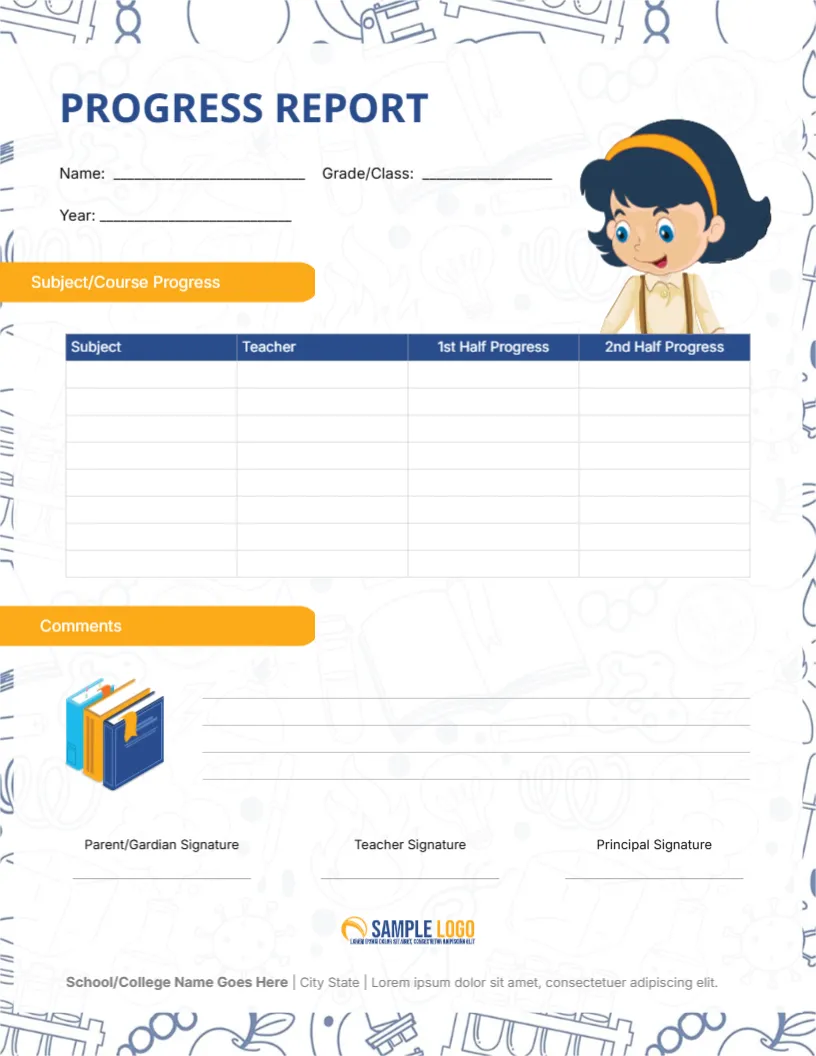
A pale doodle pattern of school supplies runs along the edges of this letter page. PROGRESS REPORT sits in bold blue with Name, Grade/Class and Year lines and a cartoon girl with an orange headband. An orange tab reads Subject/Course Progress above a blue headed table of Subject, Teacher, 1st Half Progress and 2nd Half Progress, then a Comments tab with a stack of books, three signatures and a logo.
A Letter Page for Half Year Reporting
The page is 8.5 x 11 inches. The table has two progress columns, one for each half of the year, so a single card covers the whole year.
Fields, Rows and the Typo
Fill Name, Grade/Class and Year, then list the subjects and teachers in the eight rows. The signature label reads Parent/Gardian, which should be Guardian. Replace the Lorem footer with your school address.
Preparing the Half Year Card
- Fill name, class and year.
- List subjects and teachers.
- Fix Gardian to Guardian.
- Write progress notes.
- Collect three signatures.
Describing Progress, Not Only Marks
The columns are headed Progress, not Grade, so you can write words such as improving or steady. That suits schools that prefer descriptive reports to marks.
Comparing the Two Halves
Writing both halves side by side shows change. A pupil who moves from developing to secure is encouraged by seeing it, and parents can see the effect of extra help.
The Teacher Column
Each row names the teacher, which helps parents with several subjects. They know whom to speak to about a concern in a particular subject.
A Doodle Border With Charm
The pale school doodles frame the page softly without hurting readability. They suit primary and middle schools, and they print lightly, saving ink.
A Comments Area With Books
The Comments tab has four ruled lines with an illustration of books beside it. Use it for an overall summary and a goal for the next half.
Parent, Teacher and Principal Lines
Parent, teacher and principal signature lines sit above the school logo. Collect all three before filing, and return a copy to the family.
Mailing the Card Home
Print on bright paper, and send the card with a short covering note. If you send it digitally, export a PDF and ask parents to confirm receipt.
Step by Step Editing of the Progress Report Card Half Year Subject Course Cartoon Design
- On the progress report card half year subject course cartoon design, click the main headline and type your own words, keeping a similar length.
- Retype every name, date and contact line on the progress report card half year subject course cartoon design, checking each against a trusted source.
- Search the progress report card half year subject course cartoon design for the words Lorem and Company so that no placeholder remains.
- Click any logo or photo on the progress report card half year subject course cartoon design, choose Replace Image and resize the new picture to fit.
- Zoom the progress report card half year subject course cartoon design to full size and read each line aloud before you save it.
- Keep a clean master of the progress report card half year subject course cartoon design without private details, so later versions start tidy.
A related layout is the daily progress card. Also worth a look: kindergarten progress card. Next to try is the subject specific progress card. Every progress report card half year subject course cartoon style alternative sits in progress report templates.