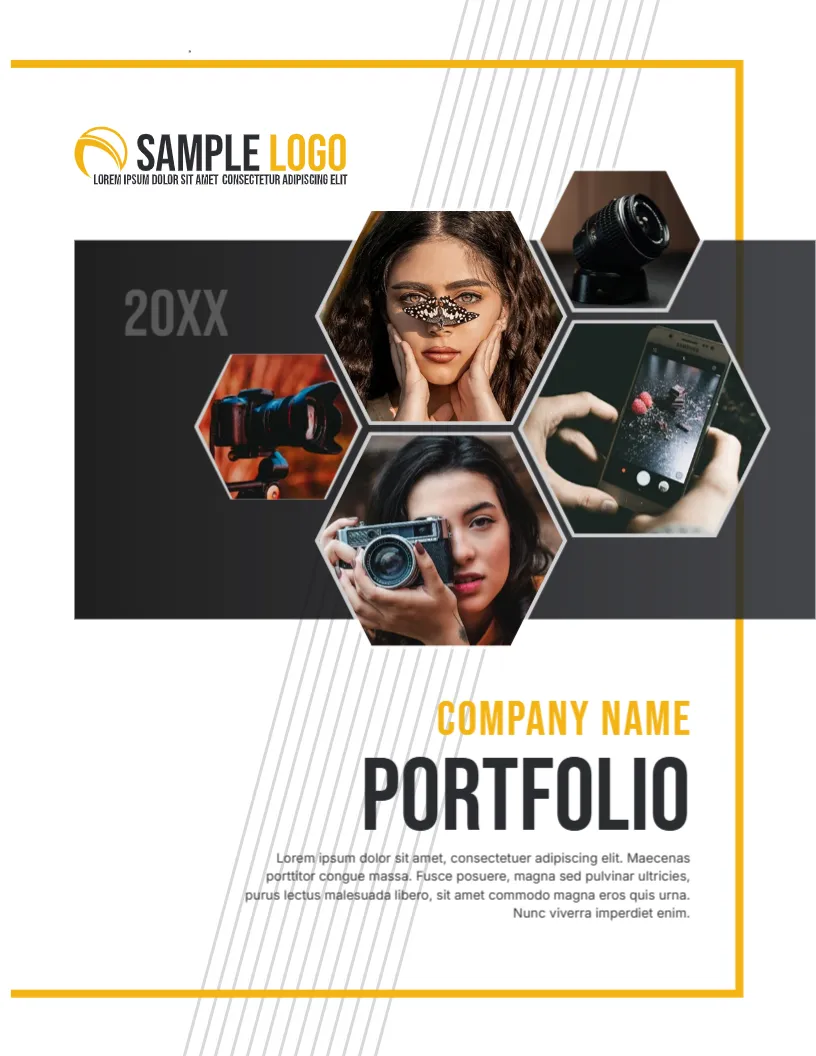
A Photography Cover Made of Honeycomb Cells
A photographer’s portfolio has to show pictures right away. This cover places a cluster of hexagon shaped photos on a charcoal band, with a golden yellow frame and fine diagonal lines. The sample pictures show cameras, a model and a phone, which fits a studio or a photography school. It suits wedding, portrait, product and commercial photographers.
Hexagon Cluster on a Charcoal Band
The page is 8.5 x 11 inches, portrait, one page. A dark band crosses the upper middle with the year 20XX in grey at its left. Five hexagon photos overlap at the centre and right of the band. A yellow rectangle frames the page, and light diagonal lines fade across the lower right. The frame, band and lines are graphics, and every hexagon photo can be replaced.
Company Name, Title and Description
Below the band, COMPANY NAME appears in yellow capitals above PORTFOLIO in large dark type. A right aligned paragraph follows. At the top left, the SAMPLE LOGO has a yellow swoosh. Replace COMPANY NAME with your studio or your own name, and use the paragraph for a short statement of your style, for example natural light weddings in coastal towns.
Choosing Five Images for the Hexagons
- One strong portrait as the centre piece.
- One detail shot, such as hands or an object.
- One behind the scenes image of your craft.
- Two images that show different genres.
- Keep colour and tone consistent.
Why Five Photos Are Enough on a Cover
A cover needs a taste, not the whole menu. Five images can show range while keeping the page clean. Save the full gallery for the inside, where each photo can have a page and a short caption about the shoot.
Print Quality for Photography Covers
Photographers are judged on print quality, so use a good printer. Ask a lab for a trial on 200 gsm silk or satin paper. Check skin tones and shadows. For online delivery, export a PDF with images at 150 to 200 dpi.
Editing and Printing the Hexagon Portfolio Cover
The fonts are Bebas Neue and Inter. Text edits freely. To change a hexagon photo, click it and choose Replace Image, then resize it to fill the shape.
Organising a Photography Portfolio by Genre
Group images by type, for example portraits, weddings and products, with a title page for each. Show your strongest work first in every group. A potential client looking for one kind of photography can then find it quickly.
Step by Step Editing of the Photography Portfolio Cover
- On the photography portfolio cover, click the main title and type your own words, keeping the same style of capitals.
- Retype every name and contact line on the photography portfolio cover, checking each spelling against an official source.
- Change the year or date on the photography portfolio cover, then search the page for XX and for the word Lorem so that no placeholder remains.
- Click the logo or the photo on the photography portfolio cover, choose Replace Image and resize the new picture until it fills its space.
- Zoom the photography portfolio cover to full screen and read each line aloud, because spoken reading catches slips that silent reading misses.
- Keep a clean master of the photography portfolio cover without your private details, so that later versions begin from a tidy copy.
Have a look at the fashion design portfolio cover. Another option is the creative portfolio cover. A related layout is the web design portfolio cover. Find more designs next to the photography portfolio cover in business and report cover pages.