A Cover Page With a Bold Pink Title Block
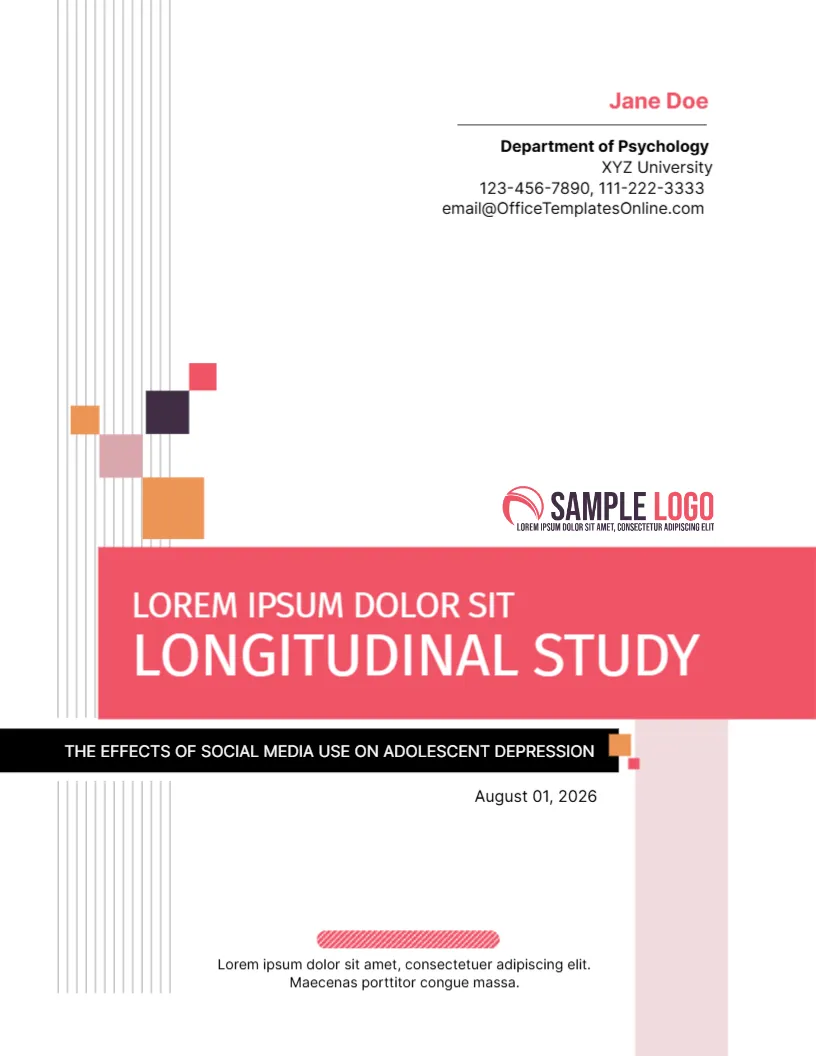
Most academic covers look alike: a centred title, a name and a date. This one breaks the pattern with a wide pink block for the main title, a black bar for the subtitle and a scatter of small coloured squares that look like pixels. It suits research projects, studies, lab reports and thesis chapters where the writer wants a cover that is clean but not dull.
What the Sample Study Shows
The template is filled with an example from psychology: LONGITUDINAL STUDY as the main title, The Effects of Social Media Use on Adolescent Depression as the subtitle, the date August 01, 2026, and a block for a student called Jane Doe at a Department of Psychology. The structure carries over to any subject. The pink block holds the type of work, the black bar holds the specific question or topic.
Vertical Lines and Coloured Squares
The page is 8.5 x 11 inches, portrait, one page. Thin grey vertical lines run down the left side, and a cluster of squares in orange, pink, plum and dusty rose sits above the title block like a stylised bar chart. These are graphics and stay fixed. A pale pink column runs down the right side to balance the title.
Where Your Name and Department Go
At the top right, the name appears in pink above a thin line, followed by the department, the university, two phone numbers and an email address. Replace each. If your university does not want contact details on a cover, delete the phone and email lines and keep the name and department.
The Logo and the Footer Line
A SAMPLE LOGO sits above the pink block. Replace it with a university or department mark, or remove it. At the foot there is a short line of placeholder text inside a small striped pink bar. Use it for a course code, a supervisor name or a short statement.
Fonts and Readability
The title uses Fira Sans in capitals, and the rest uses Inter. Both are clear at small sizes. Keep the main title to about five words so that it fits on one line inside the pink block. A longer title belongs in the black bar, which is wide enough for roughly eight words at the default size.
Using the Cover for Different Subjects
- Write the kind of work in the pink block, such as Case Study or Literature Review.
- Put the full topic in the black bar.
- Enter your name, course and instructor.
- Set the date to the submission date.
Printing the Project Cover for the Psychology Project Cover
A colour laser prints the pink block evenly. If you use a school printer in black and white, the pink becomes mid grey and the white title stays readable. Staple at the top left or use a slide binder.
Using the Pink Block for Sections
You can reuse this layout for the chapter dividers of a long project. Copy the cover, change the pink block to the chapter name and the black bar to a short description, and the whole document looks like a set. It helps a reader find the literature review or the methods section quickly when flipping through a printed copy.
Compare it with the thesis and dissertation cover page. You may also like the educational project cover. For comparison, open the research paper cover page. Every psychology project style alternative sits in business and report cover pages.